

Since WordPress 3.0+, you can embed Youtube video easily in your articles simply by pasting the URL of the video site into your text editor. WordPress will then work the rest and insert the required code to embed the video to your site. This is all great, except that the embed video’s width and height is prefixed and you can’t change it. What might happen is that either the video is too small for your theme, or too big to fit into the content area. If you are using a responsive theme for your site, you will find that the video doesn’t scale as you resize the browser and ultimately breaks your theme.
To illustrate, this is what happened:
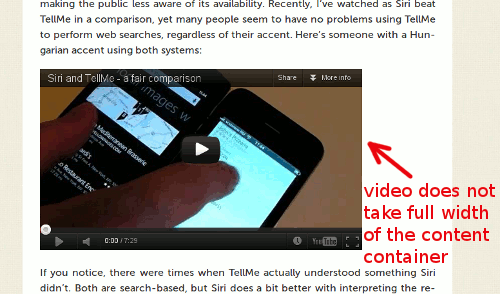
Notice that the video doesn’t take up full width of the content container?
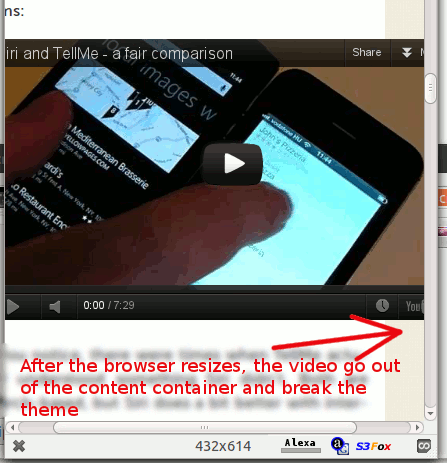
Notice that the video doesn’t scale when you resize the browser and it went out of the content container and break the theme?
To fix this, we need to make use of a script – FitVids – that will turn your embedded video into a full-width responsive object and automatically scale as you resize the browser.
Personally, I have integrated the FitVids script directly into the theme to reduce the server overhead, but for those who are not experienced in coding, there is a plugin that can do it for you: FitVids for WordPress.
1. Install and activate the FitVids for WordPress plugin.
2. Go to “Appearance -> FitVids”.
3. If you are absolutely sure that the jQuery script (of version 1.6 and above) is already included in your theme, leave the “Add jQuery” field blank. If not, check the box beside “Add jQuery”.
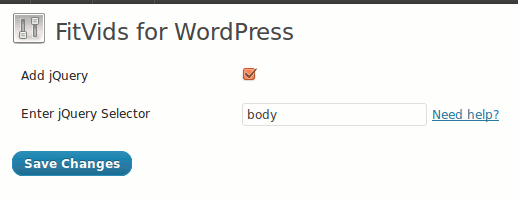
4. The “jQuery selector” field is a bit tricky because it can be different for each site. For most instance, you can just enter the word “body” (without the quote) in the input field and it should work. However, if you want to micro-target a specific container with video, you can place the id/class of the container in this field, for example: “#video-container“, “#content“, “.entry-content” etc.
Note: The “#” and “.” in front of the text represent the “id” and the “class” in CSS respectively.
5. Now, check out the post with an embedded video. You should see something like this:
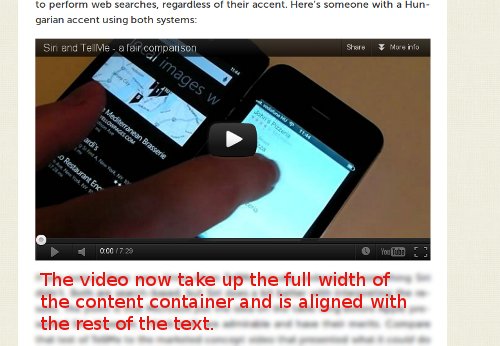
The video now take up full width of the content container
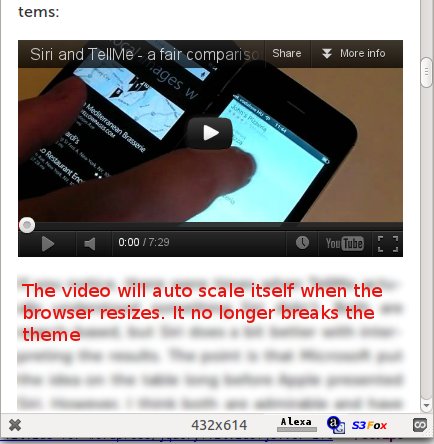
It auto-scale as you resize the browser.
Conclusion
FitVids is an easy to use script to convert your embedded video into a responsive object. Try it out and let us know if this is useful to you.