


Have you posted content on Reddit that deserves to be seen by more people? Or perhaps you’ve stumbled upon a post that another subreddit you frequent would surely appreciate? Whether it’s your own content or a valuable find, crossposting on Reddit is the key to more views and more likes. With our guide on how to crosspost on Reddit, you can take any content and share it with other communities, all while giving credit to the original creator.
Good to know: if you are looking for content that no longer seems to exist, you can view deleted Reddit posts and comments.
[mte_toc]What to Remember Before You Crosspost to a Subreddit
Crossposting on Reddit can be an excellent strategy to amplify your content, but it’s not as simple as hitting a button and watching the upvotes roll in. The following are some essentials to keep in mind to make the most of your Reddit crossposting efforts.
- Membership matters: you must join the community you want to crosspost to. This isn’t just a technical requirement; it’s also about being a part of the community and understanding its norms and values.
- Crossposting isn’t always allowed: every community has its own rules, and not all allow crossposting. If the rules aren’t clear, or you’re still uncertain, message the mods of the specific subreddit, as crossposting where it’s not allowed can lead to a ban.
- Don’t get spammy: random or irrelevant content can be seen as spammy. Keep your Reddit crossposts relevant to the community you’re posting in, and remember that it needs to be engaging and valuable; otherwise, it won’t resonate.
Keep these three simple pointers in mind, and you’ll be on your way to connecting with new subreddits and maximizing the visibility of the content you care about.
How to Crosspost on Reddit From a Desktop
For those who use Reddit through a web browser on a desktop, you can master how to crosspost on Reddit in just a few clicks:
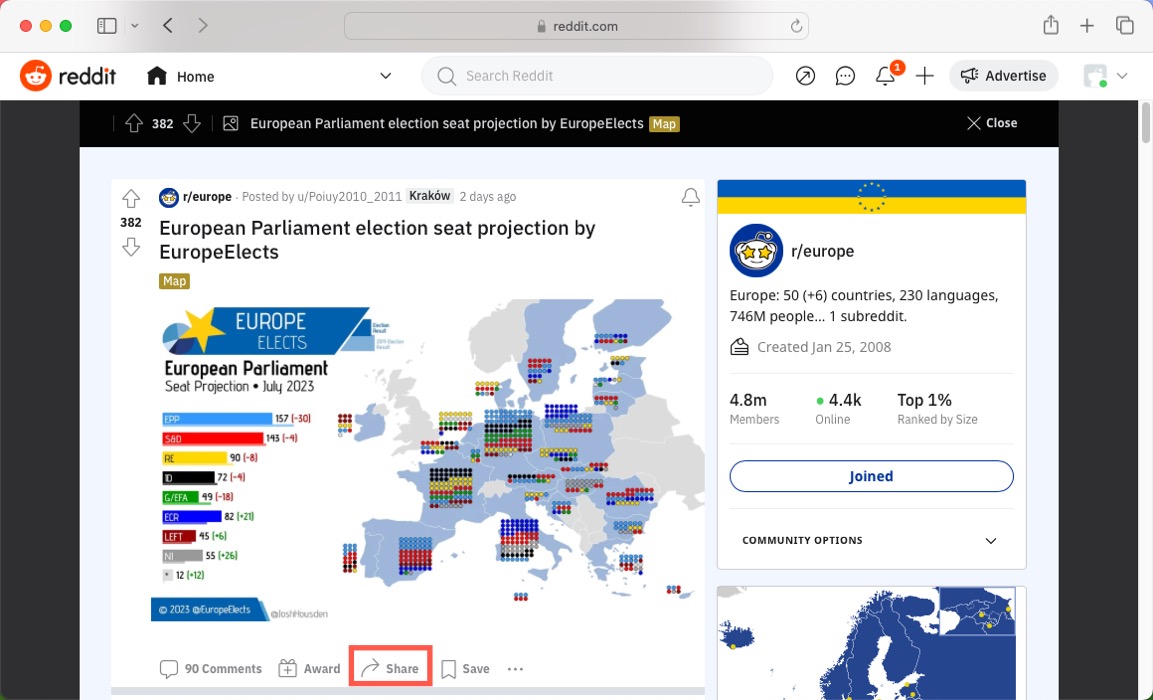
- Locate the original post you want to crosspost and open it.
- Click the “Share” button right below the post.
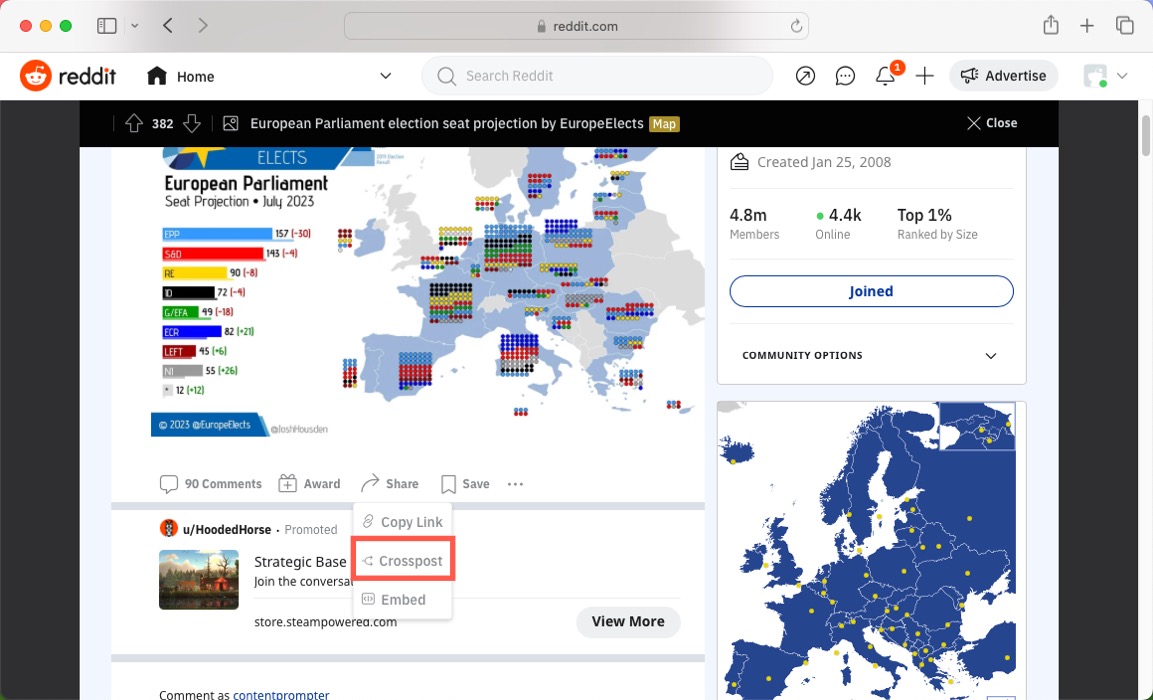
- Select the “Crosspost” option from the menu.
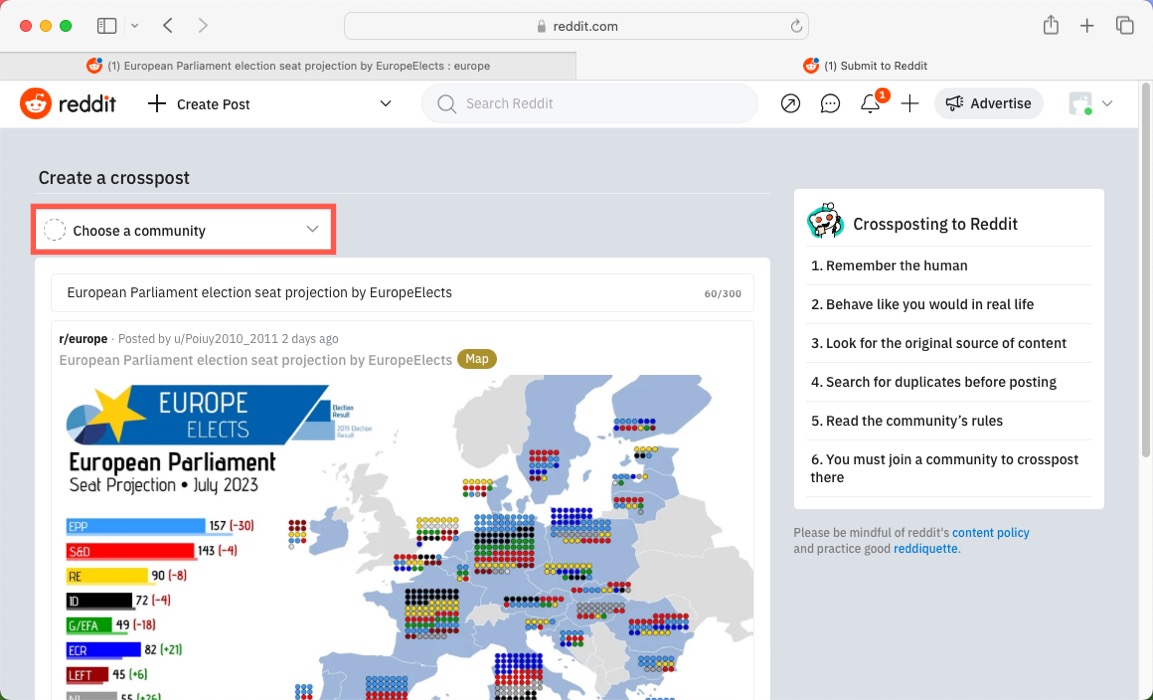
- Use the “Choose a community” drop-down menu to find the community where you want to share the content.
- Click “Post” to publish the crosspost to the selected community.
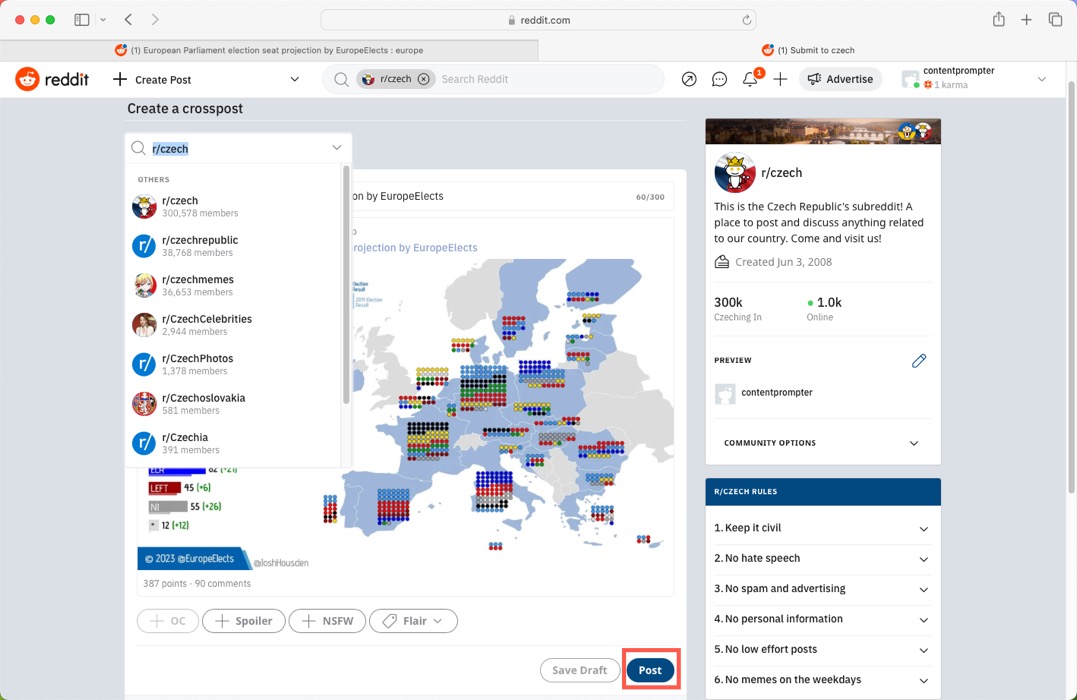
Tip: when crossposting, it’s considered good reddiquette to include “(xpost r/subredditname)” at the end of the title.
How to Crosspost on Reddit From a Mobile Phone
Many of us interact with social media platforms like Reddit primarily through our mobile devices. Fortunately, their mobile apps make crossposting on Reddit a breeze:
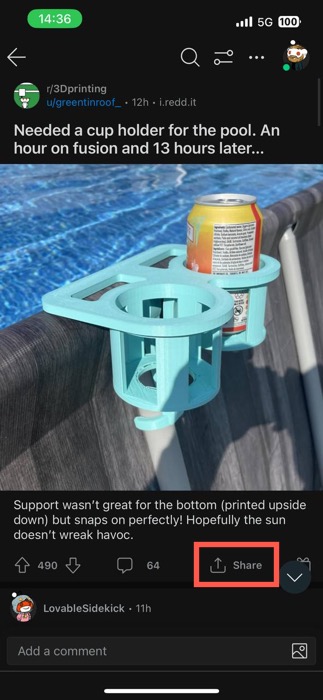
- Tap the original post you want to crosspost to open it.
- Tap the “Share” button located below the post.
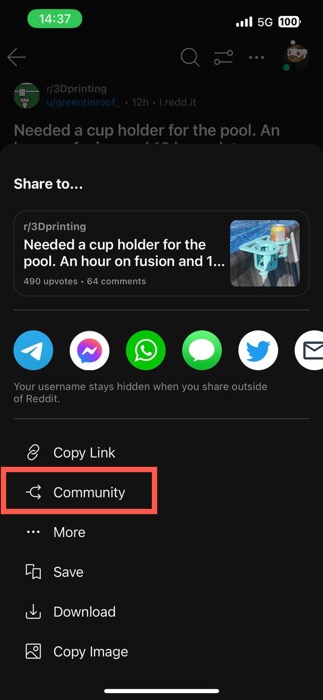
- Select the “Community” option from the menu.
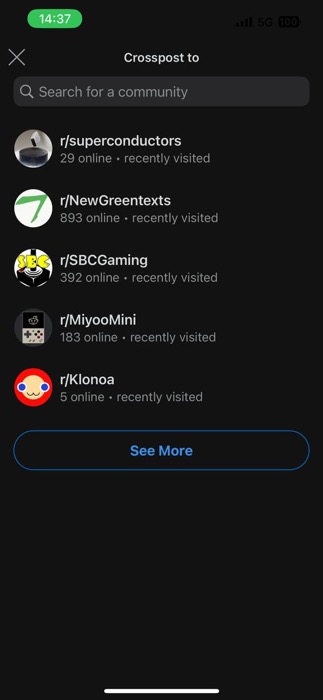
- Find the community where you want to share the content, and tap on it to select it.
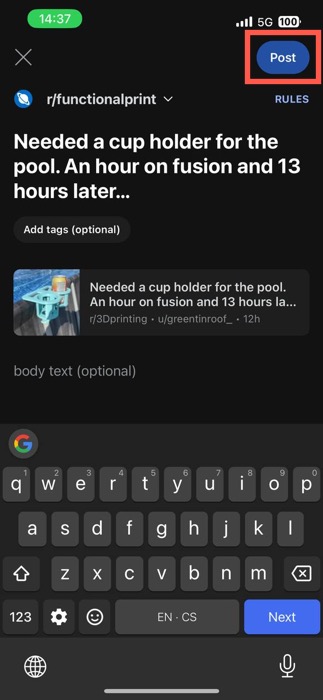
- Tap “Post” to publish the crosspost to the selected community.
Frequently Asked Questions
Is crossposting on Reddit the same as link sharing?
No, crossposting is not the same as link sharing. Crossposting is a specific Reddit feature that allows you to share a post from one community to another, embedding the original post with the original username, community, and karma score, allowing others to trace back to the original content. Link sharing, on the other hand, is when the link to the post is shared outside of Reddit, such as in an email or on another platform.
How will I know if a subreddit allows crossposting?
To determine whether a subreddit allows crossposting, first check the community’s rules, usually found in the sidebar. If crossposting is not allowed, the option to select that community for crossposting will be grayed out or missing altogether during the selection process.
Can I crosspost to multiple subreddits at once?
Unfortunately, no, you can’t crosspost to multiple subreddits at once. You must manually select each subreddit and crosspost to each community with which you wish to share the content to prevent spammy behavior.
Image credit: Pexels. All screenshots by David Morelo.