
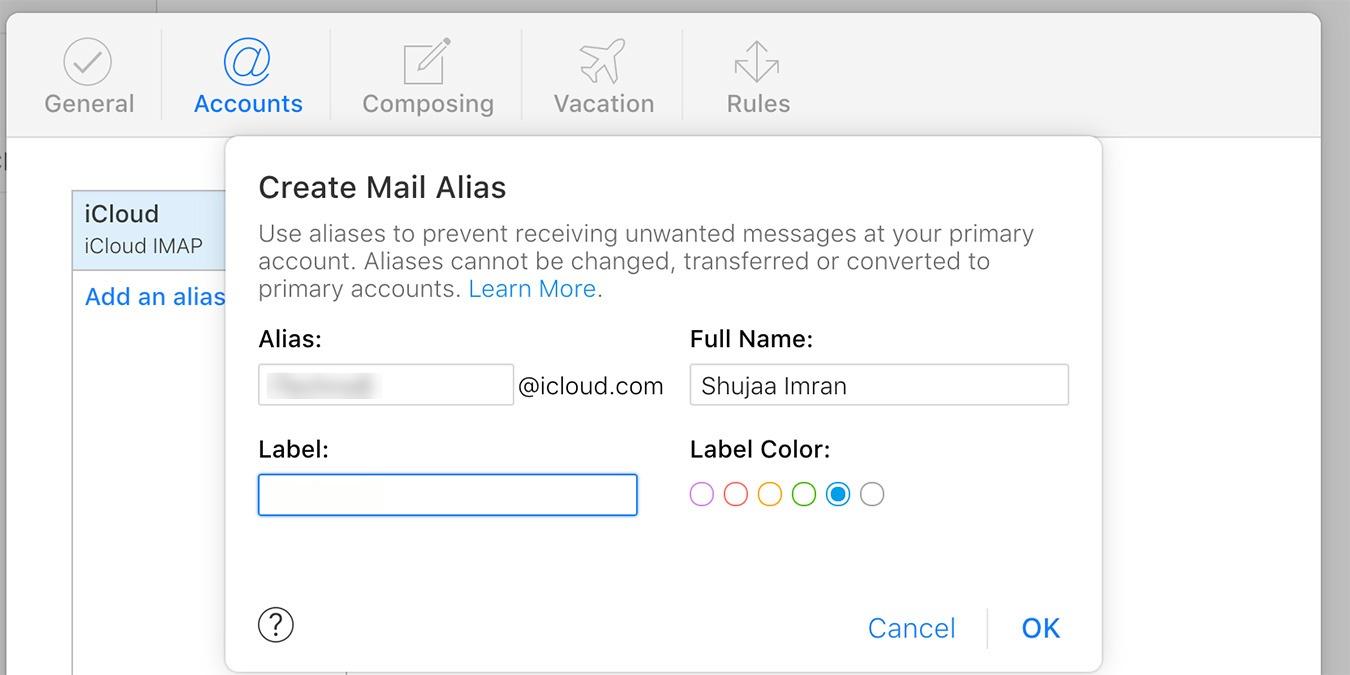

One of the benefits of using an iCloud account for your email is that it allows you to use email aliases. This allows you to send and receive emails without revealing your true email address. It also allows you to set up online services and log in to websites and protect your real email address from spammers and hackers. Read on to learn how to create iCloud email aliases.
Note: keep in mind that you can only set a maximum of three email aliases for your iCloud mail account.
Also read: How to Use a Custom Email Domain with iCloud Mail
Follow the steps below to set up email aliases.
1. Using a desktop web browser, visit iCloud.com and sign in with your Apple ID and password.
2. Once logged in, click on Mail.
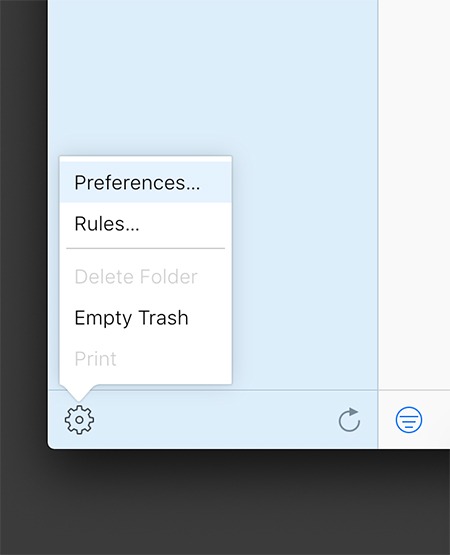
3. Click on the Settings icon in the bottom-left corner of the window and select “Preferences.”
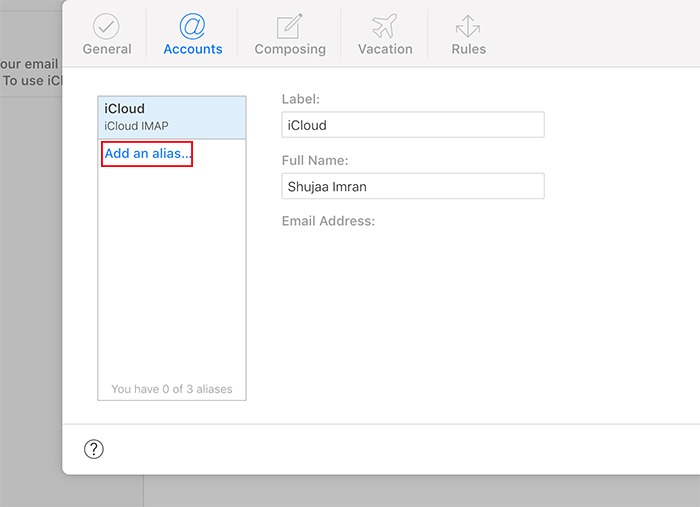
4. In the Accounts tab click on “Add an alias.”
5. Enter an alias for your iCloud email address. If it’s available, you’ll be able to set it up. You’ll also see the option to label the alias, which can be really helpful for inbox management later on.
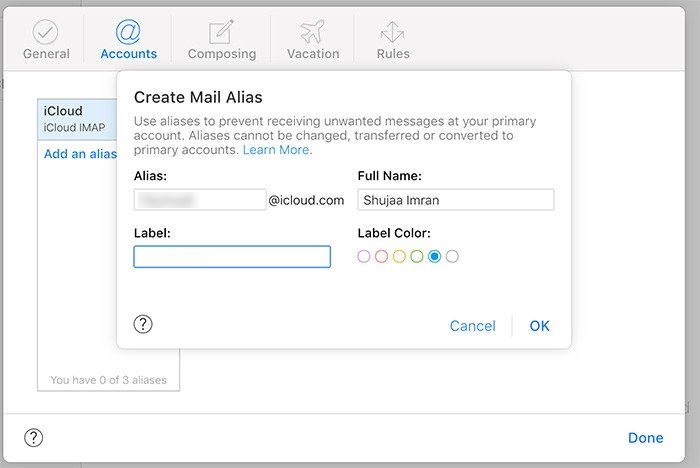
6. Click Ok and Done.
Once aliases have been set up, you’ll need to enable them on your iOS and macOS devices to allow sending from these addresses.
Enable iCloud Aliases on iOS
1. Launch the Settings app on your iOS or iPadOS device.
2. On the top of the screen, tap on your Apple ID.
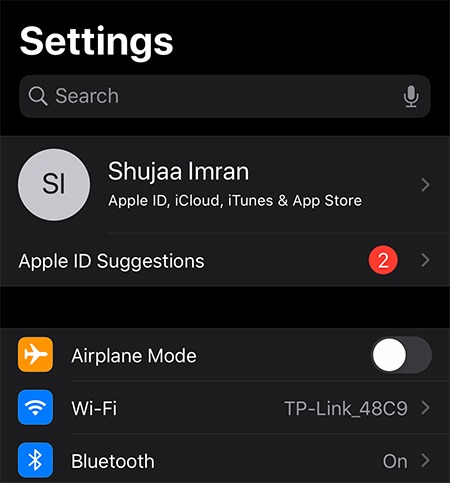
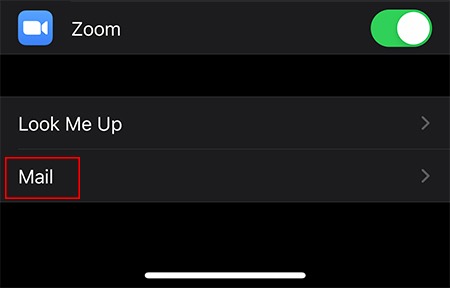
3. Select “iCloud -> Mail.”
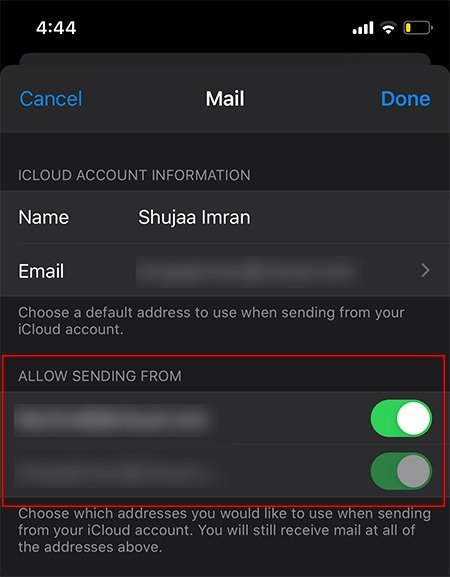
4. Under the section “Allow Sending From,” enable the email aliases that you’d like to use on your device.
Enable iCloud Aliases on macOS
1. Open the Mail app on your Mac.
2. On the top menu bar, navigate to “Mail -> Preferences.”
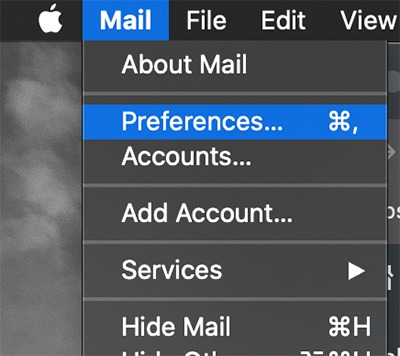
3. Click on the Accounts tab and select your iCloud account in the left sidebar.
4. In Account Information, click on the Email Address drop-down menu and select “Edit Email Addresses.”
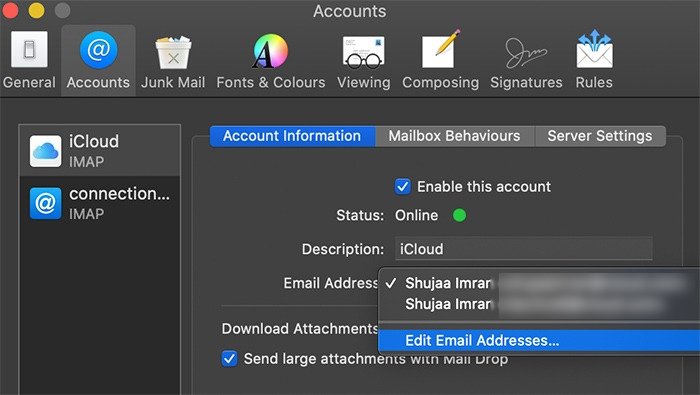
5. This will launch your browser and open the icloud.com website. Enter your Apple ID credentials and manage your email addresses as desired.
Now that you know how to create iCloud email aliases, you can make good use of them to protect your privacy. If three aliases are not enough for you, you can opt for any of these privacy-focused email services or use iPGMail to encrypt your emails in iOS.
Related: