

Did you know that some smartphones can tune in an FM radio station just like a radio can? It’s a little-known feature of smartphones, but if it’s enabled on your phone, why not tune in your favorite stations and listen to some music – all for free? Let’s take a look at the technology behind this feature and find out how phone FM radio works.
Also read: How to Start Your Own Internet Radio Station
How Does Phone FM Radio Work?
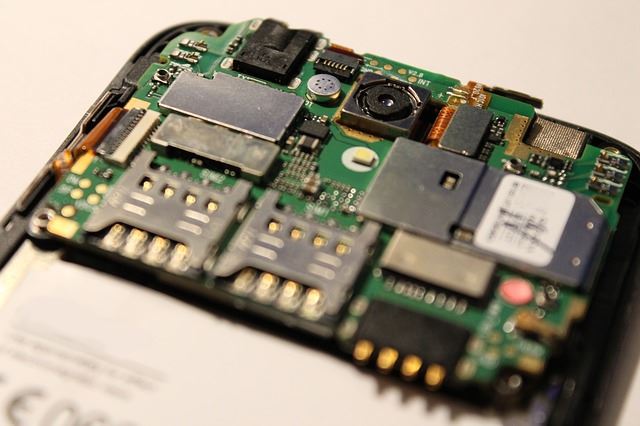
In order to play an FM signal, a device needs an FM chip installed inside. This chip can process incoming FM radio waves for your listening pleasure. Some Android smartphones on the current market these chips, giving them the power to receive FM radio.
However, getting a radio signal isn’t as simple as adding the chip and calling it a day. After all, the phone needs to process the FM signal and send the tunes it’s playing to the phone’s headphones.
As such, to get an FM radio station to play on your phone, the manufacturer would have had to implement an FM chip on the phone. They would need to work out the details to pipe an FM radio station to your speakers. Then, the carrier who sells the phone would need to make the decision to keep the feature.
Does My Phone Have FM Radio?
The best way to check if your phone has FM radio is to look at the apps that came with it. The phone’s manufacturer will have developed an app for the radio as part of the process of getting the FM chip in working order. This app will sometimes just be called “FM Radio.”
If you have this app, you can load it and tune it just like a physical radio. What’s more, this radio app doesn’t use any cellular data to play music. This makes the FM radio app a great way to listen to music without racking up bills.

How does the phone play music without using data? The answer is easy: just think of all the radios that have been in cars for years, long before cellular data was a thing! As much as you don’t need to pay your mobile carrier when you’re jamming out on a drive, you don’t need to pay for FM radio on your phone.
Why Does My Phone Require Headphones to Play FM Radio?
When you listen to FM radio with your phone, it may ask you to plug in headphones. This isn’t a luxury option, however; the phone won’t play the radio if no headphones are detected. So why can’t the phone just play the radio through its speakers?
The reason the phone requires wired headphones is because it lacks an antenna on its FM chip. As such, it needs to use an external antenna to catch the radio waves. As it turns out, your wired headphones can actually pick up radio signals!
Because your phone needs to use the wires in your headphones to pick up the signal, it needs to be connected via a wire. As such, it won’t work with your Bluetooth or TWS earphones.
Why Doesn’t My Phone Have FM Radio?
If you can’t get FM radio on your phone, it’s likely due to one of the following reasons.
The Phone Doesn’t Have an FM Chip
You may have noted earlier that we said “some Android smartphones” have an FM chip within them. This is because not every manufacturer includes it in their phones. iPhones used to have a chip within them, but Apple removed it in recent releases of their phones.
Unfortunately, you can’t purchase an FM chip to stick on your phone. Such hardware is something that’s installed on the motherboard during the phone’s construction, so you can’t simply buy an FM chip and install it.
The Phone Isn’t Set Up for FM Radio
Sometimes a phone will have an FM radio chip but will still be unable to work. This may be because the manufacturers didn’t set up the connection for it, or the carriers denied the feature from working.
Carriers have come under fire for this, as radio signals for phones are a useful feature. Speculation as to why carriers do this is because it forces people to use cellular data, which forces users to pay for their radio stations.
Enabling an FM Radio-Starved Phone
There are ways to have other devices do the heavy lifting for your phone.
Getting an FM Radio Bluetooth Adapter
First, you can try an FM radio Bluetooth adapter. This is basically a radio tuner, and you simply connect it (via Bluetooth) to your phone to act as a speaker for the radio.
There are many of these adapters on the market, such as the Nulaxy Bluetooth FM Transmitter. Most of them are designed for cars and plug into the lighter socket and can perform additional tasks such as taking calls and providing a USB port for charging. (Buying through this link may earn us a commission, at no extra cost to you.)
Getting FM Radio Headphones
Likewise, you can purchase headphones with an FM chip built in. Like the transmitter, this does all the receiving for you; however, instead of piping it through the phone, the headphones just direct the music to the earpieces.

Models such as the 3M WorkTunes AM/FM Hearing Protector are great, as they allow you to plug in your smartphone and alternate between the radio and your phone. As such, you don’t need to sacrifice your phone’s audio to get FM radio on the go.
Install Radio Apps
There are tons of radio apps in the Play store, and TuneIn Radio is one of the best out there. It doesn’t require an FM chip to be installed on your phone, though it will require an Internet connection to connect to your local radio station.
Is the FM Radio a must-have feature on your phone? Let us know in the comments below.