

If you’re the kind of person who doesn’t want to spend money on pieces of software just to run them on your desktop, and you don’t mind storing items exclusively on the web, you have at least two Office-style programs that work like this: Google Drive and Microsoft Office Web Apps. If you haven’t been introduced to either of them, now’s a good a time as any to get familiarized! We’re going to put Google Drive and Office Web Apps head-to-head and see which one takes home the trophy.
Note: The comparison between the two pieces of software may not completely coincide with your opinions. I will be as objective as I can possibly make it. However, it’s very difficult to account for another person’s taste. You’re welcome to submit a comment as to why you’d contest my decision.
The “First Impressions” Round
MS Office Web Apps
Here we have software that’s made by the creator of the DOCX format itself: Microsoft. If there’s any web app that will “do it all” with documents and spreadsheets, it’s got to come from the creator of MS Office. Because of the company’s reputation, I’m inclined to put its software under more scrutiny and have a higher grade of expectations for it.
MS Office Web Apps closely resembles Office 2013, which sends a pleasant chill down my spine. The familiarity and ease of use, as well as the cute ribbon on the top, gives it a major plus in my book.
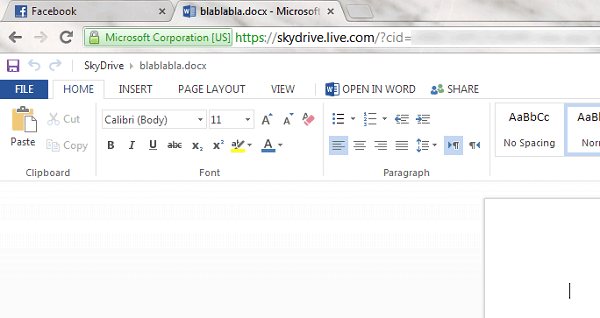
I honestly feel like I’m in Word 2013. Nothing much seems to have changed except the fact that I have to use SkyDrive to store files. Other than that, there’s really not much to say about it.
Google Drive
Since 2012, Google has made a change that unified its cloud services and lumped them all together in one neat interface known as Google Drive.
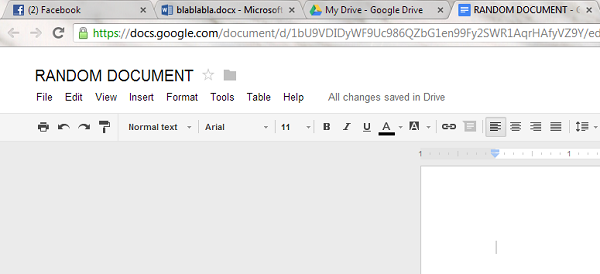
I can’t say accurately that I’m getting a “first impression” of this software. Using it on a regular basis has desensitized me to it and made me notice more of its quirks. However, it remains a very worthy rival to Microsoft’s Office Web Apps. It’s interface is just so clean!
The “Pros & Cons” Round
As both web apps offer a variety of services, to make the results consistent and brief, I’ll only be comparing word processing capabilities.
Microsoft Office Web Apps
Pros:
- Explicitly Office-ish. The entire interface looks like you’re working from the desktop version of the application – a major plus for those who like the Office interface, but may be a minus for those who hate it.
- Extensive feature portfolio. You can do practically anything under the sun without any help. Drawing tables is a breeze, and formatting is very familiar to what you’d experience in Office 2013.
- You don’t need to worry about how your document will look like in Office 2013. This is practically the same software on the web.
Cons:
- It’s very clunky when opening files! When I open a file, I’m met with a loading screen. Granted, the software is enormous so it takes a mammoth effort to load it.
- It doesn’t auto-save very often. To test this, I created a Word file and wrote some gibberish in it, then closed it about 10 seconds later. I re-opened the file, but there was nothing to see there. The file was blank. I’d assume that MS would take a cue from Google and actually implement the auto-save feature everyone loves there.
Google Drive
Pros:
- “Wow” factor when it comes to speed. Your Drive is lightning fast, and even this would be an understatement. Everything loads practically instantly. I seldom see the yellow “Loading” bubble on the top of the page when switching folders. Your mileage may vary depending on your Internet connection. I’m running the Drive directly on my dedicated 100 Mbit line, so there’s little to no noticeable delay.
- The intuitive interface is ideal for beginners. MS Office does a great job of packing its features into understandable cubicles, but it still falls short in ease of use. Google’s interface gives you a very simple and robust environment to work in.
- Auto-save rocks! I don’t know exactly how the feature is called, but Google’s habit of automatically saving what you type, as you type it, is a life-saver and a great feature for people who write a ton.
Cons:
- The lack of extra features makes Google Drive a very rugged product for professionals who want a full-scale Office-style solution. Some would say that it’s even worse than LibreOffice.
- The privacy policy of this product can potentially give Google access to some of the information you store on it. This is very bad if you own a business or store something intimate. It’s not likely they’ll ever use that power, but you can never be too careful.
Conclusion
If you’re looking for an application that safeguards your information and has a full feature set, MS Office Web Apps is the way to go. However, if you’re looking to pump some iron and write tons of documents in a short time, Google Drive can really make things happen for you.
All in all, Google Drive wins the battle for me. Its simple structure, lightning-fast speed, low resource usage, and auto-save feature form a perfect combination that’s suitable for most people who use word processing on a regular basis. Of course, you’re a different person with different needs. Maybe MS Office Web Apps is what you need. It’s a practical clone of Office 2013 and offers a more premium experience. Take your time and look through both to make a balanced decision. They’re both free, so you really have nothing to lose except half an hour of your spare time.
If you’d like to join the discussion, leave a comment below!