
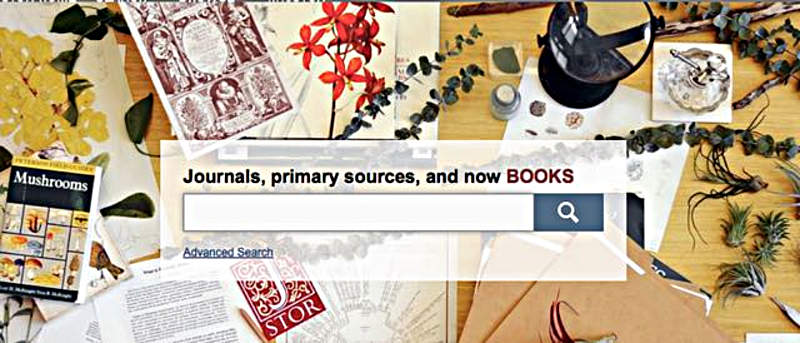

If you’re a student, professor, or researcher, you want to surround yourself with tons of journal articles. After all, they’re very essential in class discussions, reports, case studies and theses. While there are plenty of sources available to get journal articles, they are often costly. The cheapest can cost around $30. If you’re researching your topic, it’s not really practical to pay $30 for each article. This post is going to show how to find free, yet high quality, journal articles.
It’s important that you have a clear idea of your topic. What’s your study about? What are the keywords that you might use in order to find related literature? Having the keywords ready can help you find what you need much faster.
Step 1: Go to Google Scholar.
If you’re a student, you probably have come across Google Scholar. It’s an awesome tool to search for a variety of scholarly articles, including abstracts, peer-reviewed journals and physical books.
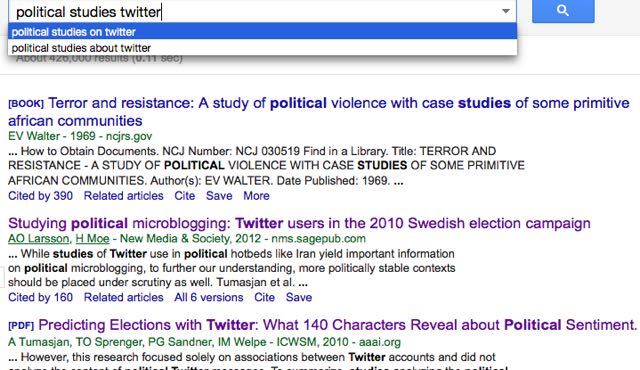
Type scholar.google.com on your browser’s address bar, or simply type “google scholar” on Google search. Enter your keywords and see what comes up. For example, I’m doing a study on political discussions on Twitter. So, I simply typed “political studies twitter.”
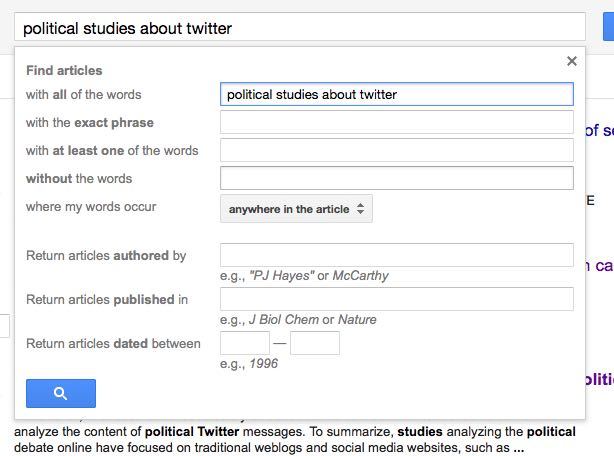
You can use the “advance search” option by clicking the drop-down on the right side. This allows you to find articles by title, author, publications and by publication date.
However, on your preliminary search, I highly recommend just doing a basic search, as it gives you an idea of the type of studies done on your topic.
Step 2: Download free PDFs from Google Scholar.
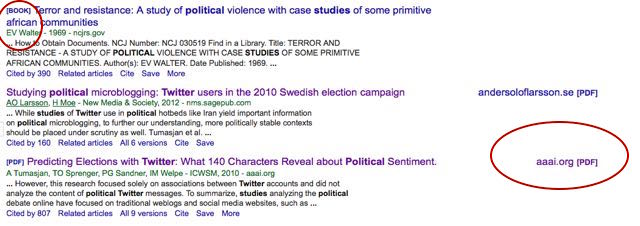
Most of the time there will already be quite a few PDF files on your first search. If you’re lucky they might already be available for free. Click on the PDF link of the most relevant article. If it’s free, the download will start automatically. Sometimes, however, you might get routed to the article’s abstract. From there, you can purchase the full PDF.
But our goal is to find free journal articles, so JSTOR would come in handy!
Step 3: Sign up for an account on JSTOR.
Now, if the free PDFs you found on Google scholar aren’t enough for your research, you can add more literature to your to-read list through JSTOR.
JSTOR is an online research and teaching platform. Setting up an account is free, though you can only store up to three articles. It costs $19.50 a month to get unlimited access. But what’s great about JSTOR is that it allows you to get access to the full PDFs for free.
On your account, you’ll have a “Shelf” where you can store up to three articles. If you find more than three articles on JSTOR, you can simply remove it from your shelf and then add the other articles you want to view.
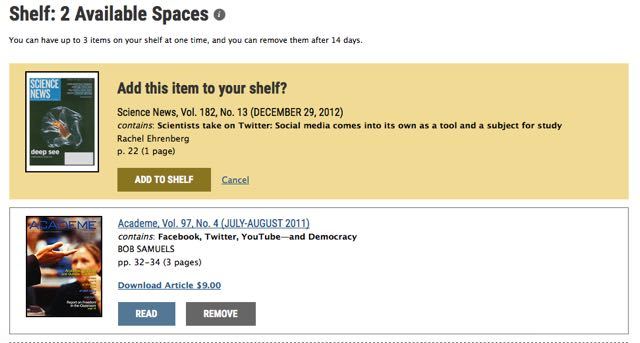
Use the same keywords you used on Google Scholar. Keep in mind that your search is limited to JSTOR’s database. You’ll find fewer related literature. Based on my experience, however, I always find the journal articles I’m looking for.
With the free PDFs you found on Google scholar and the articles you have on your JSTOR’s shelf, you’ll most likely end up with five to ten high-quality journal articles. It’s more than enough to get you started!
If you feel that they aren’t enough, however, one option is to contact the author(s) directly. I haven’t tried this yet, but based on what I’ve read online and my professor’s experience, authors are usually willing to give you a free digital copy. They might even be happy to know that you have an interest in their work! Of course, this is time consuming. Not to mention you’ll have to wait for a response. Only do this for those journal articles that will serve as the core foundation of your study.
With tools like Google Scholar and JSTOR, you’ll have access to tons of great literature about your study at your fingertips.