

You diligently checked everything to make sure your piece is perfect. And you hit the “Publish” button, brimming with the expectation of fame and fortune. And to add icing to the cake, you shared your masterpiece to all of the social media that you are a part of.
And then you wait.
And practically nothing happened. No comments, no shares. The analytics plugin shows a few visitors to the article, but you suspect they are your friends and family who tried to be polite.
You know that your writing is good. If only you could get enough social traction, it would become viral. The question is, how can you persuade your readers to share?
If you are a WordPress user, one of the solutions is to use Social Locker.
The Simple Mechanics Behind Social Sharing
You see, people are naturally egotistic animals. They only care about themselves and – to some extent – their close family. To “nudge” them to do something, you need to give them incentives. Or in some cases, prevent them from getting incentives before they do what we want.
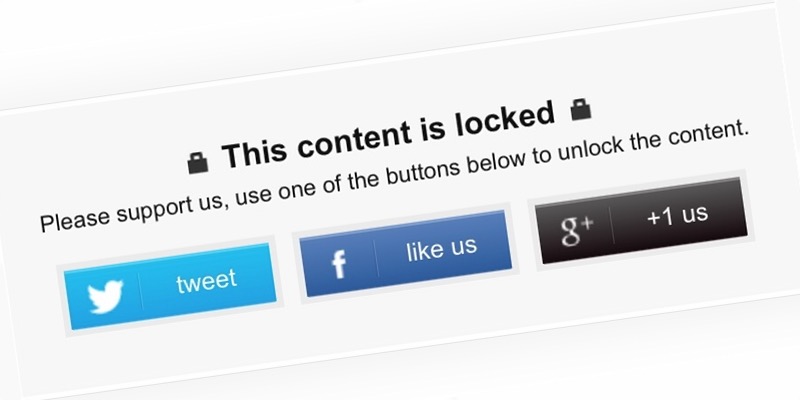
This is the concept behind Social Locker. The plugin will help a WordPress owner to “lock” certain valuable parts of their post/page. The reader can unlock it only if they share the post/page to social media.
Since you can use Social Locker to hide any part of the content, you can virtually lock anything from simple texts, resource links, video tutorials, software downloads, membership access, etc.
Of course, this tactic won’t do you any good if your content is about what you had for breakfast this morning. But if you have something that your readers want, they won’t think twice of sharing your post just to get it.
Using Social Locker
Before you can start locking the content, you have to download and install the plugin from the WordPress repository. The easiest way is to go to “Plugins -> Add New” from your site’s admin sidebar and search for Social Locker. There are tons of similar plugins in the repository, and you are free to choose any of them. The one that we discuss here comes from OnePress, and we chose it based on the most recent updates, the highest rating, and the most number of active installations.
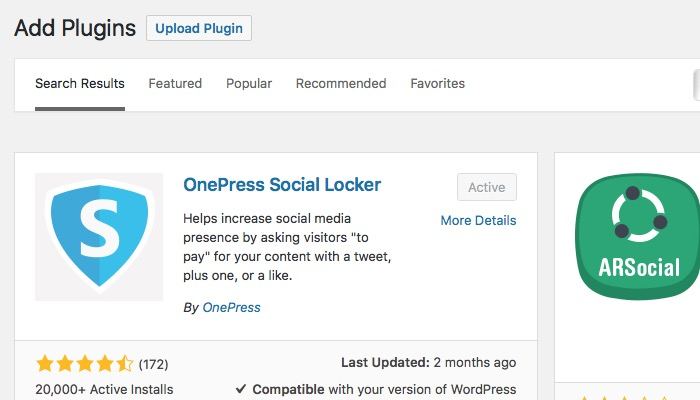
Install and activate the plugin, and you are ready to go!
Note: the developer also creates a similar plugin called Opt-In Panda that will unlock the content after the users join your mailing list or log in to your site. If you are currently growing your mailing list, I think Opt-In Panda should also be in your arsenal.
The first step of using Social Locker is to have valuable content. For example, you have a custom-made WordPress plugin that people want. You could create a post or page about that plugin and put the download link there.
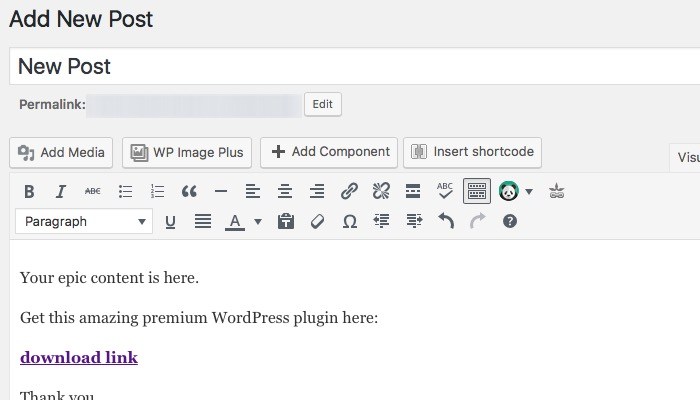
Then you could lock the content using Social Locker. All you need to do is to put your protected content between Social Locker’s shortcode set. The default shortcode set is
[sociallocker] PUT YOUR PROTECTED CONTENT HERE [/sociallocker]
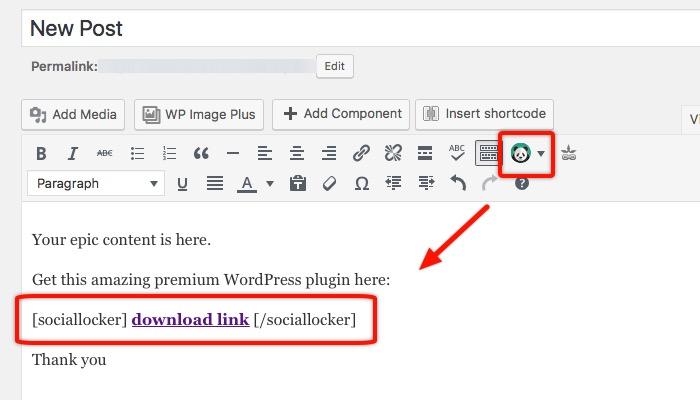
You can either copy and paste the shortcode or highlight the valuable content and choose one of the available lockers from the BizPanda icon on the editor bar. And that’s as difficult as the process can be.
After saving/publishing the content, your reader will see the Social Locker bar on your post/page protecting your valuable information.
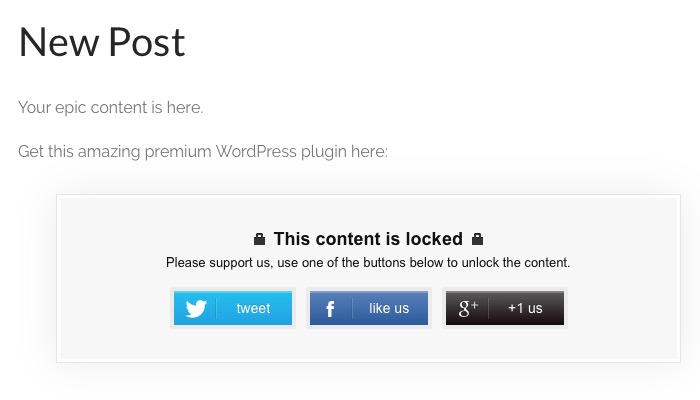
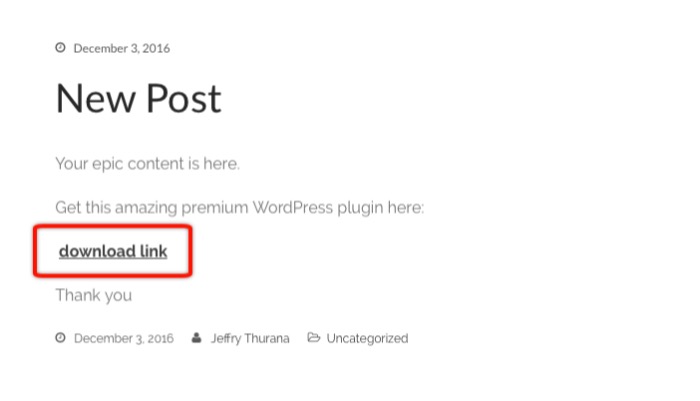
The content will be revealed as soon as they share the post/page.
More Settings – If You Want To
There are several things that you could tinker with if you want to customize the lock to fit your needs. Go to the “BizPanda” menu from the sidebar and choose “All Locker.” Pick one that you want to edit and select “Edit.”
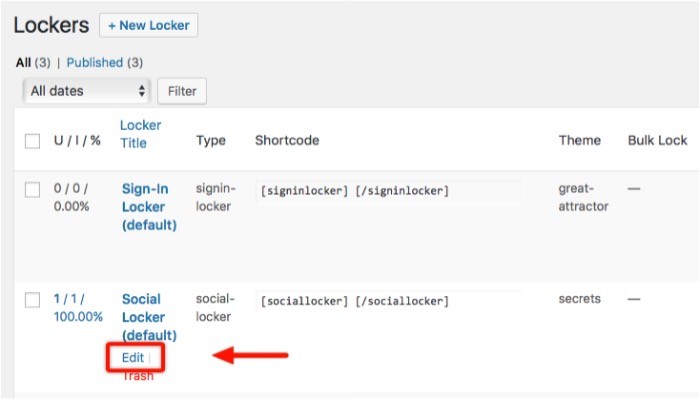
You can edit everything about the locker including the header and the message on the locker bar. You can also insert images and other elements to the locker bar to make it more attractive.
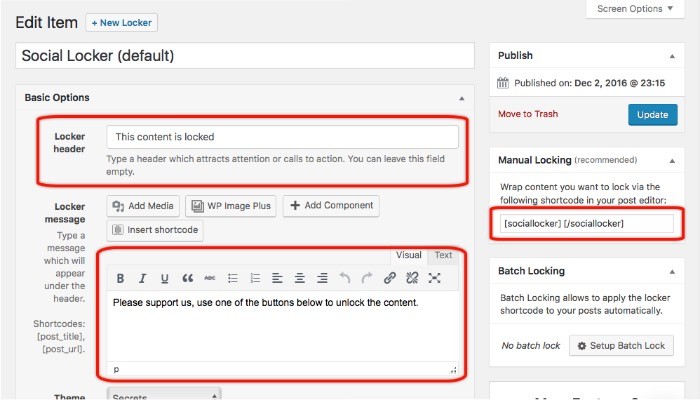
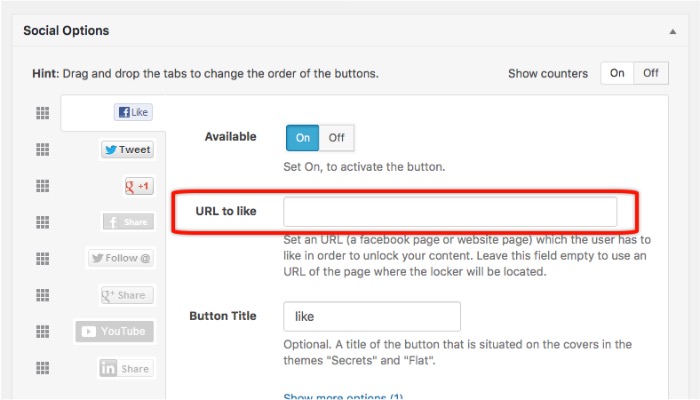
Other elements that you can edit are the shortcodes, theme, overlap models, the social button order, and more. Specifically regarding the social button, you can set different URL to share instead of the one where the Social Locker bar is located. This is useful if you want to accumulate shares on one of your articles. You can also use your home page URL to share.
You can use a different locker for a different post. The plugin allows you to create as many lockers as you want.
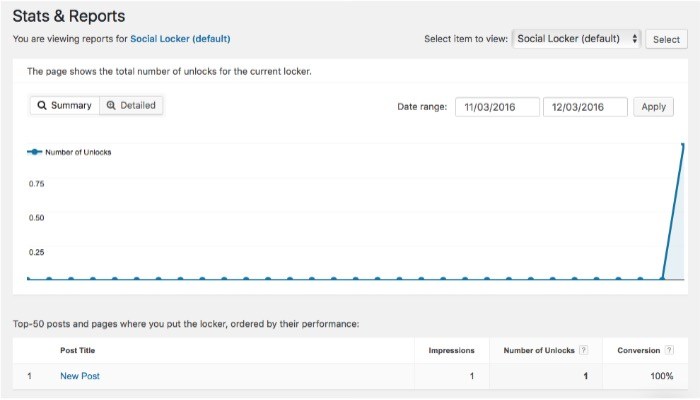
If you are crazy about data, you can check the “Stats & Reports” menu.
For those who want to get more social buttons, themes, and advanced options, upgrade to the pro version. But even without the upgrade, Social Locker can help you boost your posts and pages as long as you use it correctly.