
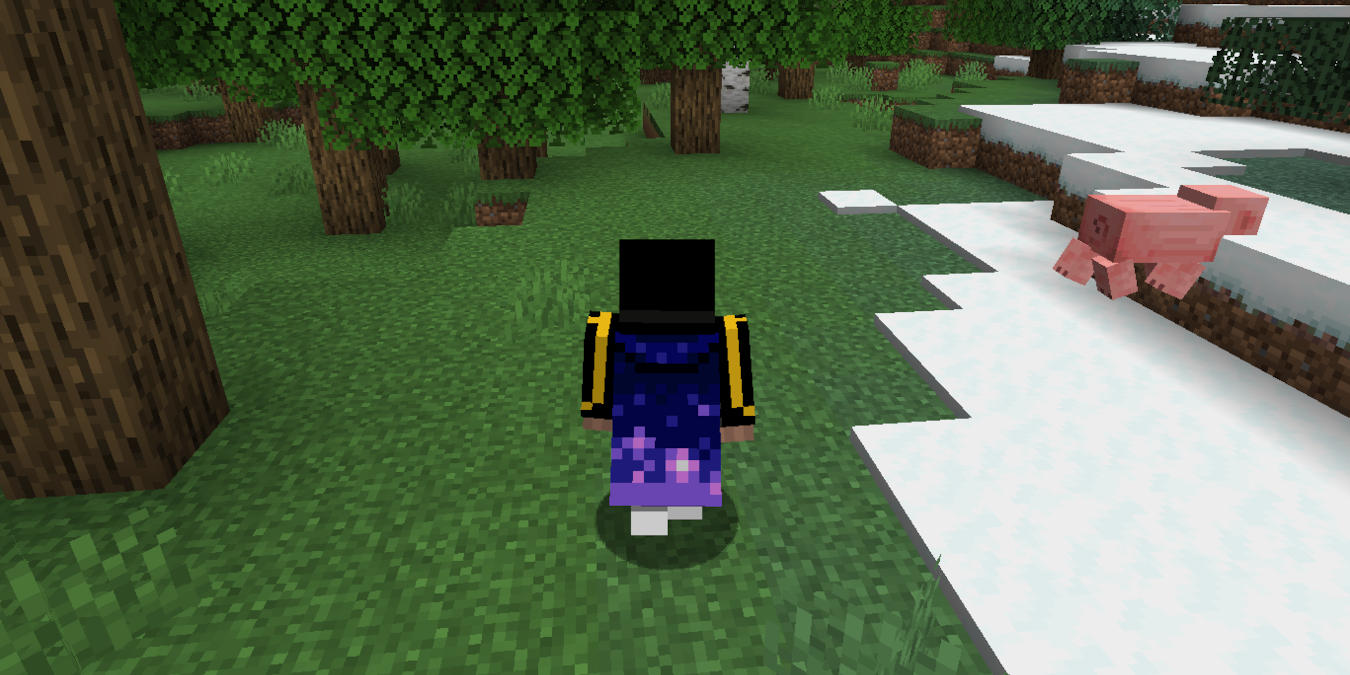

Capes are one of the most striking customization options for your Minecraft account. They are extra pieces of clothing that you can equip to your game character and display on multiplayer servers. This guide shows how to get and enable capes in your Minecraft account on both Bedrock and Java Editions.
Are you a treasure hunter? We’ll help you find a buried treasure in Minecraft.
[mte_toc]Using Capes in Minecraft Bedrock Edition
By default, every Bedrock Edition installation comes with a free official cape right out of the box. To access this, open your Bedrock client, then click Dressing Room.
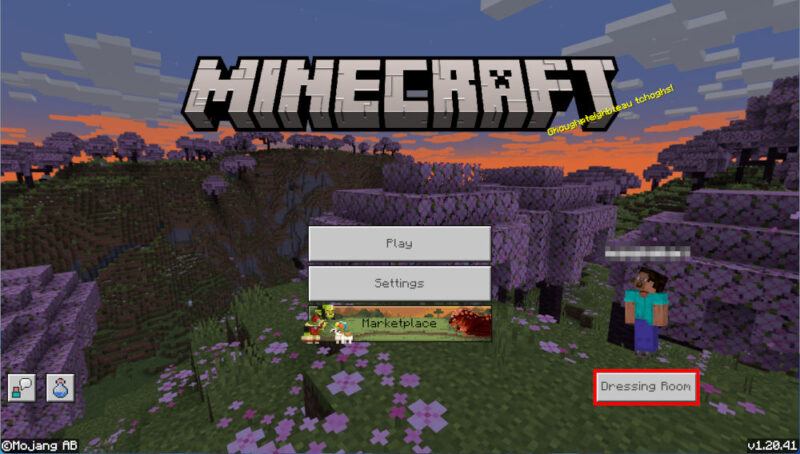
Click the fifth button along the screen’s left sidebar. This will load your client’s cape selection menu.
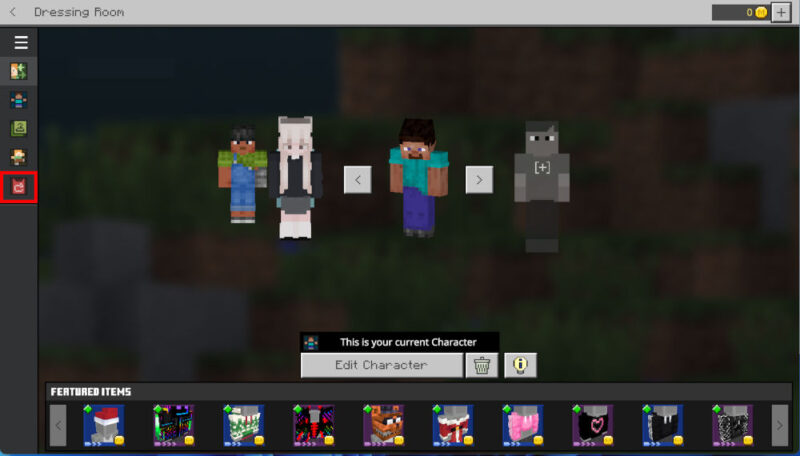
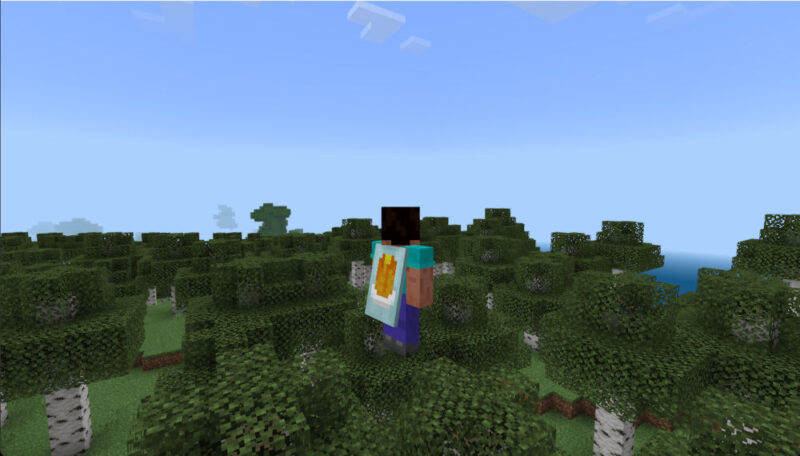
Select the cape that you want to use with your character, then click Equip to finalize it. Test whether your new cape is working by loading a Minecraft world, then pressing F5.
Good to know: learn how to further speed up Minecraft by installing OptiFine.
Using Capes in Minecraft Java Edition
Unlike Bedrock, Minecraft Java Edition doesn’t come with any free official capes. The only way to obtain one is to either attend Minecraft-related events or participate in the annual Mob Vote.
Once you have a cape attached to your account, you can equip it by going to the Minecraft website and signing in to your account.
Click the Change Skin link in the Minecraft: Java Edition box.
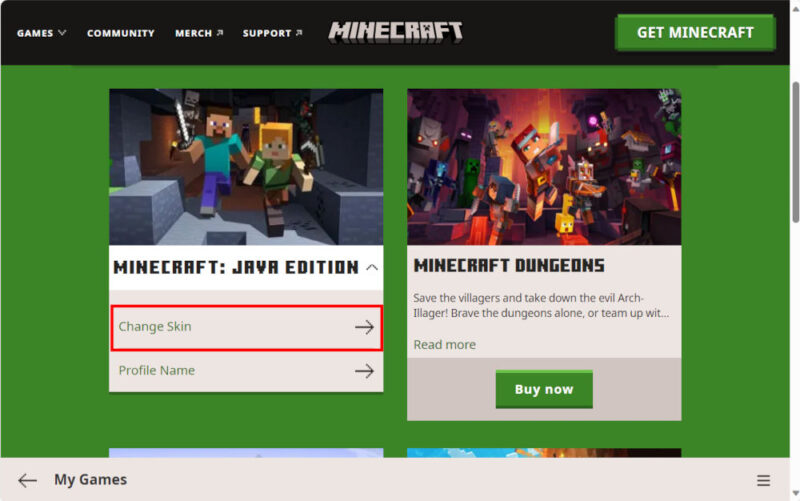
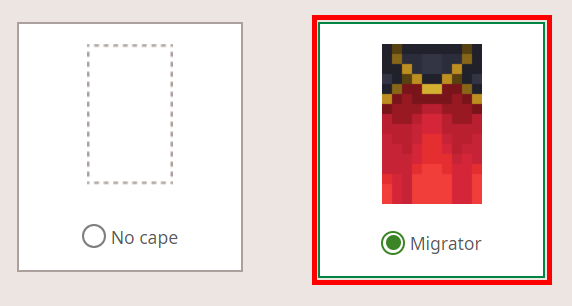
Scroll down to the Change Your Cape PC/Mac category, select the cape that you want to equip to your character, then close the Minecraft webpage tab.
Check whether your new cape is working by loading a world through your Minecraft launcher, then pressing F5.
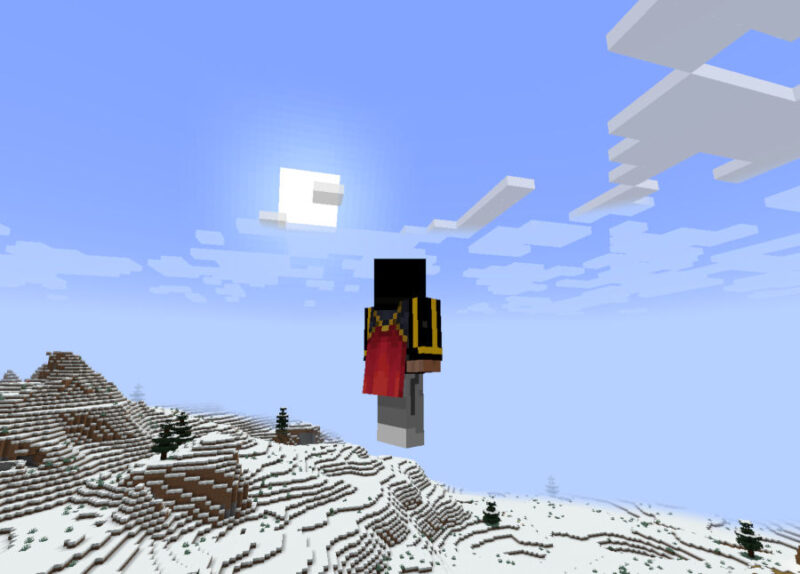
Installing Custom Capes in Minecraft Java Edition
Aside from the official capes, it is also possible to use third-party capes in Java Edition using mods. The biggest downside is that your cape will only be visible to players that use the same mod.
One of the most popular mods that includes a custom cape is Essential. This is a small utility that adds a variety of quality-of-life features to your base Minecraft game.
To start, go to the mod’s website, then click Download. Click the Installer button to obtain a copy of the mod for your operating system. Open the Essential Installer file, then click Create New Profile.
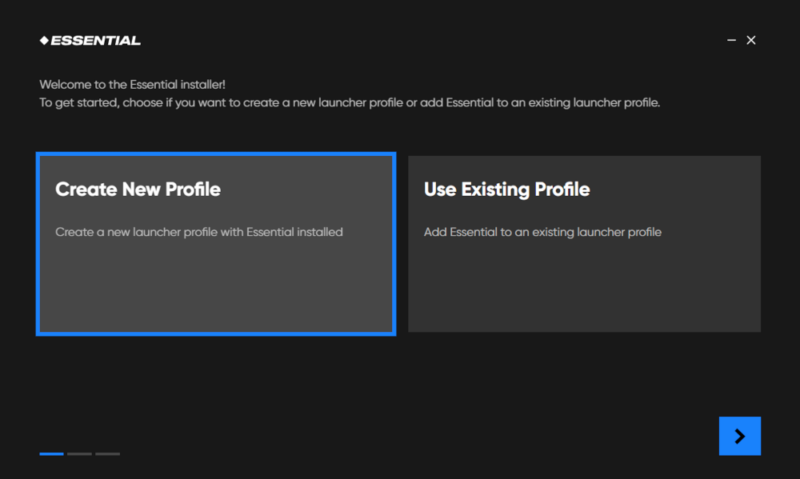
Confirm that the mod is running on the latest version of Minecraft, then click Create to finalize the mod installation.
Click Launch to load the Minecraft Launcher, then click Play to start the Essentials mod. Click the Wardrobe button on the game’s title screen.
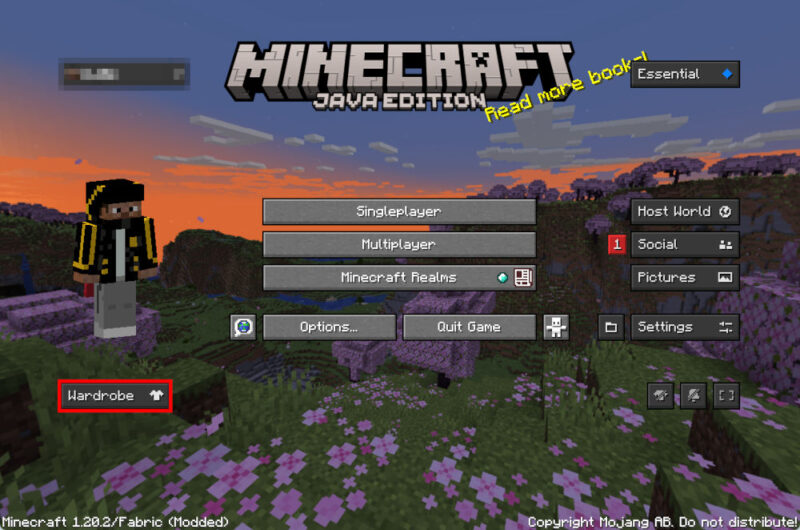
Select the Capes category in the screen’s left sidebar. Click the small upward arrow on the Essential Discord Cape item box. This will load a browser window where you can join the Essential Mod Discord Server.
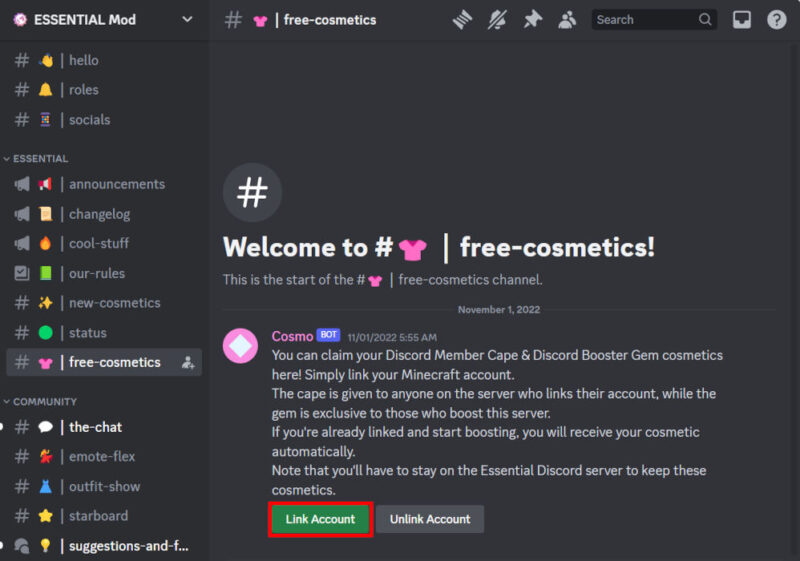
Once inside the server, click the #free-cosmetics channel, then select Link Account.
Provide your Minecraft account’s username, then click Submit.
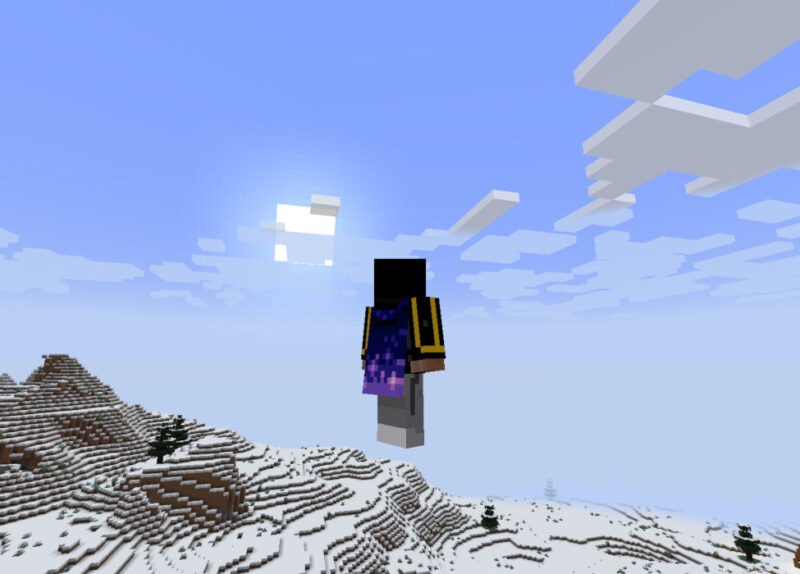
Go back to the Wardrobe page, then click Essential Discord Cape to equip it to your character. Test whether the cape properly works by loading a world and pressing F5.
FYI: expand your gaming horizons by learning about some of the best world-building games that are not Minecraft.
Frequently Asked Questions
What are the rarest Minecraft capes?
The rarest Minecraft capes are the ones that Mojang has only released to individual players. To this date, there are seven unique capes that are currently active: the Millionth Customer cape, dannyBstyle’s cape, JulianClark’s cape, cheapsh0t’s cape, the Prismarine cape, the Birthday cape, and MrMessiah’s cape.
Do Minecraft Bedrock Edition capes work in Java Edition?
No. For the most part, capes are platform-specific cosmetics, so most capes in Bedrock Edition don’t transfer to Java Edition and vice versa.
However, there are two cross-platform capes that you can obtain for both versions. These are: the Vanilla Cape, and the Cherry Blossom cape.
Can you make your own capes in Minecraft?
Yes and no. While it is not possible to create and use your own cape in the base Minecraft game, you can use a third-party mod, such as OptiFine, to equip your own custom capes.
All images and screenshots by Ramces Red.