
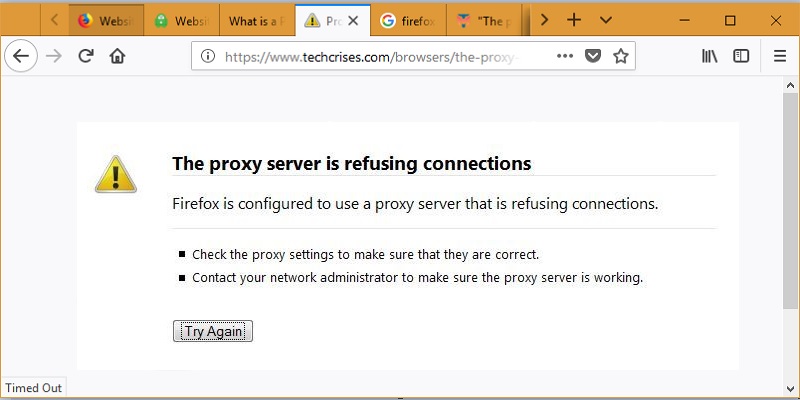

The new Firefox (Quantum) is a robust browser with enhanced stability compared to past versions. It utilizes less resources, is super fast and has an attractive interface. However, while surfing you may occasionally experience an annoying error where the Firefox proxy server refuses connections to a webpage.
Follow the simple methods below to display the contents of your webpage on Quantum whenever it shows the proxy server refusal error. The methods are tried and tested based on Mozilla Support guidelines for this issue.
Method 1: Fix the Error in the Quantum Browser
For some unexplained reason, the unique proxy refusal error is mostly seen in Mozilla Firefox and Tor but not on Chrome, Edge or Safari. Clearly, the error is highly specific to Firefox and it is observed that the same web page often opens easily on Chrome and other browsers.
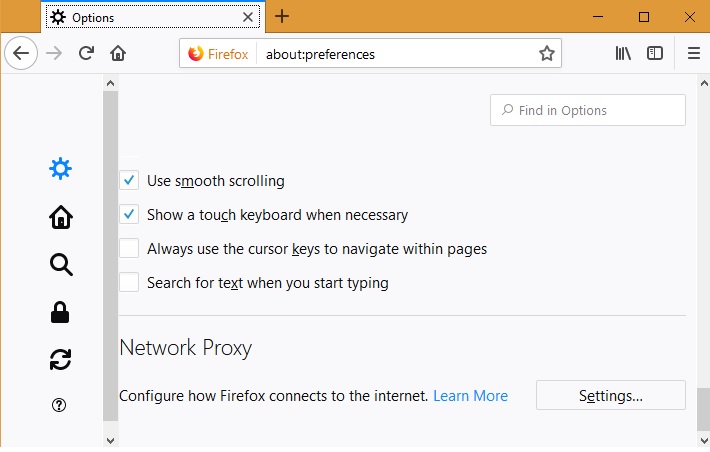
Open a new tab and visit “Options.” Scroll down to see “Network Proxy” and adjust the settings slightly to fix the problem. Basically, the role of a proxy server is to act as a connecting link between your system and the remote server. It is possible that the remote server has refused to identify the proxy server (which could be a VPN) in your browser. To fix the error in the Quantum browser, you must remove any proxy connections it is attached to.
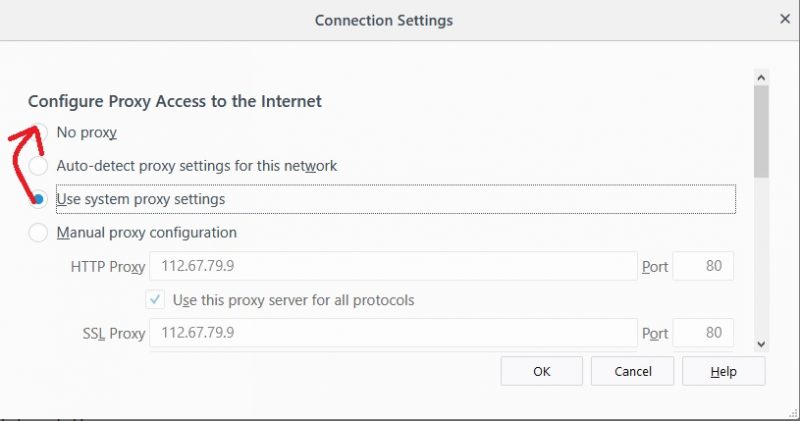
Your default browser setting will either be based on “system proxy” or “auto detection.” There is a chance that you might be using the manual IP address. Simply select “No Proxy” and save the settings. Close the browser and reopen it. The problem should be fixed.
Method 2: Remove Proxy Server from LAN
In the event the error is not browser-specific, you will no longer be able to open any web page on the browser, or some might open while the others fail to do so. The problem then, clearly, has something to do with LAN settings.
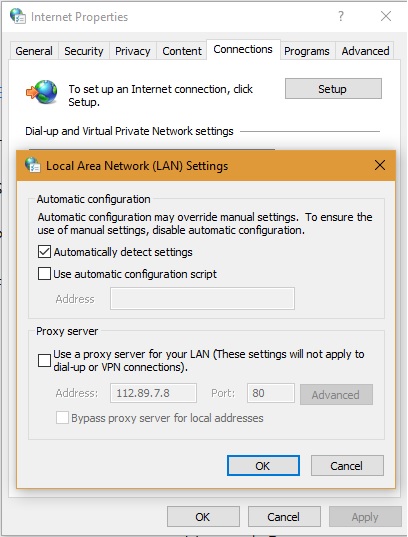
Enter “Configure Proxy Server” in the Windows 10 search box and identify your connections. Disable any proxy server that may have been there. Refresh the Firefox browser, and the error should be fixed by now.
Method 3: Remove Proxy Files from Registry
If Methods 1 and 2 fail, the errors can be traced to unwanted proxy files which must be deleted from the registry. Enter regedit on the Windows 10 search bar to locate the Registry Editor.
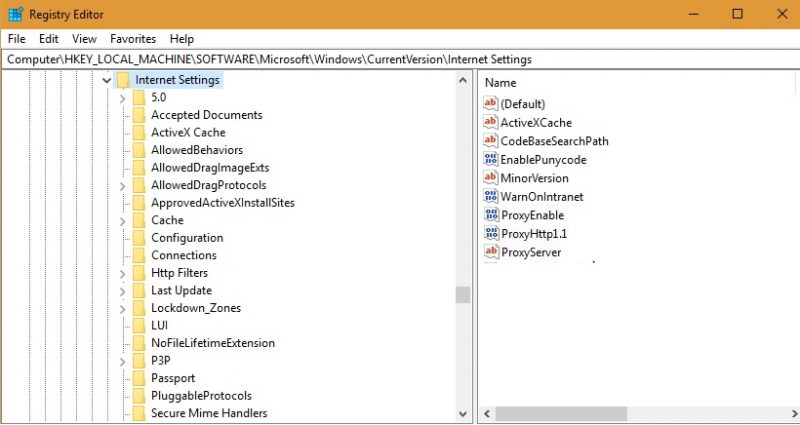
Once opened, go to “HKEY_LOCAL_MACHINE -> SOFTWARE -> Microsoft -> Windows -> Current Version -> Internet Settings.” Here, you can view the proxy files on the right panel. Simply select and delete them. Close all windows, and open the browser once again. The problem should no longer be there.
Conclusion
Sometimes the proxy refusal problem can also happen due to a maladjusted router IP address. In that case you must check for a possible mismatch between the router IP and LAN IP.
In the past such Mozilla errors were pinned to browser infections. Accordingly, it was thought that having a strong anti-virus (e.g. MalwareBytes) would solve the issue. However, this approach no longer fits with the idea of lightweight browsers and Quantum’s stated goal to consume less resources.
How frequently have you encountered this error in Firefox and on which websites?