


Corrupted data on your PS4 sounds like a scary issue, largely because Sony’s console is a closed system that doesn’t really lend itself to tinkering, fixes, and general messing around “under the hood.”
Luckily, there are quite a few things you can do when things start going wrong on your PS4, thanks to a little-known recovery screen that lets you implement all kinds of fixes for common issues. We’ll show you how to fix the “corrupted data” issue and get things back to full working order.
Also read: How to Connect a PS4 Controller to Windows 10

What Is the “Corrupted Data” PS4 Error?
The “corrupted data” error that you’re most likely to encounter will likely be labelled CE-34875-7 or NP-32062-3. This refers to the data of a specific game being corrupted, not some kind of crucial data on your PS4 itself. The problem can manifest itself during the installation of a game. When it stalls, the error message appears, and you’re left with a half-installed game that you can’t play.
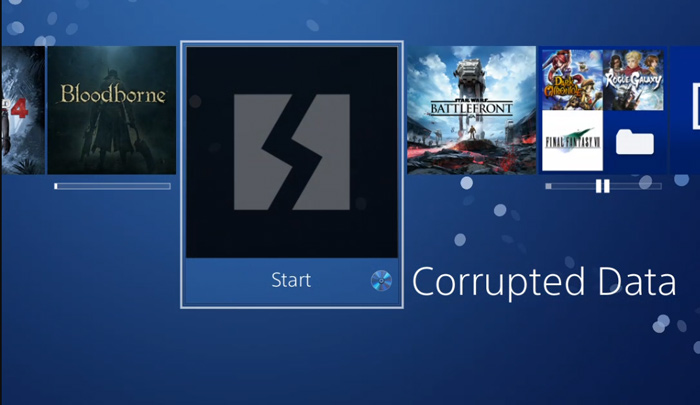
Alternatively, the error can appear while you’re playing a game that you’ve already installed. The audio may start to glitch, the frame-rate drops, then the game crashes and you see the same message.
The other – and worse – type of data corruption can involve your entire hard drive, which will result in your PS4 failing to boot properly and possibly going into safe mode. If that’s the case, then our first fixes will help you. Scroll down for info on how to fix corrupted game data.
Fix Corrupted System Data
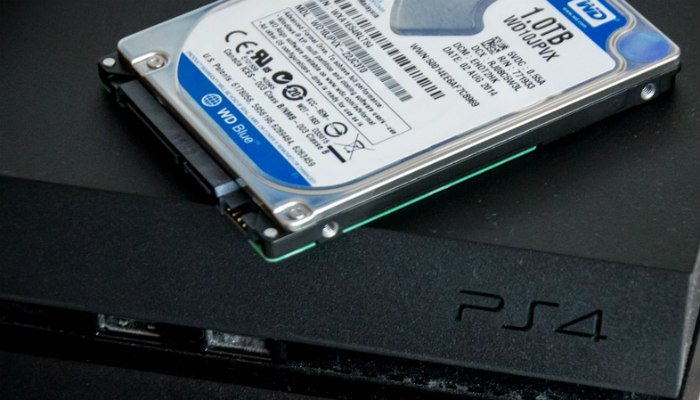
If your PS4 is failing to boot properly, then chances are that some system data on your hard drive has become corrupted. The first thing you should try is opening up your PS4 and checking to see that the hard drive is still firmly secured into its bay. If it’s become dislodged, then that could be causing the corruption.
Also read: How to Upgrade the Storage of your PS4
If that fails (and your corruption doesn’t just relate to the data of a specific game), you may have to think about formatting your PS4 hard drive then reinstalling the PS4 OS afresh. Note that you’ll lose all your data this way.
If, however, you just have a Corrupted Data icon for an individual game, then read on!
Fix Corrupted Game Data – Restore Licenses
One of the simpler things you can try to fix the “corrupted data” error on PS4 is to restore the licenses on all the games associated with your account.
There’s a chance that at some point your game licenses might have gone out of sync with your account, which could be the cause of the corrupted data problem.
To restore licenses for your PS games, go to “Settings -> Account Management -> Restore Licenses”.
Also read: How to Play PS4 & PS5 Games on your Phone or Tablet
Fix Corrupted Game Data – Reinstall Data
There are a couple of ways to fix this. The simplest option if it happens during installation is to delete the corrupted data file, give the disk a wipe, and try again. To do this, go to Notifications on the PS4 home screen, press OPTIONS and select Downloads.
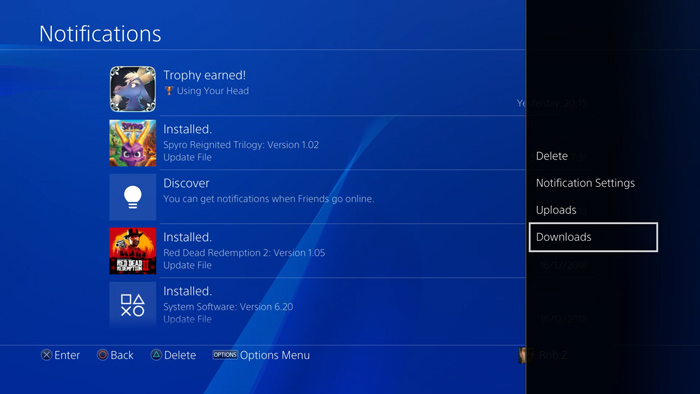
Next, highlight the corrupted data (denoted by a grey thumbnail with a jagged line through it), press OPTIONS and delete the data.
Finally, give the game disc a wipe, making sure it’s clean and smudge-free, and try reinstalling the game. If the problem reappears or your PS4 isn’t allowing you to delete the corrupted file, then you’ll need to try another solution.
Also read: 5 of the Best Free PS4 Games You Should Try
Rebuild the PS4 Database
Rebuilding your PS4 database scans your PS4 system for any files that may be buggy or not working as they should. It doesn’t delete any data and can fix corrupted data. (Think of it as similar to chkdsk on Windows 10.)
To rebuild your PS4 database, make sure your PS4 is off, then hold the power button until you hear two beeps (one upon pressing the button, another several seconds later). This should boot your PS4 into Safe Mode.
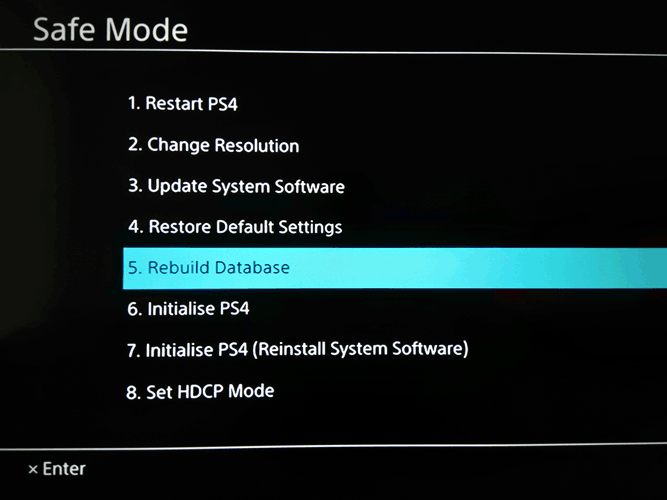
Plug your PS4 controller into your PS4 via a USB cable (Bluetooth doesn’t work on this screen), and select the ‘Rebuild Database’ option. After a few minutes your PS4 database should be rebuilt, and hopefully your corrupted data woes will be gone.
Conclusion
Those are the most convenient ways to fix corrupted data on your PS4. If you’re still having problems, though, then you may need to consider that the game disc is damaged and will need replacing.
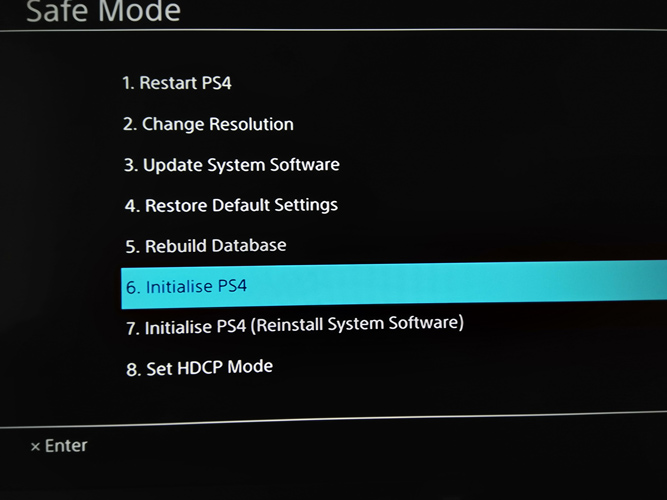
Alternatively, you could try the “Initialise PS4” option from the Safe Mode screen, which deletes all data on your system and restores it to its default settings. It’s not a pretty solution but may be necessary as an absolute last resort.
Also read: How to Connect Your PS4/PS5 to a Laptop or Mac
With your PS4 now (hopefully) fixed, why not try connecting a mouse and keyboard to it. Or, if you happen to own an Android phone, you can also connect a PS4 controller to that.