


In my previous coverage of Firefox OS, I remarked on its usability and poor app ecosystem. Perhaps in an attempt to increase Firefox OS usage, apps from the Firefox Marketplace are now available for download and usage for desktop Firefox users as well. In this article I’ll be covering how to access these Firefox Marketplace applications, what they can do, and what their newfound availability on desktop devices means for Firefox users everywhere.
How to Access Marketplace Apps
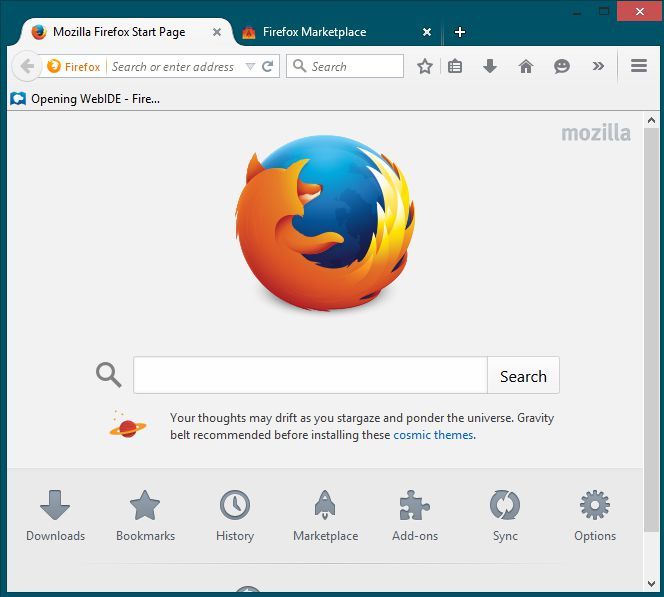
To get to the Firefox Marketplace, first start by opening Firefox’s Start Page. By default this is the page Firefox opens when it is launched, and you can select “Marketplace” from the row of icons below to launch it. If you have your Start Page set to something besides the default, you can also always type “marketplace.firefox.com” to get to the Marketplace. Either way, you’ll be going to the same place to get the same apps.
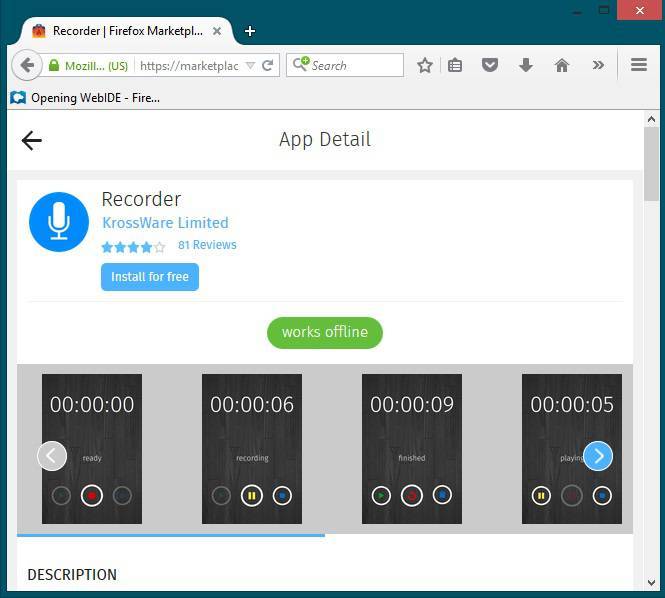
By default, the Marketplace will not show you apps that aren’t compatible with your device. Since you’re using a PC for this, you will only see Firefox apps labelled as cross-compatible with Desktop and Firefox OS, of which there are many (but quite a few noticeably missing, like the Facebook application). To install these apps, simply search for or select them and click Install.
After you’ve installed these Apps, there’s one of two ways to access them again. I can’t seem to find them in Firefox, either. Rather, shortcuts will be made on your Windows Desktop (Chrome can do this with its Apps but doesn’t by default) or in your Start Menu. Firefox doesn’t ask permission to place these shortcuts, either.

Short of deleting the shortcuts from the Start Menu and Desktop, I was unable to find a way to uninstall the Apps after downloading them. There is no menu in Firefox for this, and I remain not truly certain whether or not having deleted the shortcuts actually removed the apps themselves. We’ll talk more about that later. Let’s talk about what these apps can do.
What Can Marketplace Apps Do?
If you read my Firefox OS article, you may remember that I expressed severe disappointfment with its App Ecosystem. Pretty much all of the same things I said back then apply here; namely, none of these are actually applications. Everything I’ve found in the Firefox OS Marketplace is little more than a glorified bookmark. Very few of them access a native copy of a webpage kept offline, but even when they do, these are still just webpages. Everything in these applications is done in HTML.

Most of the “apps” in Firefox OS were simply glorified bookmarks to mobile websites. These same apps on Firefox desktop open instances of the same websites, except for their desktop versions, in either their own isolated window or an all-consuming full screen that I couldn’t find a way out other than Alt-Tabbing to get out of it. Firefox Marketplace doesn’t deserve to be called an App Store. While Chrome has done bookmarks disguised as Apps, at least they have a variety of native applications running in Chrome’s rendering engine, up to and including beautiful games like Bastion. Everything on the Marketplace is simply a bookmark – a bookmark that places itself on your desktop and your Start Menu without your permission, that may not even be actually removable.
Even if they are removable, I’m unable to tell the difference between most of these so-called applications and bookmarks.
What does this mean for Firefox Desktop and Firefox OS?
It means that Mozilla needs to come to its senses. These are not applications. These do not compete with Android, iOS or even Chrome Apps. These are little more than bookmarks and are somehow less useful in overall ease of use and functionality. I don’t like to rag on companies for no reason, but as a fan of these developers I can’t fathom that they could make decisions like this.
Fortunately, Marketplace Apps do not replace your Firefox Add-Ons. Those are still available as they always have been on Firefox Desktop, and those actually do expand the functionality of your browser and computer in useful, interesting or fun ways. As a Firefox Desktop user, feel free to walk along: there’s nothing to see here.