

Our browsers have somehow replaced the daily newspaper, and it’s often what we use to access information that we want to know at the start of the day. With Feedly for FireFox, your go-to sites can now be viewed in a stylish, magazine-like format for your reading pleasure.
Beyond its impressive UI, it allows you to organize and customize feeds so everything has its own place.
To use Feedly, you need to sign up for an account, or use your Google account to sync with Google Reader. Once you’re signed in, your Google news feeds (if you have any) will automatically be added to main page.

Upon logging in, you’ll get the main page with the Featured section – a collection of the most popular articles from all the sites you added (or are subscribed to in Google Reader). The right sidebar shows the sources for these articles. Popularity is determined by the number of recommendations from Facebook, Twitter RT’s and +1 ‘s from Google +.
To read an article, simply click on the headline and it should show you the rest of the article summary. Note that most sites do require you to go to their actual site to read the entire article.
In addition, embedded media such as video and audio clips can only be played from the website it was published in. Sharing options are available for all articles. I was impressed with their Twitter share UI which lets you edit the message and tweet from within the article. You can also send articles to “read-later” services like Instapaper and Read It Later.

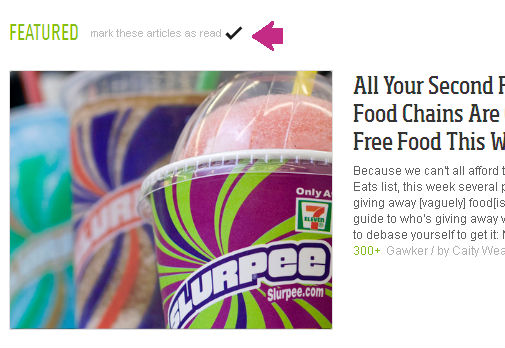
Articles that you’ve finished reading (or viewing) automatically get marked as read, unless you click on the button to Keep This Article As Unread – in which case the article reverts back to an unread state indicated by bold letters. If you want to mark all articles as read for a certain section (like all Featured ones), just mouse over the header and it should give you that option.
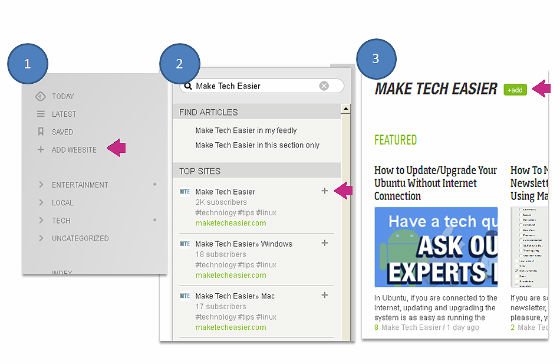
To add websites, just click on the “Add Website” link on the left pane. A search bar is then visible on the right sidebar to search for your site. Click on the + sign beside a site and it will bring up a preview of that feed. Along with the preview, there will be an “Add” button beside it. Click on that, and click “Subscribe” on the pop-up window after that.
Another great thing you can do with this add-on is organize your feeds. On the left pane, there is an option to “Organize”. Here you can add categories and add feeds accordingly. Web feeds that are not in any group are found in the “Others” box. To create a new category, simply drag a website into the “New Category” box.
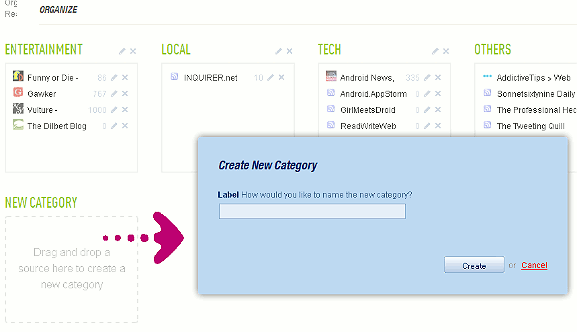
You can also rename and delete existing categories by clicking on the respective icons on the top right corner of each box.
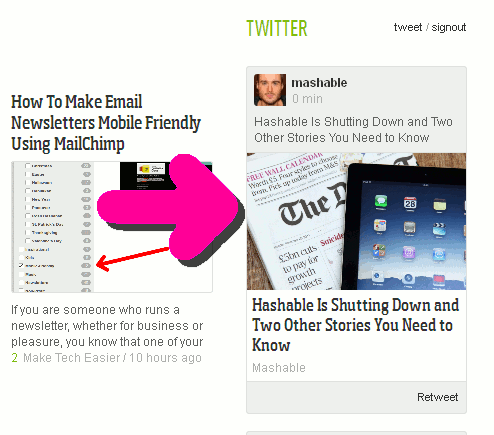
Feedly can also show stories from your Twitter timeline (not all of them). Log on to Twitter within the app and you should start getting a feed on the right sidebar within a few seconds.There is a Retweet button below as well.
There are more features under the hood for this add-on, and it’s a joy to navigate with its modern, fresh interface. Without a doubt, Feedly is one of the best ways to read and discover content on the web.