

Say you want to share links to Twitter or Facebook to see what kind of traction they’re getting. Using a URL shortener may be a good and cheap solution as most URL shortening services come with a tracking feature. In addition, a clean short link that’s maybe even customized, just looks a lot better. It doesn’t matter how or why you choose to use short links; here are some of the best apps and services to get the deed done the fastest on the Web, Mac, Android and iOS.
Chrome Extensions
Chrome is where most of us spend our productive time these days. So you should have an extension that can convert a URL to a short link using a keyboard shortcut.
1. Bitly
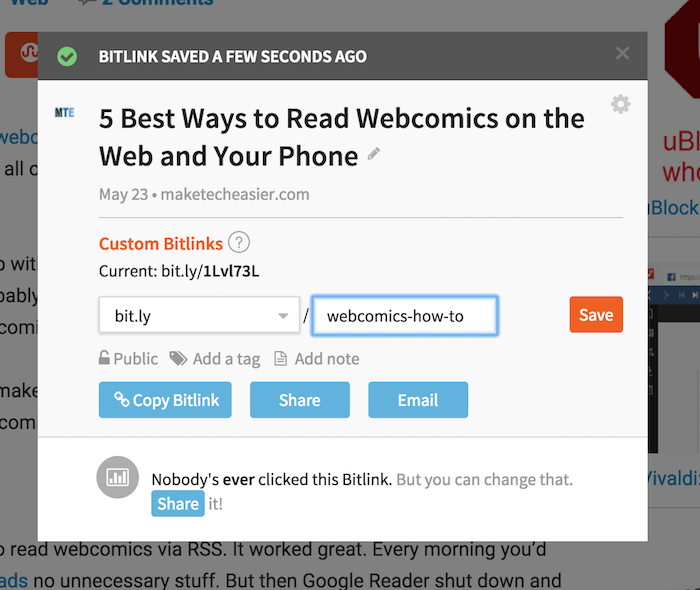
Bitly is goo.gl’s major competitor, and if you’re a social media manager you should look into bit.ly instead of goo.gl. Once you’re signed into your Bitly account, just go to a page and click on the extension button. A popup with options will show up. Here you can customize the link, copy it to the clipboard, and share it to the accounts you’ve connected to Bitly. Bitly also has an iOS app.
Android
On Android, it’s important that the app has share sheet integration for quickly creating a short link from anywhere.
2. ShortLink
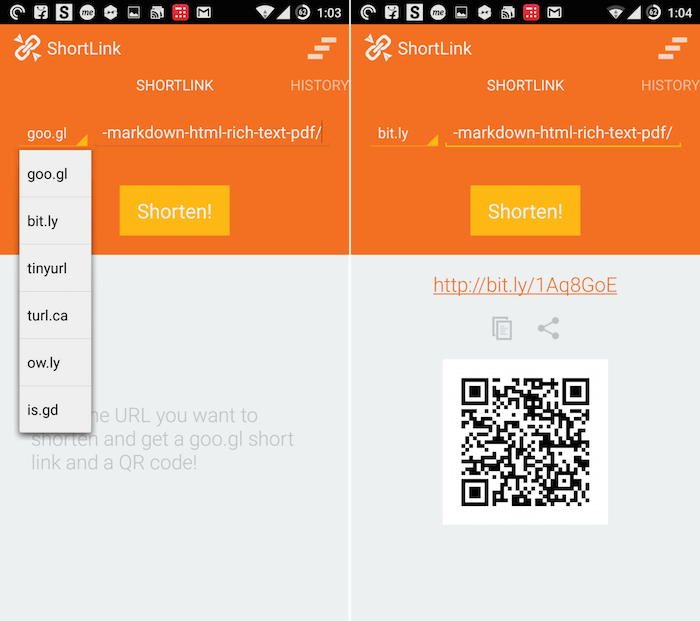
ShortLink is a really basic short link generator app with native share sheet support. The app doesn’t have a Google login or deep analytics, but it supports multiple shortening services like goo.gl, bit.ly, tinyurl, turl.ca, ow.ly and is.gd. Once the link is shortened, you also get a QR code.
Mac
3. CloudApp
CloudApp (also available for Windows) is not a URL shortener. It’s a file sharing service that lets you upload up to 10 files a day up to 25 MB for free. I use it to quickly share screenshots with friends and across the Web. But the app also has a great URL shortening feature.
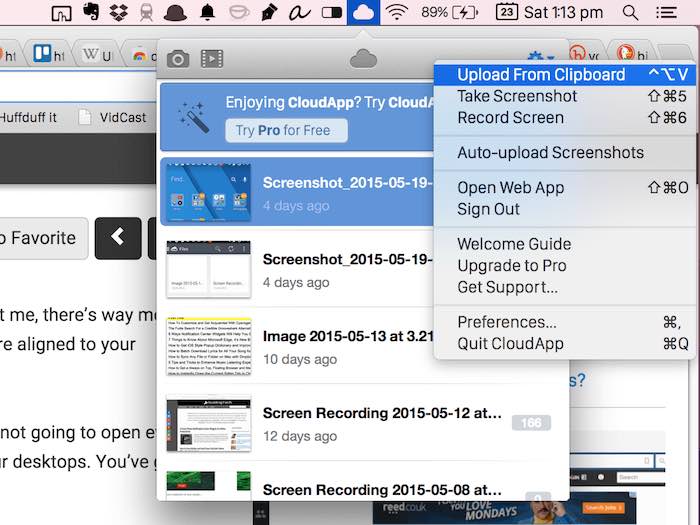
All you need to do is copy the link to the clipboard and hit the shortcut for sharing the clipboard (Opt + Shift + V), and the short link will be added to your clipboard.
4. URL shortener (Free)
URL shortener is a Mac menu bar utility (also available for Android and iOS). All you have to do is copy the link, and then click the menu bar icon. The short link will be added to your clipboard. The free version of the app only supports the “ow.ly” service. But you can pay $1.99 to enable more service, history, and URL tracking.
The app also has a background mode that you can use if you’re all in on the short link parade. This means every link you copy will automatically be converted to short link and copied to your clipboard.
iOS
iOS is a closed OS, so it won’t have the level of automation as Android, but some apps have managed to hack their way through.
5. Short URL Maker
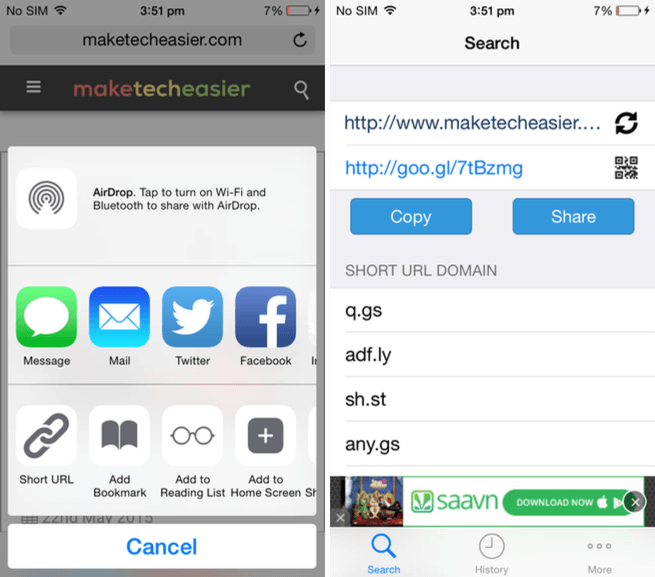
Short URL Maker is a free, ad-supported app that lets you convert a URL to a short link using a variety of services (goo.gl is supported). The great thing about this app is that it has an extension. So if you’re browsing in Safari, just click the “Share” button, tap the “Short URL” option (after you’ve enabled it) and the app will generate the URL that you can then copy.
6. URL Shortener
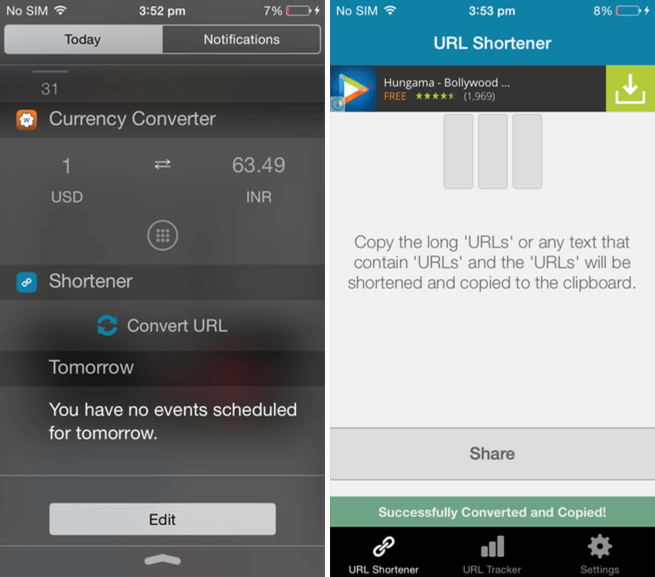
URL Shortener for iOS is a freemium app. Just like the Mac version, you can only use ow.ly service for free. Paying $1.99 will give you access to goo.gl and URL tracking. But that price might just be worth paying because the app has a Notification Center widget. So all you have to do is bring down the NC, tap the “Convert URL” button, and if you’re on the Pro version, the URL will be converted right there and will automatically show up in the clipboard. If you’re using the free version, you’ll be pushed to the app to generate the short URL.
Are you a short link power user? What all do you use it for? Share with us in the comments below.