


Fast user switching can be an easy way to shift between different accounts on your computer. But before using this feature, you must understand when to use this handy, helpful feature and when you shouldn’t.
Why You Should Enable Fast User Switching
The main benefit of fast user switching is that multiple people can use the same computer. Enabling this feature is a good idea if you need to set something up on another user’s account.
Rather than having to sign out and in again, fast user switching means you can simultaneously sign in to more than one account. As a result, it’s much easier to quickly share information, which can result in greater efficiency.
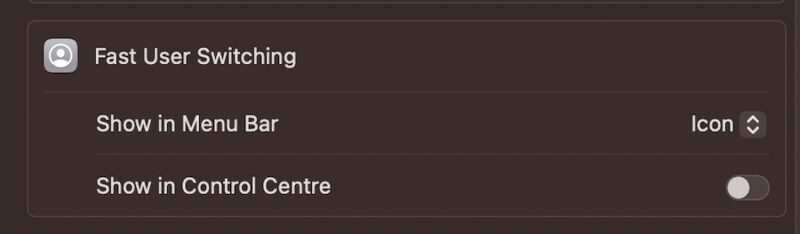
Fast user switching is available on both macOS and Windows. It’s very easy to add a new user account on Mac and PC.
Reasons to Not Enable Fast User Switching
While fast user switching is beneficial in some circumstances, it does have some significant downsides.
Your Computer Will be Slower
Since fast user switching involves logging in to multiple accounts simultaneously, it’s very resource intensive. Your RAM will be put under significant strain, resulting in a slower computer.

Other than not performing as quickly, your device could also encounter system crashes and bugs more often than if you were only signed in to one account. Moreover, your computer will be prone to overheating and similar issues.
Since your computer often performs worse, you should think about whether it’s easier to share something with the other account via email or cloud software.
Potential Security Risks
Another potential problem with fast user switching is the danger of security risks. Since someone else is logged in to your computer, they can access many programs (and you may not want them to have access to everything).
To tackle this issue, make sure that you only leverage fast user switching with people you trust 100 percent. Supervising them while they use your computer is also a good idea.
When Should You Use Fast User Switching?
Fast user switching is helpful when you need to diagnose a problem on your computer. For example, you can see if it’s just your account having issues accessing certain programs, or whether it’s an issue with the computer as a whole.
Because others can access your desktop, fast user switching could be especially useful when working with an IT team in the office. You may want to use it when setting up a new device.

You may also want to use this feature when working on projects without access to cloud software. For example, it can be handy if you’re editing the same photo or video and want to keep everything in one place.
What Precautions Should I Take?
Other than only enabling fast user switching with people you trust, protect your files and folders by editing the access and viewing permissions for each. This is particularly important if you have sensitive information on your computer.
Preparing for the increased resource usage is also wise. Go through your device and clear files and folders that you don’t need. Updating your software can help with this, and it’ll also keep your device protected.
While it’s a handy feature, you probably don’t need to enable it. The tool is good for diagnosing problems on your computer and some forms of group work, but for the latter, you can often work via cloud software instead. If you’re using a Mac, you can use Microsoft Remote Desktop as an alternative.