

Facebook has become a really useful platform to organize parties and other events. Most, if not all, of your friends, family and acquaintances are on this social media platform, so organizing an event simply involves filling in the relevant information and inviting people. Although Facebook is a great platform for creating parties and sending out invites, it is not my first choice as a “calendar” or “agenda” application. Personally, I prefer to use Google Calendar as it integrates well with my Android phone. Hence, I often accept invites to events on Facebook and then end up manually adding these events into Google Calendar. This process is tedious. If you are like me, here is an automated method to export your events from Facebook into Google Calendar.
Obtaining Private URL
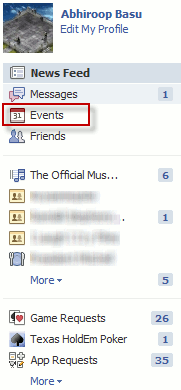
First, head over to Facebook and find your “Events” section. On your Facebook homepage, this is usually one of the items on the left-hand column.
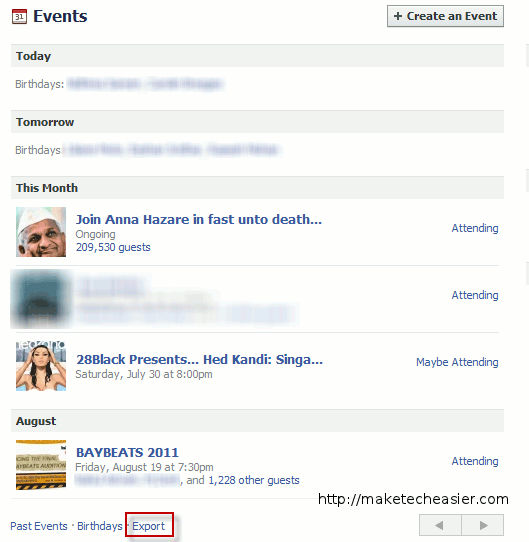
On the “Events” page, you should see all your events listed. On this page, you should also see an “Export” link.
If you click on “Export”, a popup will open with a webcal URL.
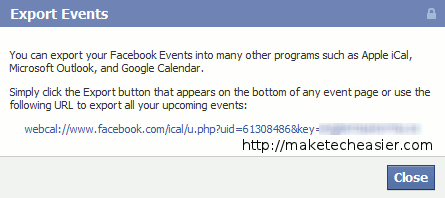
This URL exports all your events on Facebook as and when they are added by you. The URL by itself is sufficient to view all your Facebook events on any other external calendar (e.g. Apple iCal, Microsoft Outlook, and Google Calendar). Even if the event is changed or updated on Facebook, those changes and updates will be reflected on your external calendar automatically. So, for example, if you accept an invitation to a friend’s birthday party, your external calendar will automatically become populated with the new event and subsequent changes will be reflected on your external calendar.
Although this URL is sufficient to view your Facebook events, there is a bug in Google Calendar that hides events marked as “private”. So, if a friend invites a select group of people to a birthday party and makes the event “private”, this event will be marked “private” by Google Calendar. Unfortunately, all events marked “private” in Google Calendar are displayed as “busy”.
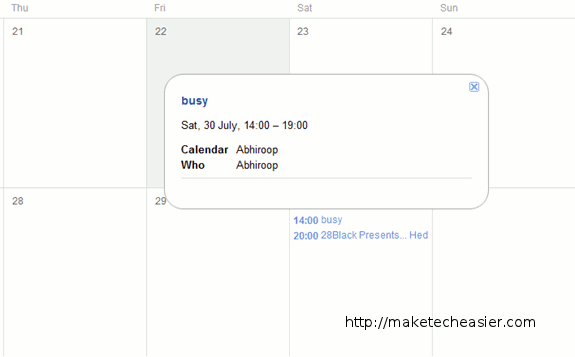
This is an odd bug as you should be allowed to view your own events. Fortunately, an enterprising user has developed a workaround for this bug.
I have tested this workaround and it works. However it does involve sending your private webcal URL to a third-party and it entails you using the third-party’s auto-generated link. If you are comfortable doing this, then continue reading this guide.
Converting Private URL to Display Events
Once you have obtained the webcal URL from Facebook, head over to http://eventbusyfix.info/ and paste the URL into the available box.
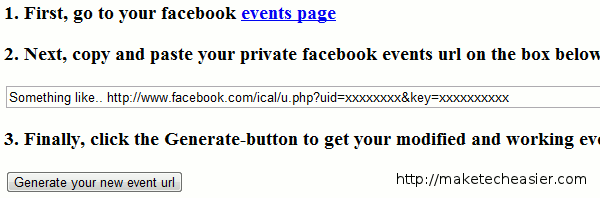
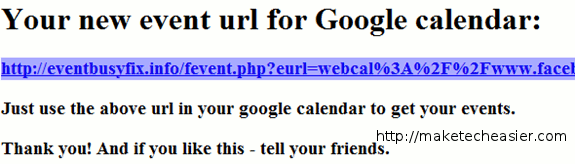
Hit the “Generate your new event url” button. This will generate a custom URL for you to use in Google Calendar.
Inputting Link into Google Calendar
Once you have created the custom URL, add it to your Google Calendar.
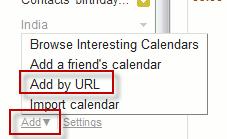
Head over to Google Calendar and select the “Add” menu which appears under the “Other calendars” list. This will reveal a drop-down menu with a number of options. Select “Add by URL”.
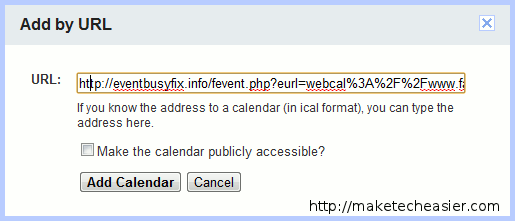
Then simply paste in the custom URL you obtained from the eventbusyfix website.
That’s it! All the Facebook events you are attending will now show up in your Google Calendar!