


Google Drive allows you to store and share files with whoever you want, and that has made many people’s lives easier than ever. No longer do you need to send someone a file as an attachment in an email, as you can just upload the file to your Google Drive, get the sharing link and send it along.
As long as the file exists on your Google Drive and the other person has the shared link, he should be able to access the file. But what if you want to share a file with someone only for a limited time? Google Drive does not let you do that officially, but there is a third-party script that helps you do that.
Here’s how you can go about using the script with your Google Drive account.
Set an Expiry Date for Google Drive Share Links
1. Open a web browser on your desktop, and head to the script page to make it work with your Google Drive account.
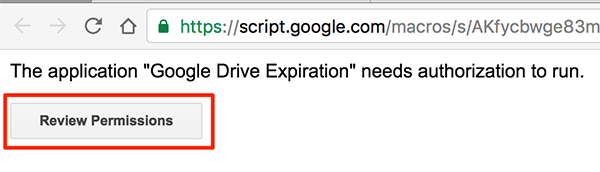
When the script page loads you will be asked to provide it with the permission to use your Google account. Click on the “Review Permissions” button to review all the permissions it needs and whether or not you would like to grant them to the script.
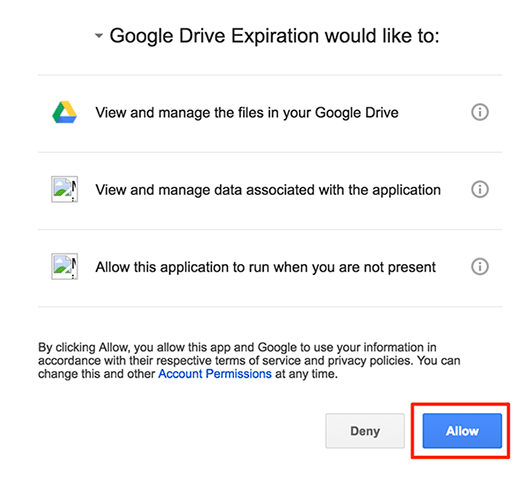
2. On the following screen you should be able to see what permissions the script needs to perform its actions in your Google Drive. If you think you are fine with the specified permissions, click on the button that says “Allow” to grant the permissions to the script.
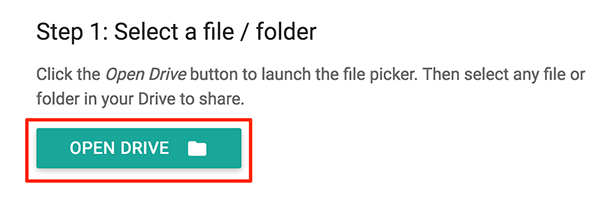
3. The script is now available to be used with your Drive account. What you need to do now is select a file or folder that you would like to share with someone for a specified time. To do that click on the button that says “Open Drive” to open your Google Drive and select a file or a folder for sharing.
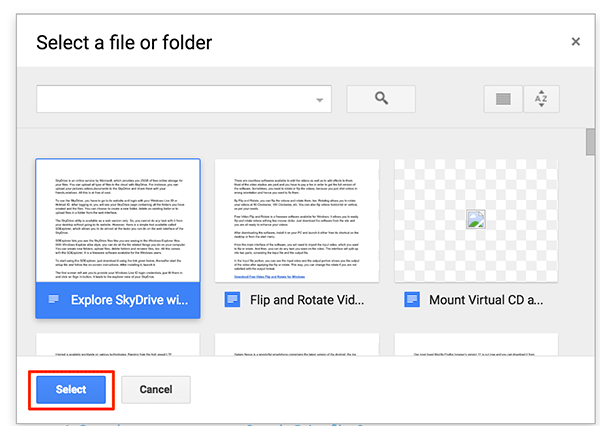
4. On the screen that follows click on a file or a folder you wish to share, and then click on “Select.”
5. You will then be asked who you would like to share the selected files with and what permissions they should have (either view or view with editing) for the shared files. Specify their email addresses in the given text boxes.
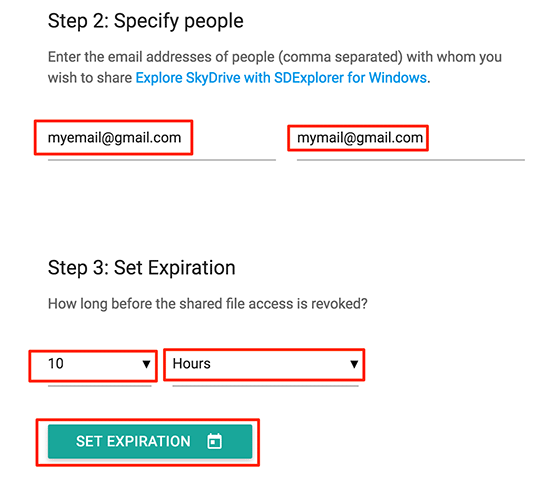
6. The third step is where you can select when the sharing link for the selected files should expire. You have two drop-down menus to choose values from: the first menu lets you choose a number, and the second lets you choose the unit (hours, days, etc.).
In the example I have set the sharing link to expire in ten hours. To do that I selected “10” from the first drop-down menu and “Hours” from the second drop-down menu.
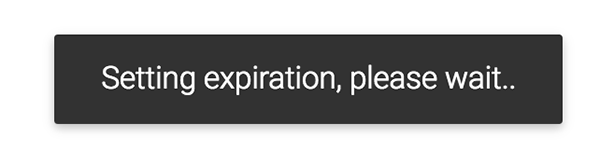
7. Click on the “Set Expiration” button to set the expiry date for the share links. You will see the following message on your screen that says the script is setting expiration and you need to wait for some time. It should not take too long, though.
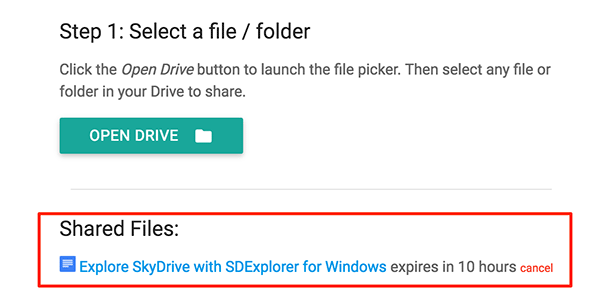
8. Once the expiration has been set up, you should be able to see all of your shared files on the script’s panel. You should also see a cancel button for cancelling the sharing.
Conclusion
If you wish to share a file you have stored in Google Drive with someone but only for a limited time, you can use the above script to do that.
Image credit: Expired