

Not very long ago, if you wanted to film something you had to have extremely steady hands. If you didn’t, your video would end up looking like the filming of the Blair Witch Project. Eventually, camcorder manufacturers started introducing mechanisms for correcting these subtle movements that ruined homemade films. But now we are using smartphones, and they, too, come with their own set of problems. Recently, some manufacturers like Sony, Apple, and Samsung have introduced image stabilizers into their rear-facing (and front-facing) cameras. How much do you know about this technology? If you said “nothing” or “very little”, then you’ve come to the right place!
The Mechanism In Detail
First, we need to define what image stabilization does. For most people, the words “image stabilization” mean a way to produce a better-quality picture with less shakiness. Yes, this is what it does, but describing it like that would do no justice to the various mechanisms that this concept works with.
In short, image stabilization reduces the annoying blurs and wobbles that come with filming on compact devices. Its importance grows even further on devices with less-than-impressive frame rates such as those in smartphones. It also plays a role in ensuring that still photographs on devices with slow shutter speeds (we’re looking at you, smartphones) come out clearly.
Types of Image Stabilization & How They Work
There are two main types of image stabilization on most devices: sensor-based and lens-based. Let’s have a look at each:
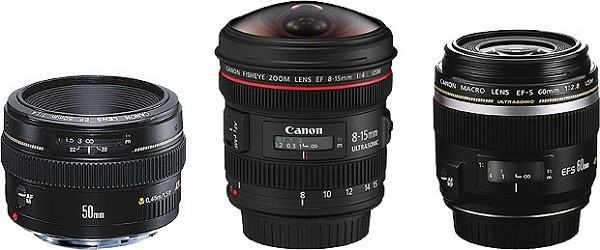
- Lens-based image stabilization works with a simple apparatus attached around the lens that moves it around in a nearly free-floating fashion, correcting the angle of the shot in real time. For large cameras, this is a very nice feature to have because each lens will have a stabilizing apparatus that is particularly tailored for it. For phones, it would require too much space, although there are a few on the market that have this feature.
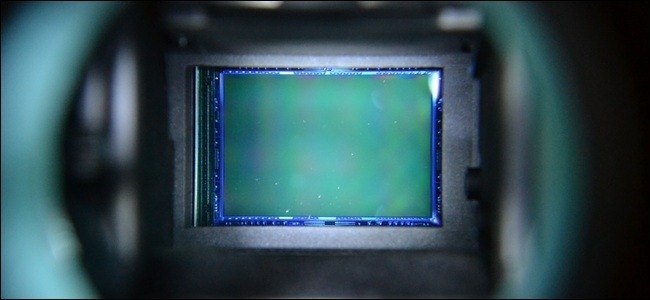
- Sensor-based image stabilization, as the name implies, relies entirely on the sensor to make all of these corrections by compensating for the perceived drift of the image. Usually, this compensation happens by attaching the correcting movement apparatus to the sensor rather than the lens. In professional photography, this is a more economical option since getting a new camera body will automatically upgrade the image stabilization. With lens-based stabilization you would have to replace the lens for a newer one. Phones may also benefit from this since the sensor-based corrective apparatus can be mounted in a smaller amount of space.
Other Types of Image Stabilization
In digital image stabilization pixels outside of the image border are rendered as a buffer, and the data between two frames is assessed for blur reduction. It is similar to electronic image enhancement in this respect, and the results can be a bit sub-par. Plenty of cheaper imaging device manufacturers (such as those producing low- to mid-end smartphones) use this option to keep their devices’ prices competitive.
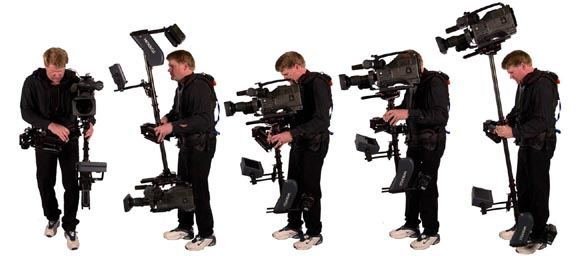
Finally, professional film crews may choose to use a wonky, but useful, “steadicam system” which is a full camera stabilizer that compensates for the movement of the cameraman’s body while filming. This eliminates all of the awkward shakiness that often accompanies walking, running, and sometimes even sprinting.
Conclusion
Now you’re probably asking yourself “which type of image stabilization is best?” to which the answer is, as always, “it depends.” Do you want a very compact device that offers an immense amount of versatility yet takes a very high-quality image? Use sensor-based stabilization. Is size not a problem? Lens-based is the way to go. Want to buy something really cheap? Maybe you should settle for digital stabilization.
Whatever your ambitions are, you now know a little more about the technology in the devices you may plan to purchase in the future. A more informed customer makes better long-term investments! Be sure to leave your thoughts on the subject in the comments.