

In the wake of the PRISM event and the statement that Google make “Gmail users have no reasonable expectation that their communications are confidential“, perhaps it is really time for us to wake up and start to take the privacy issue more seriously. We have discussed plenty of privacy precautions and measures that you can take, but we never really discuss securing your email, particularly Gmail privacy.
Google doesn’t encrypt your message by default. In fact, it will even scan your mail content so as to serve you related ads. If you are planning to fix things up on your own, there is a Chrome extension – Secure Gmail, that allows you to encrypt your email.
Note: Secure Gmail is only available for Google Chrome.
1. In Google Chrome, install the Secure Gmail extension.
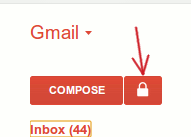
2. If you are already logged in to Gmail, refresh the browser. If not, log in to Gmail. You should see a “Lock” icon beside the Compose button. Click on it.
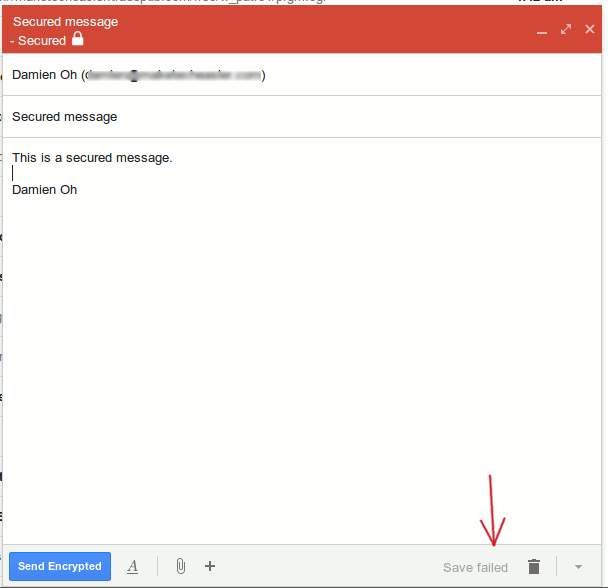
3. A new secured Compose window will pop up. You can now compose your message like you usually do. Notice that at the bottom, it shows a “Save failed” icon when Gmail attempts to save a draft of your message. This shows that your draft message is not saved in Google server.
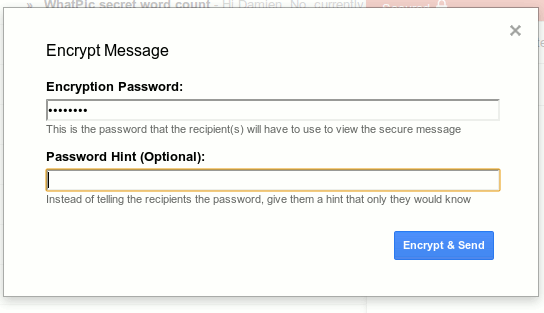
4. When you are done composing your message, click the “Send Encrypted” button. A dialog box will pop up to prompt you to enter the password for this message. The recipients will have to enter this password to decrypt the message.
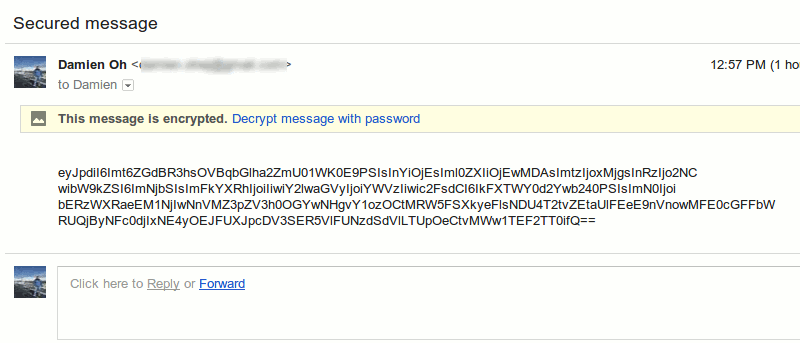
5. This is what the recipient will see when they open the encrypted message.
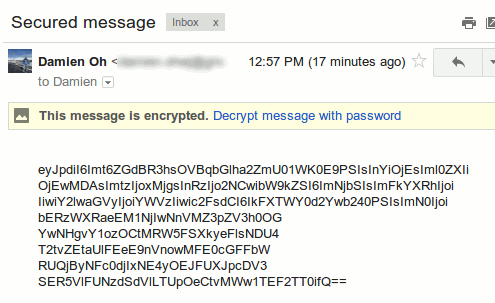
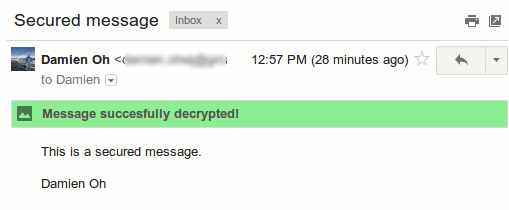
6. To view the message, the recipient have to click the “Decrypt message with password” link and enter the password. If they did not have the Secure Gmail installed, there will also be a prompt for them to install the extension.
Conclusion
At the moment, using Secure Gmail can be rather cumbersome as it is available only for Google Chrome and both you and the recipients need to have the extension installed. However, for encrypting Gmail message, this is currently the best solution you can get.