

To surf the web privately, browsers offer a mode where it doesn’t save visited websites in its history. This allows a user to keep confidential information hidden from others who might also use the same computer, or any other scenarios where security is important.
In Google Chrome, the secure browsing feature is known as Incognito mode. In Firefox, you can open a Private Window.
However, private browsing on separate windows is less than ideal for switching from one site to another. To resolve this issue, there is an add-on for Firefox called Private Tab that allows you to open private tabs in Firefox instead of a separate window, making it easier for you to keep track of multiple sites at a time.
After installing the free add-on, you will have several options to open a new private tab.
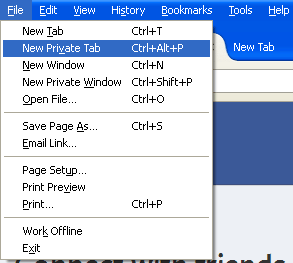
First, you can click “File -> New Private Tab” on the browser menu, or you can use the keyboard shortcut “Ctrl + Alt + P”.
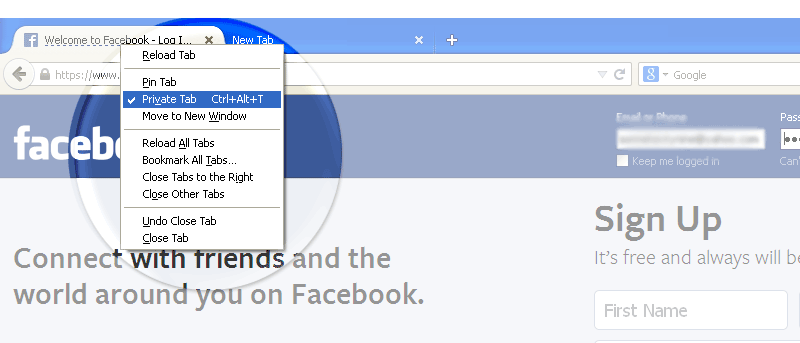
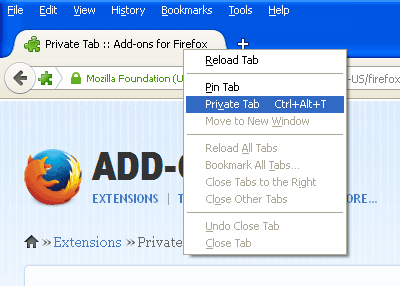
Second, you can right click on an already open tab and select “Private tab” to switch it into private mode. The keyboard shortcut for this is “Ctrl + Alt + T.” The tab should refresh with the privacy enabled.
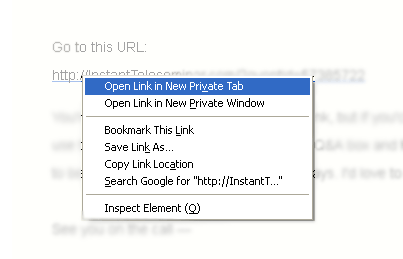
Third, you can open links by right-clicking on them and selecting “Open Link in New Private Tab.” This applies to any link from a web page or email message.
If you don’t want to use keyboard shortcuts or context menus, you can add a shortcut for the toolbar (located to the upper right corner of the browser). Simply go to “View -> Toolbars -> Customize” on the main menu.
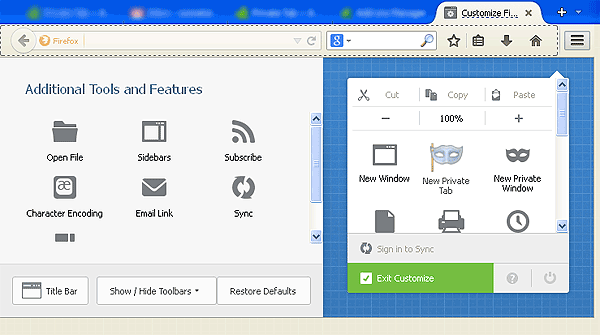
Locate the icon for Private Tab on the left pane and drag it to the right where you want it to appear on the toolbar. In the example below, I dragged the icon and placed it to the right of “New Private Window”.
When you’ve employed the steps above, you only need to click on the Firefox toolbar icon (top-right corner) and click on the icon for New Private Tab.
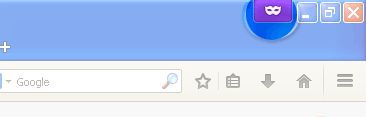
Private tabs will be marked by a dotted line below the tab name, as well as a purple mask icon located on the top right edge of the browser.
While opening secure sessions in tabs instead of windows may be convenient for multitasking, the simple task of repeatedly clicking “Open in New Private Tab” or using the keyboard shortcut every time replaces the old inconvenience with a new one.
Unfortunately, there is no option to open all tabs in private mode by default.
To check if your browsing sessions were truly secure using Private Tab, you can go to History on the main menu and check that none of the sites you visited using Private Tabs are on the list.
Privacy and security are two of the most important features one would like to have in a browser. Private Tab ensures that and more, providing you with flexibility in navigation as well. Despite the extra steps you have to take to use the feature, it’s a practice worth doing when confidentiality is at stake.