
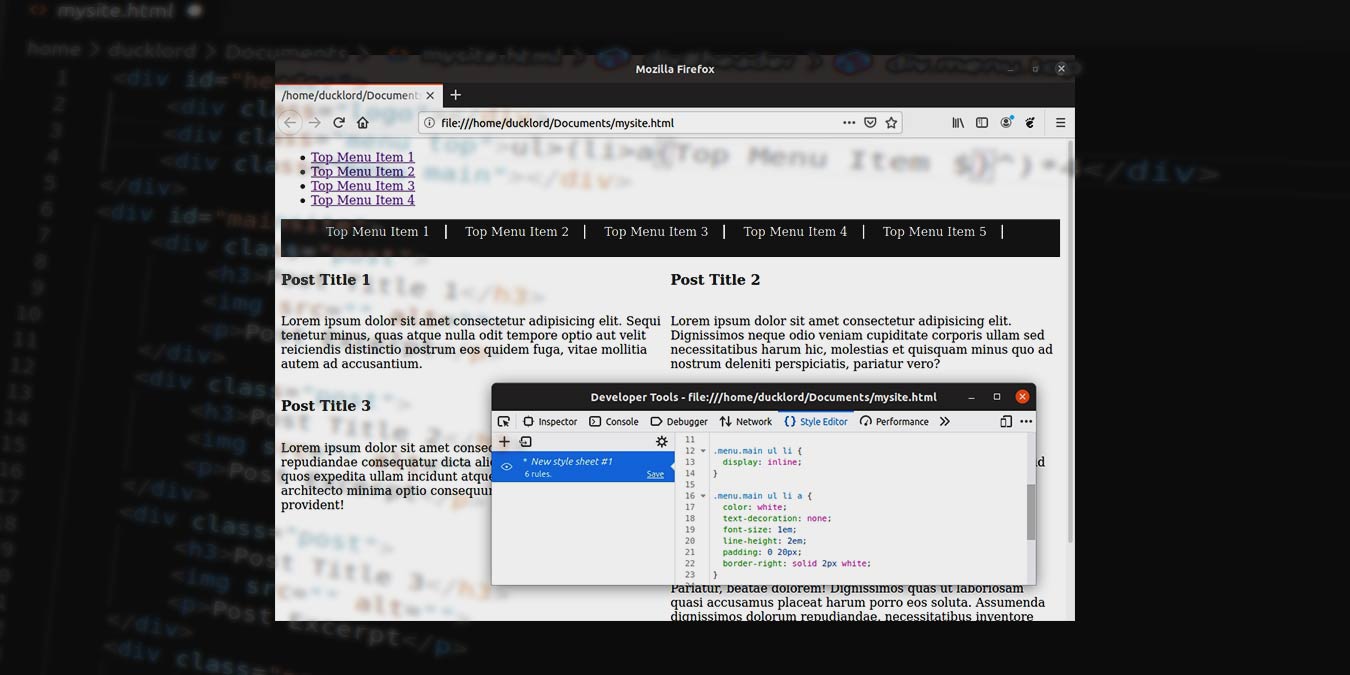

Is it possible to create all the HTML code of a site in minutes, if not seconds? It is possible if you’re using Emmet! This new approach allows the rapid development of code in HTML, XML, and other structured code formats.
Emmet is a plugin for many popular text editors. With Emmet, you create the skeleton of your page in a rational but very compressed syntax and then have it expand to full, proper HTML code. The result feels like magic: a line of text expands to hundreds of lines of syntax, and you have a static page, or even a full site’s structure, ready in minutes.
You’ll learn here how you can use Emmet to create a full static web page. Visual Studio Code is used for this tutorial since it comes with built-in support for Emmet. You can use Emmet in other editors, like Sublime Text and Atom, but you’ll have to add support for it through an extension.
Create your site’s file
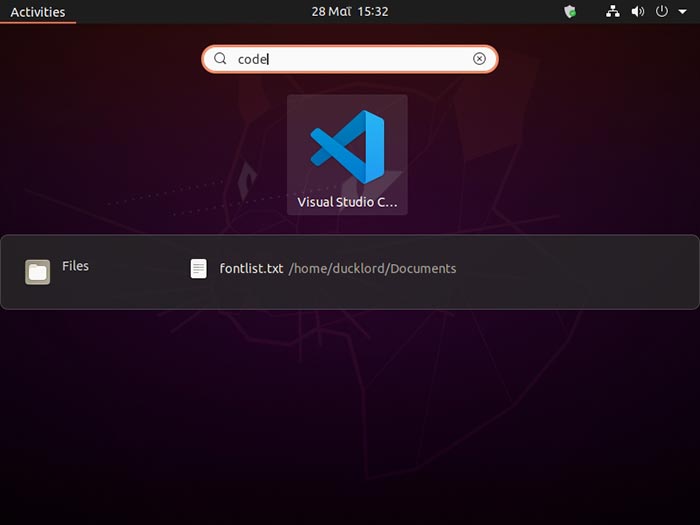
To get started, open Visual Studio Code.
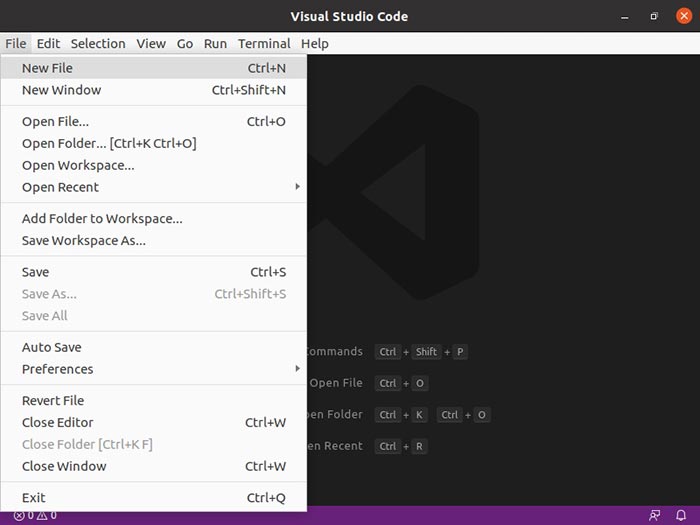
Choose “File -> New File” to create a new, blank document.
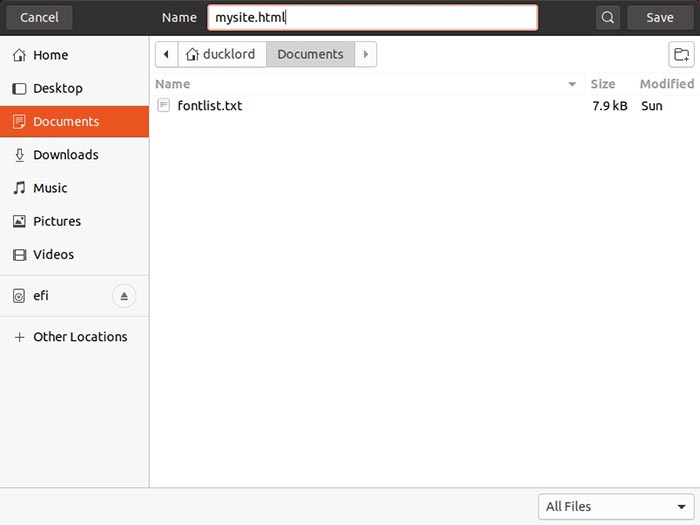
Choose “File -> Save As” to save your file, giving it an “html” extension.
Basic structure
Each web page’s elements are organized in groups and subgroups. When coding with Emmet, you’ll have to always keep in mind how each group contains items that can themselves be groups of even more elements.
Note: although we’ll explain the basics, it would be better if you were familiar with the basics of HTML syntax before you proceed.
At a very basic, top level, most sites contain three such groups/sections: a header, a main part for the core content, and a footer. To create those with Emmet, type:
#header+#mainsite+#footer
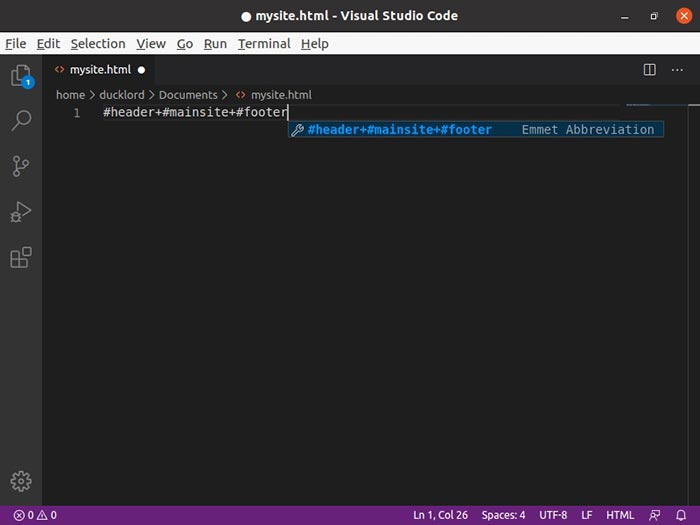
The “#” in front of each word means that each group is a div with an ID. Press Enter at the end of the line to see Emmet in action, turning this little phrase into three lines of structured HTML.
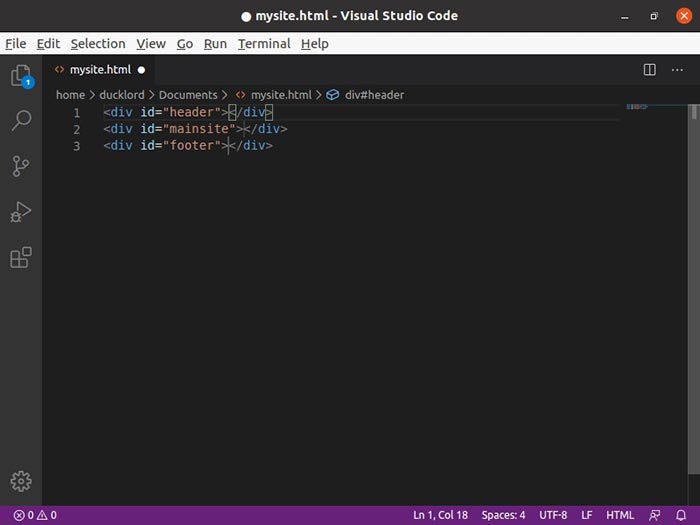
Header structure
A typical site’s Header contains its logo and one or two menus. To add those to your page, you can keep the expanded HTML from the previous step and type directly in the Header Div. You can then type something like:
#logo+#menu_top+#menu_main
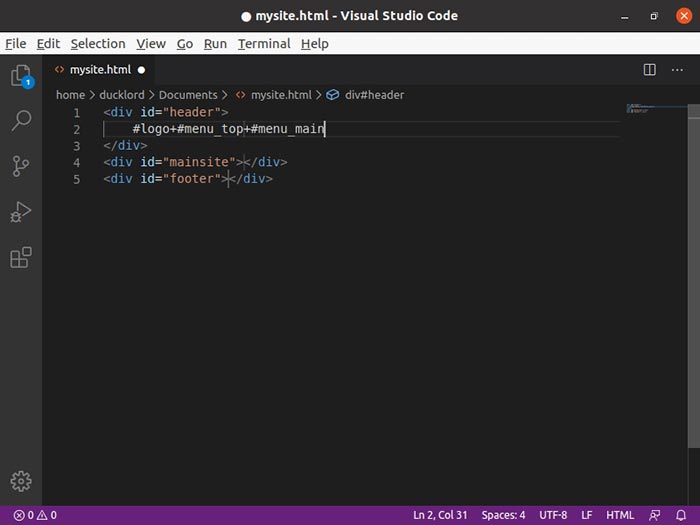
Press Enter to expand this as well, and you’ll have three more Divs for your site’s logo and two menus inside your Header.
Grouping in Emmet
With Emmet, you group elements by placing them in parentheses. This allows you to create complex structures for your pages. So undo everything up to now and keep only your basic #header+#mainsite+footer code from before.
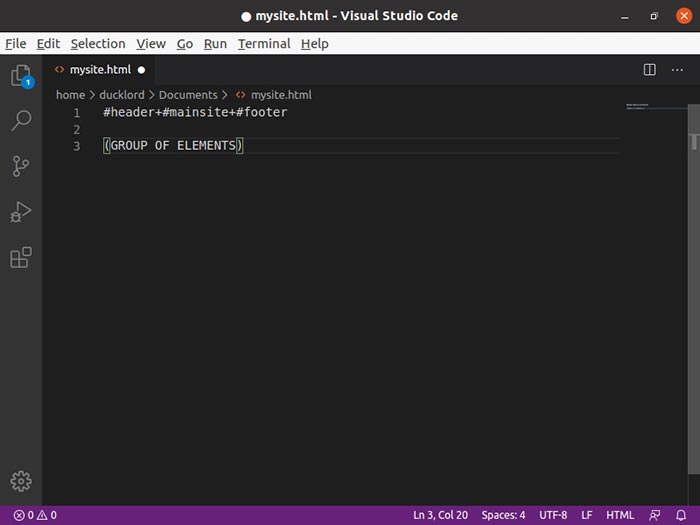
Replace the #header in your code with the following:
(#header>.logo+.menu.top+.menu.main^)
In Emmet you can drop a level by using the > character and can go up a level by using the ^ character. This allows you to get in an element, add others there, and then go back up.
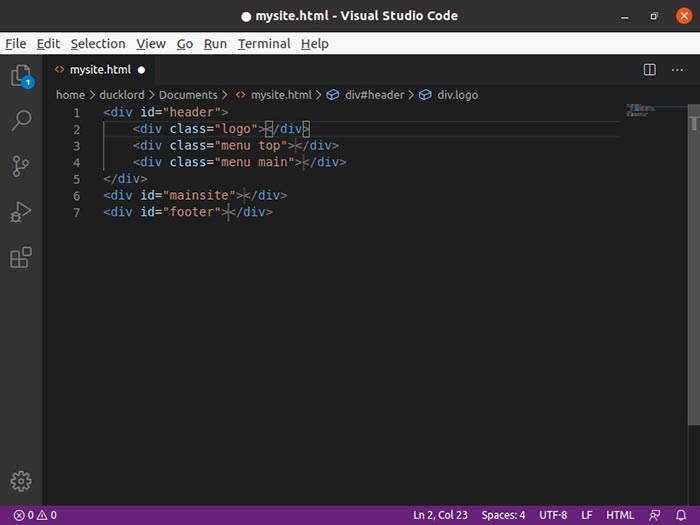
The result should look like the following:
(#header>.logo+.menu.top+.menu.main^)+#mainsite+footer
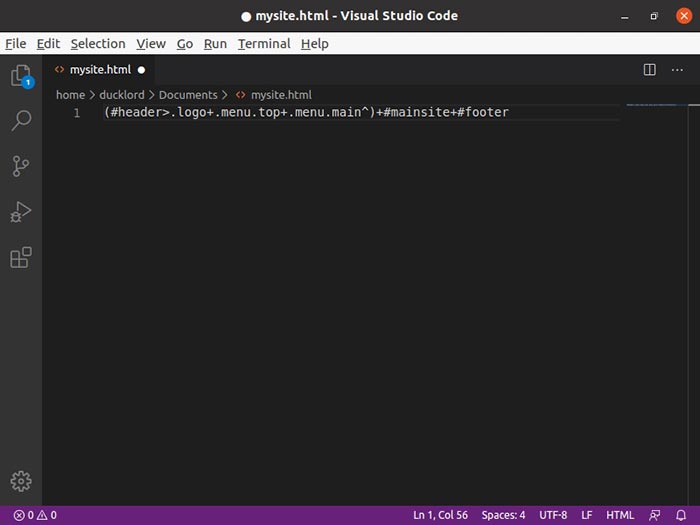
The above would translate to: “Add a Div (group) with the ID #header. Inside it, add three Divs with the classes “.logo,” “.menu.top” and “.menu.main.” Return one level up, outside the group, and add two more Divs next to it with the IDs “#mainsite” and “#footer.”
Post Structure
A basic post on a typical site usually contains the following elements:
- Title
- Image
- Excerpt (as a text paragraph)
It should also offer a link that allows the visitor to read the actual post and maybe links to its categories, tags, etc. For simplicity’s sake, though, we’ll use only those three elements for now.
This is the code that we are going to add:
(.post>h3{Post Title $}+img+p{Post Excerpt})*5
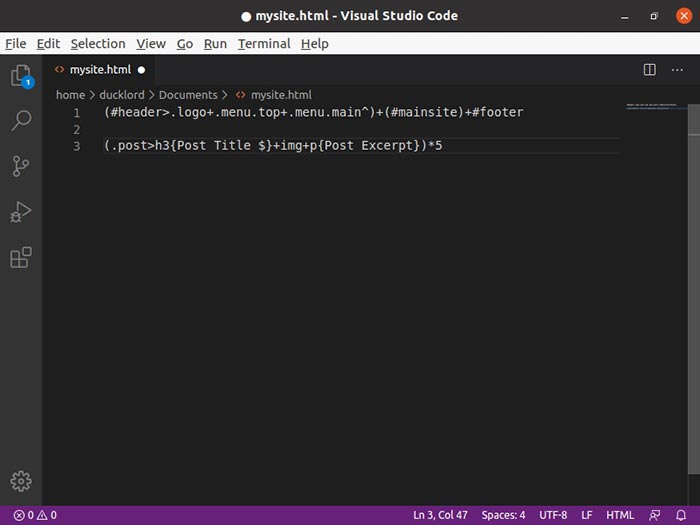
This tells Emmet to “Create a Div with the class .post. Inside it, place a title of H3 heading, an image, and a paragraph for the excerpt.
With “{TEXT}” attached after an element, you define its contents. So, with “{Post Title},” that’s telling Emmet that the content of each H3 title will be the placeholder text “Post Title.” You can change “Post Title” to your name or whatever text string you fancy, and it will be used as the content of your post titles when the code is expanded.
The $ next to “Post Title” is a numeric variable that works in conjunction with the “5” you can see outside the parentheses. The *5 after the parentheses tells Emmet to repeat the contents of the parentheses five times. The $ is replaced with each post’s iteration number. Replace this number with the number of posts you want on your page.
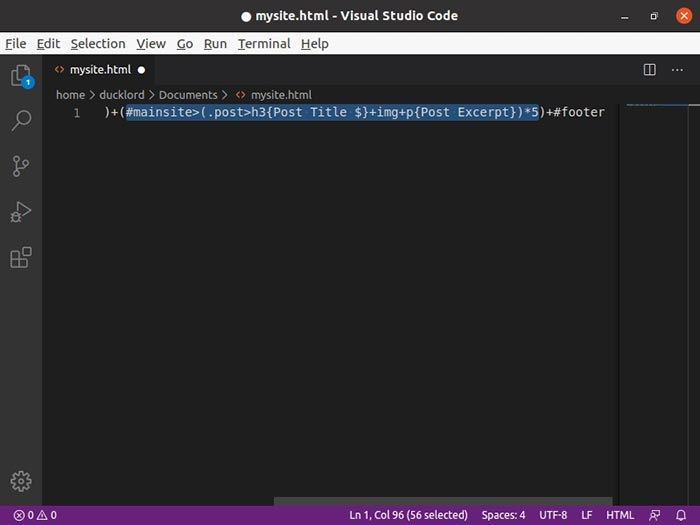
Add this to the actual code. It should look like:
(#mainsite>(.post>h3{Post Title $}+img+p{Post Excerpt})*5)
Footer Structure
For the Footer, we’re adding two groups – two Divs with the classes “.design” and “.copyright.”
The code is as follows:
(.design>(a.designerslink))+(.copyright>(p{Copyright 2020 My Name}))
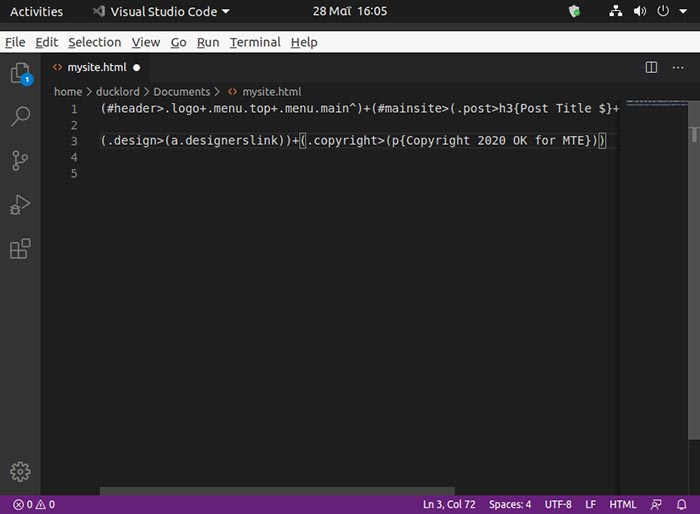
This will create a div with class “.design.” Inside it is a link with the class “.designerslink.” Added next to it is a second div with the class “.copyright.” Inside this div is a paragraph of plain text with the contents “Copyright 2020 My Name.”
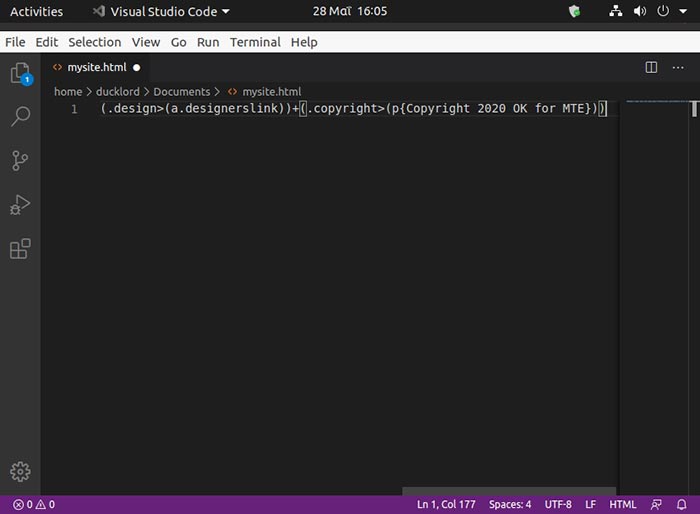
The result will be this:
(#footer>(.design>(a.designerslink))+(.copyright>(p{Copyright 2020 My Name})))
Now, just press Enter, and your site’s ready!
With one keypress, everything we saw up until now, and this ultra-condensed bunch of characters, will turn into dozens of lines of proper HTML syntax for a full page!
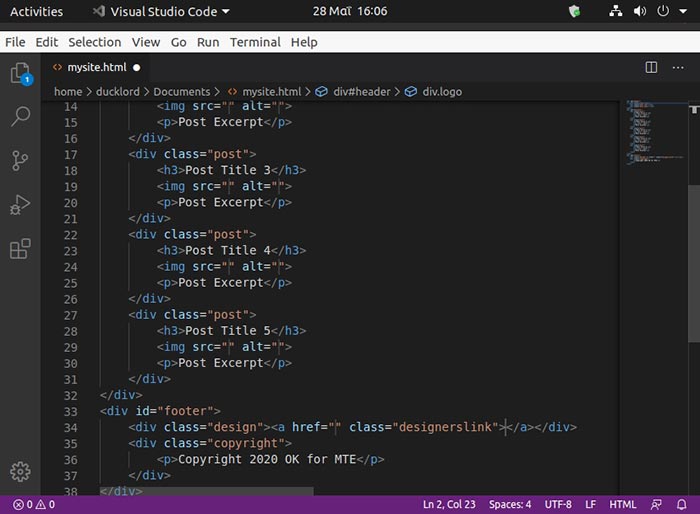
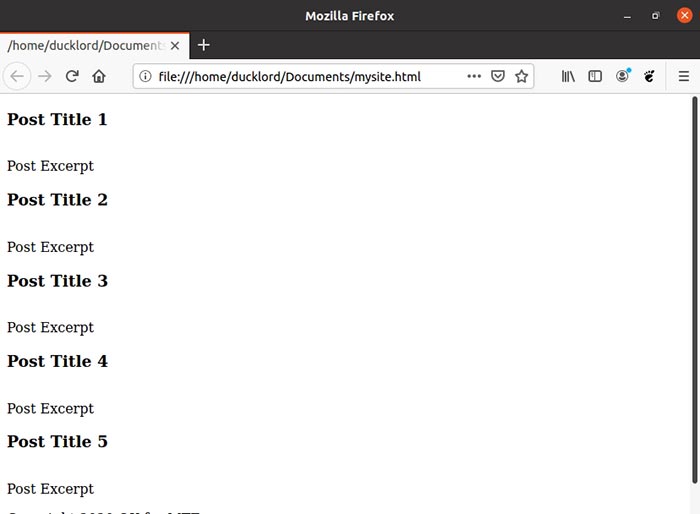
Save the changes to the file by pressing Ctrl + S or visiting “File -> Save.” To see your work, fire up your browser. Then, either using “File -> Open” or an external file manager, locate your HTML file and manually open it in the browser.
Wrapping Up
You have learned the basics of using Emmet to create your HTML file. Of course, you can return to your code at any time to tweak it or expand it with more stuff.
Did you already know about Emmet? Are you using some other shortcuts which help when creating sites? Tell us in the comments section below.