

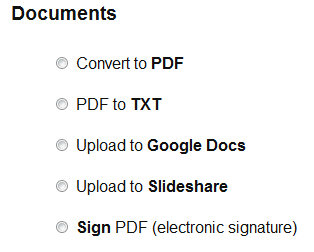
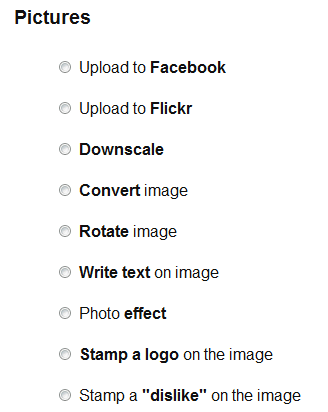
As an avid user of Dropbox, I was delighted to see that there is a useful application which can automate many tasks that would otherwise eat up my valuable time. It’s called Dropbox Automator, and it’s here to make your life easier. Essentially it allows you to automate a number of different actions on files in your Dropbox, such as automatically converting documents to PDF or images to jpegs, or even encrypting or emailing files.
Setup
Dropbox Automator has a simple interface which allows you to set rules to be applied to files that you place in your Dropbox folder. To begin with, however, you need to grant the software access to your Dropbox account. Considering the large number of security breaches that have taken place in 2011, I was a little wary about providing access. My solution was simply to create a new Dropbox account for testing this neat little app.
Use
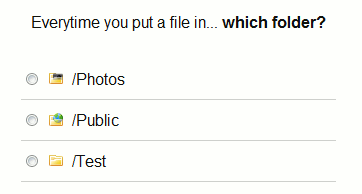
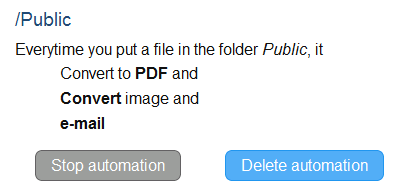
After granting the app access to your Dropbox account, using it couldn’t be more straightforward. You assign a folder for the set of rules you wish to apply, and then assign the rules for that folder. You can stack rules too, so that it will, for example, convert and e-mail a file.
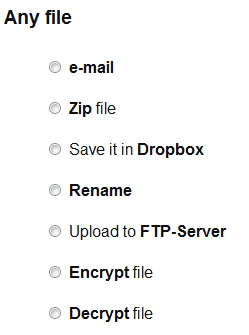
One thing to be careful of is not to create two rulesets for the same folder that act on the same filetypes. If you do this, you risk creating a never-ending loop. I found this out last night when I did just that and ended up with over 400 e-mails in my inbox for the same two files! What should have happened is that once one ruleset was completed, it was supposed to move the two files to a subdirectory called “processed”. I have a feeling, however, that these files were locked by the other automation process and as a result could not be moved.
Round-up
These shortcomings aside, Dropbox Automator is a powerful tool that has the potential to save you a large amount of time and make your life easier. For example, I do some of my invoicing in Microsoft Word, for customisation purposes. When I have finalised an invoice, I can put it in the Dropbox Automator folder and it will get converted to PDF and emailed to my inbox so all I need to do is forward the attachment on to the end client. This saves me selecting “save to PDF”, and browsing to the attached file in my web browser, and waiting for the file to upload. It’s not a huge amount of time, but if you group all the times I’ve done that together, it probably adds up to a lot.
Conclusion
In conclusion, if you have any use for such automation features, I recommend giving it a try. Please post feedback below if you do.