
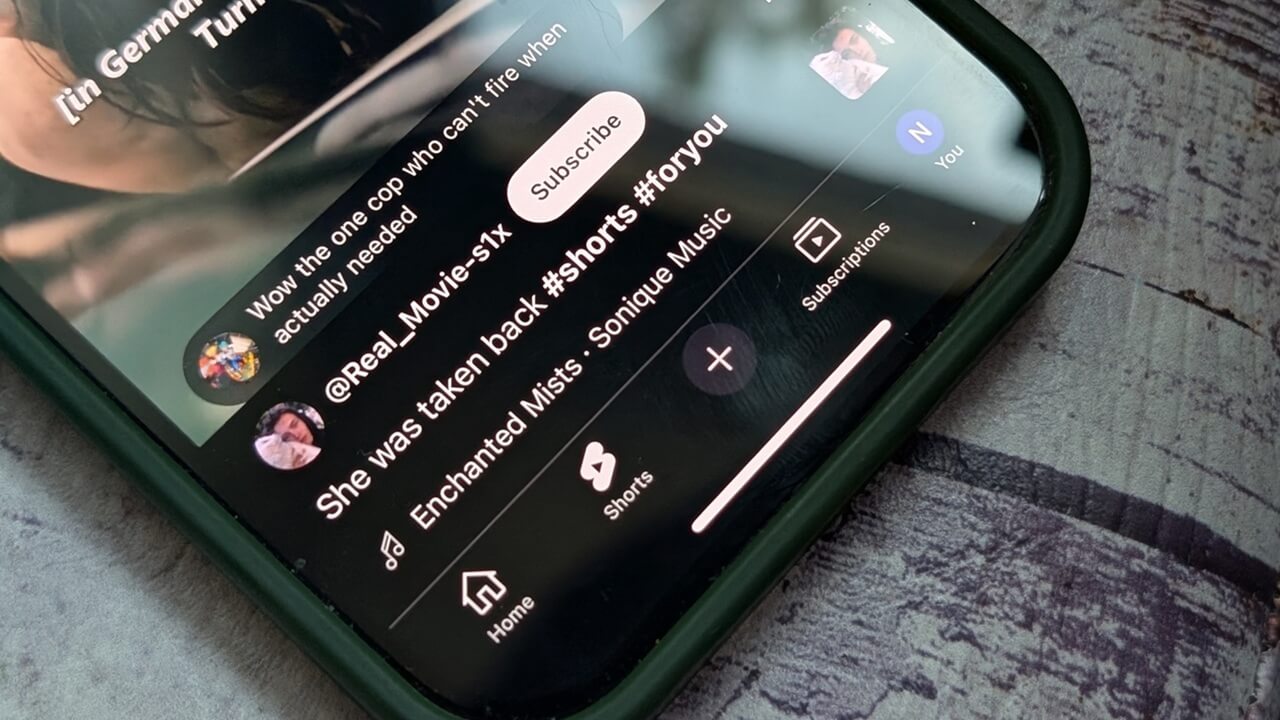

YouTube created Shorts to compete with TikTok and Instagram Reels, but there’s one key feature missing: the ability to download the short videos directly on your device, unless they are your own. Fortunately, there are still ways to save your favorite clips for later viewing. Here’s a breakdown of how to do it.
Good to know: looking to upgrade to YouTube Premium? Here’s how to score a discount.
1. Use YouTube Studio to Download Your Own Shorts
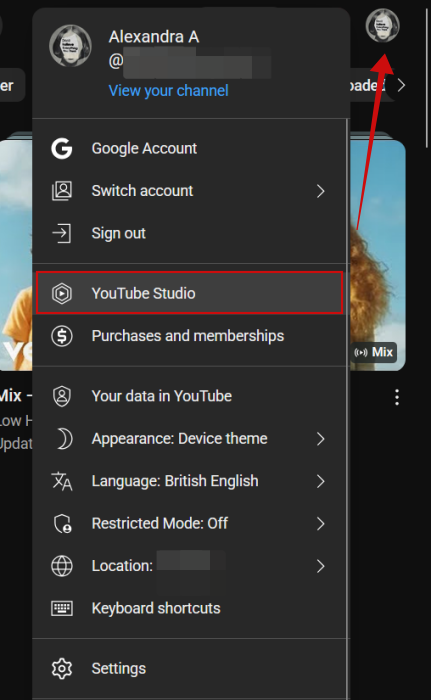
If you ever need to download your own Shorts on, let’s say, another device, that’s possible without third-party tools. You’ll first need to log into your YouTube account on that device. If you’re doing so from a PC, next up, click on your profile picture in the upper right corner and select YouTube Studio.
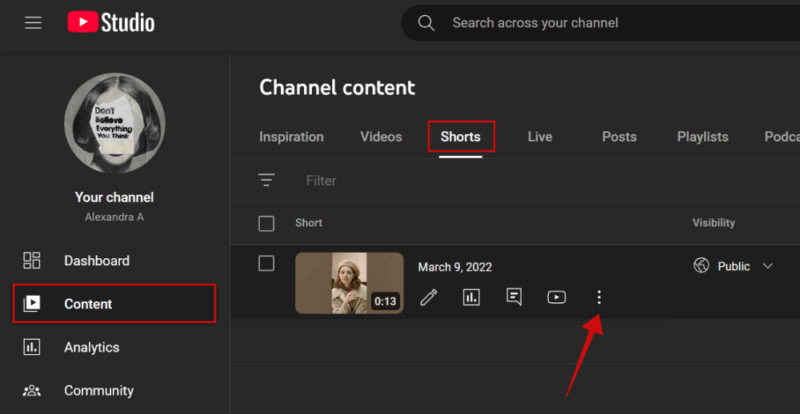
From there, access Content in the menu on the left. Switch to the Shorts tab on the right. Hover the mouse over the Short you want to download. Click on the three dot icon that appears below.
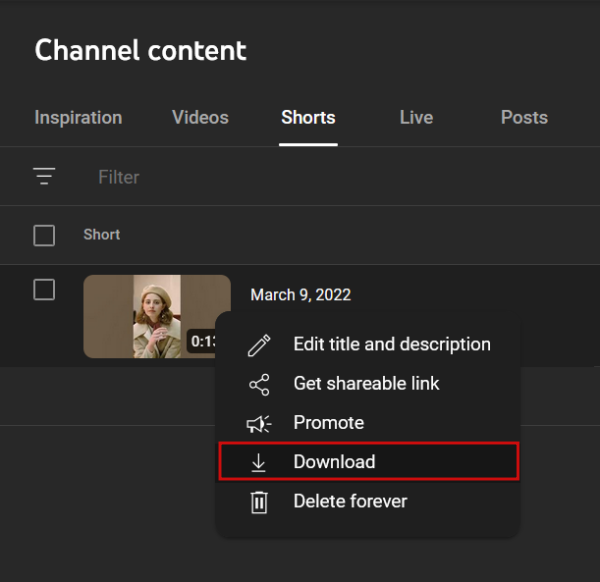
Select Download from the menu.
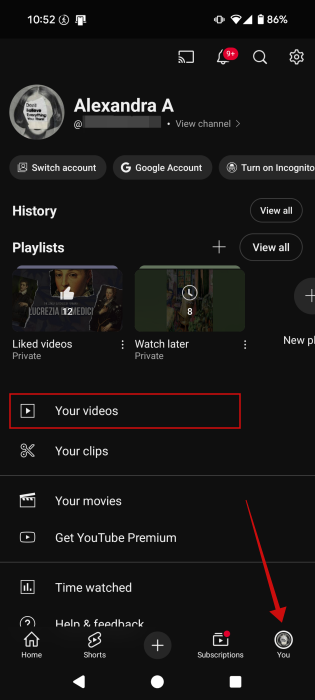
In the mobile app, tap on your profile picture in the lower right corner. Select Your videos.
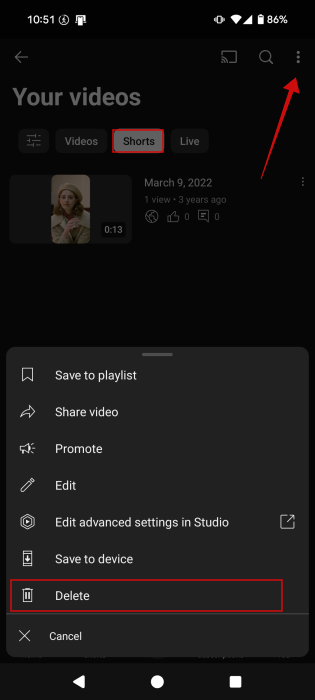
Switch to the Shorts tab. Tap the three dots next to a Short you want to download and select Delete.
Tip: learn how to automatically skip sponsored sections in a YouTube video for an uninterrupted viewing experience.
2. Use a Web Tool to Download Other People’s YouTube Shorts
Most of us, however, will want to download YouTube Shorts that have been created by others. In this particular scenario, the easiest solution is to use a web tool. You can access this via your browser on PC or your mobile app.
There are plenty of options out there when it comes to sites that allow you to download content from social media apps. For this tutorial, we’re using SaveTube. Another popular alternative is SaveFrom.net.
Open the site on your device, then navigate to YouTube.
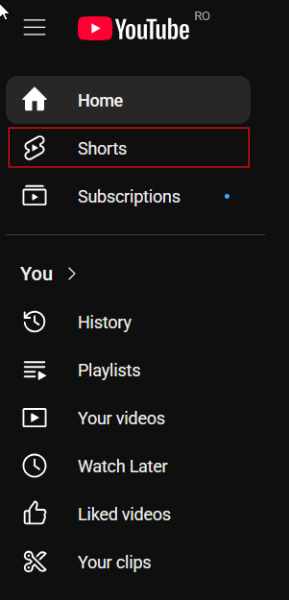
On PC, click Shorts to view your short-form video feed.
Find a Short you want to download and press the Share button on the right side.
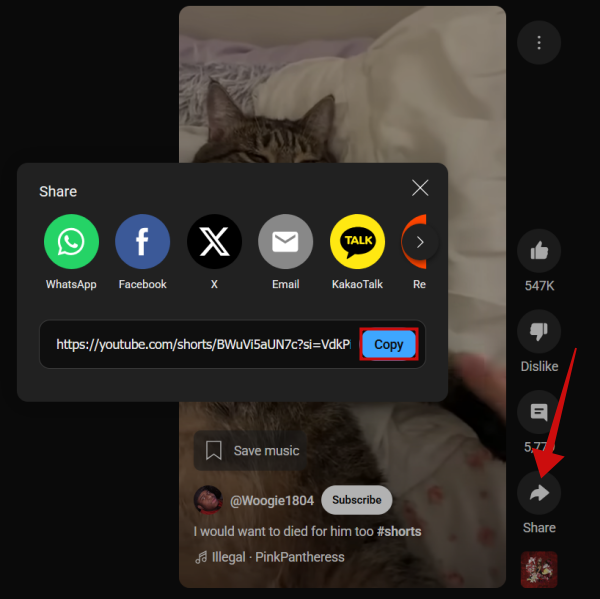
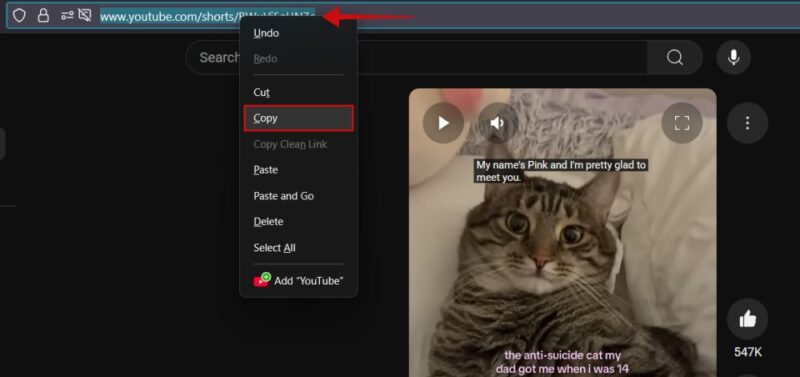
Click the Copy button for the link it has generated.
Alternatively, you can copy the link that appears in the address bar at the top when viewing a particular Short.
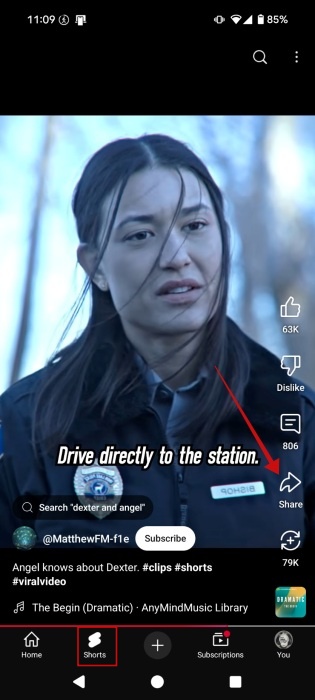
On mobile, switch to the Shorts tab at the bottom. Press the Share button.
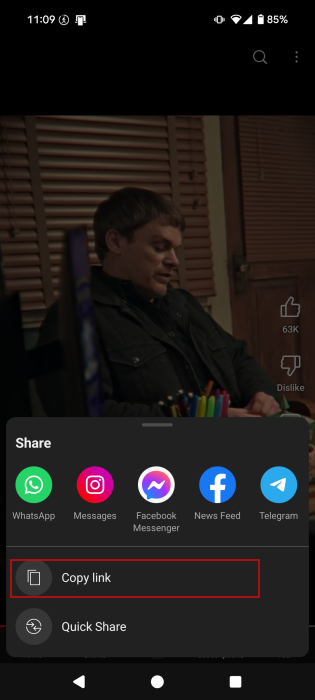
Select Copy link.
Now switch to SaveTube in browser and paste the link in the address bar. Wait a few seconds and the website will immediately detect the clip.
Select in which format you want to download the video and then press the Get Link button.
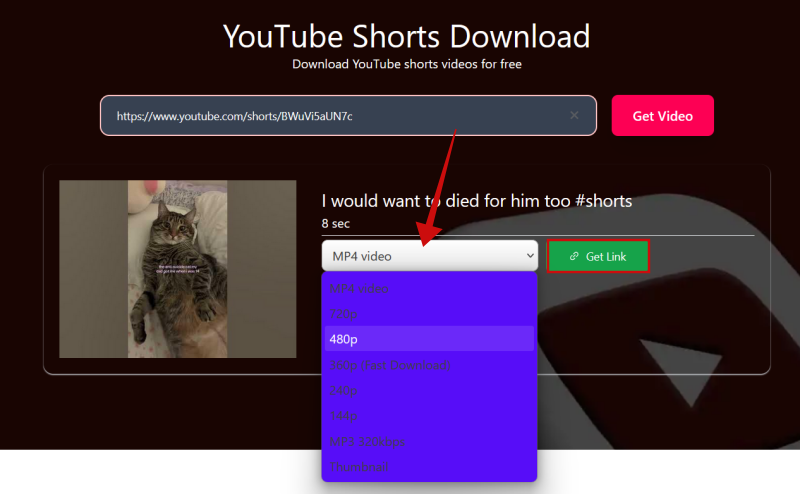
The video should start downloading immediately.
FYI: here’s a list of the best Chrome extensions you might want to use while watching YouTube.
3. Use a Third-Party App on Mobile
If you’re constantly downloading video from social media, not just YouTube Shorts, maybe you’d benefit from installing a third-party app on your device.
For instance, if you’re on Android, you can use the SaveFrom app. Unfortunately on iPhone or iPad, this type of apps aren’t very common. So instead, you’d best use the previous method.
Open the app and paste the URL you’ve copied from YouTube in the bar at the top. Wait a few seconds.
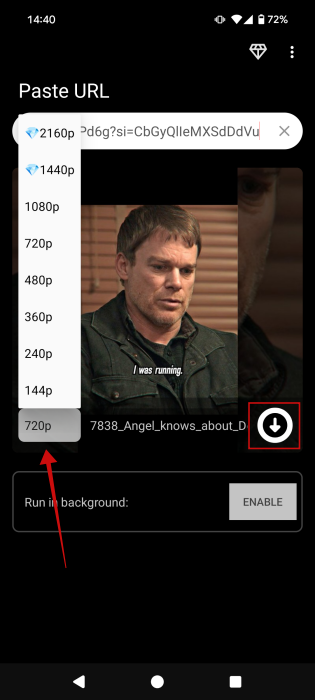
Once the thumbnail loads, select the video quality, then click on the Download icon to start the process.
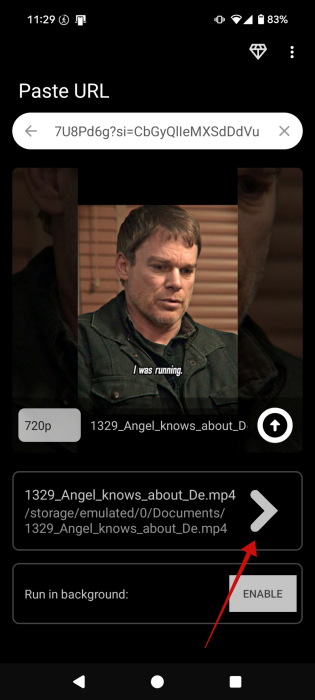
When the video is ready you’ll see the path to the video on your device. Tap it to open and view the clip.
If you’re using a third-party YouTube app like NewPipe or LibreTube, then you should be able to download Shorts from there (albeit with some caveats in some cases). However, note that these apps aren’t usually available in the Google Play Store, and so you’ll need to download them in APK form. We recommend using a trusted source when downloading APKs or using the app’s official websites.
YouTube has recently introduced new tools in order to make Shorts creation a breeze in a bid to support short-form video creation. Check our post to learn all about them. At the same time, you might not know that you can watch YouTube Shorts in landscape mode. If you think that might be helpful for your daily routine, see the steps in our guide.