

Do you try to make longer more secure passwords, and then forget them? Since you can’t remember them, you allow Chrome or another browser to save your passwords and auto-fill them. Autofill makes it easier for you to access your sites, but it makes it easier for others to access them as well. To help with this, you want to use a password manager but think it will be complicated. Google has added a feature to download passwords saved to Chrome to a .csv file to make the process simpler.

Until now, it could be tedious to transfer your passwords to a password manager. You could end up typing all the passwords by hand, or you could wait until you were logged on to each password-protected site to save it to the manager at that time. Of course, if you have turned off your browser’s automatic sign-in, you have to go through the extra steps to create a new one.
Google is releasing a feature in their Chrome browser that will streamline the process of switching to a password manager by exporting your passwords to a .csv file.
It used to be impossible to download a list of passwords you saved to your Chrome browser. Now with a few simple steps, you can get a list of all those passwords to store on your computer.
How to download your passwords
1. Open Chrome and type chrome://flags into the address bar and press Enter.
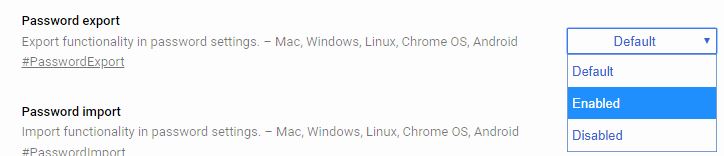
2. Scroll down to find “Password export.” It is a long list of features, so it may be easier to search for it using the Ctrl + F shortcut.

3. Use the dropdown menu to enable it.
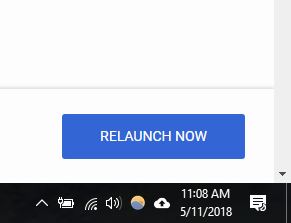
4. Restart Chrome by clicking the “Relaunch now” button that appears at the bottom-right corner of the screen.
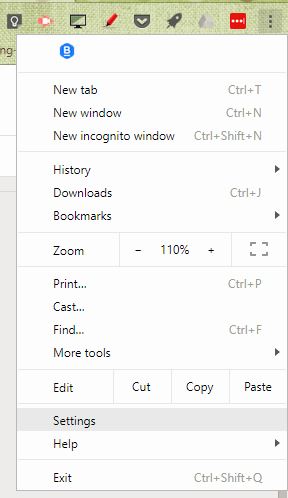
5. Open Settings and scroll to the bottom of the list to click on the word “Advanced.”
6. Find the “Passwords and forms” section, and click on “Manage passwords.”
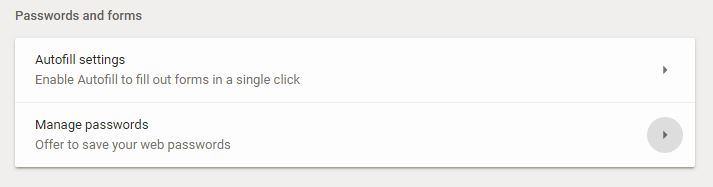
7. Click the three dots at the top of the list of saved passwords to open more options.
8. Select Export.

9. Click Export Passwords to save your passwords in a .csv file.
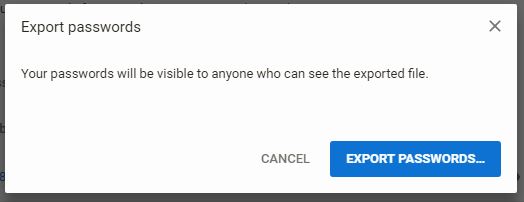
Once you save the list, you can import your passwords into your preferred password manager. Here are some of the best password managers for your platform. You can also keep the records for your personal use. For example, if you do most of the banking or other household tasks, you may want a list of passwords available in case something happens to you.
If you use a password manager that utilizes autofill, you may want to turn it off or completely log out of the manager when you finish working on your computer. These steps keep your information even better protected. If you continue to worry about someone accessing sites containing your personal information, you can set up two-factor or multi-factor authentication for those critical sites.
Keeping your passwords safe is something everyone should do to avoid unauthorized access to your accounts. This feature is just one way of making the process less time-consuming for you.