

Wi-Fi seems to be available pretty much anywhere. In addition, mobile data plans are becoming increasingly generous and speedy. However, there are occasions where you may be caught without access to the Internet. Anyone who flies knows the pain of a flight without Wi-Fi. Fortunately, if you’re stuck in a situation that bars access to the World Wide Web, there is a way to access your favorite website. All you need to do is download it. Downloading an entire website is also handy for those who want to archive a site in case it goes down.
Also read: 15 Safe Websites for Downloading Windows Software
Best Websites to Download
Back in the day websites were fairly basic. They often did not have many images, and embedded video was virtually unheard of. This was due to the fairly slow Internet speeds at the time. If you can remember the whines and hisses of a dial-up connection, then you know the pain of waiting for a website to load. Fortunately, with the advent of high speed Internet, websites have become much more complex. Of course this means that many modern websites are huge. Trying to download an entire website can be a massive undertaking, chewing up tons of data.

While all of the tools listed below can and will download any website, just because you can do something doesn’t always mean you should. We suggest that you target websites that have lots of text and a minimal amount of pictures. Furthermore, it might be a good idea to download a site that doesn’t get updated often.
HTTrack
HTTrack allows users to download a website from the Internet to a hard drive. The program works by scraping the entire website, then downloading all directories, HTML, images, and other files from the website’s server to your computer. When browsing the copied website on your computer, HTTrack maintains the site’s original link structure. This enables users to view downloaded websites in their normal browser. Furthermore, users can click on links and browse the site exactly as if they were viewing it online.
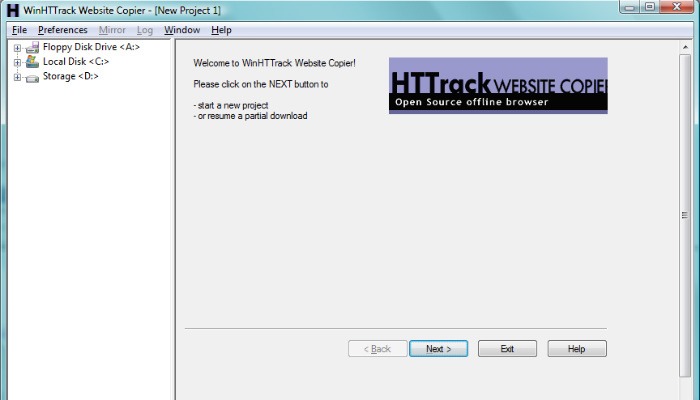
HTTrack can also update previously downloaded sites, as well as resume any interrupted downloads. The app is available for Windows, Linux and even Android devices.
SiteSucker
If you’re firmly rooted in the Apple ecosystem and only have access to a Mac, you’re going to want to check out SiteSucker. The aptly-named program copies all of a website’s files onto your hard drive. Users can get the process started in just a few clicks, making it one of the simplest website copiers around. Furthermore, SiteSucker scrapes and copies a website’s content fairly quickly. However, be aware that actual download speed will depend on the user.
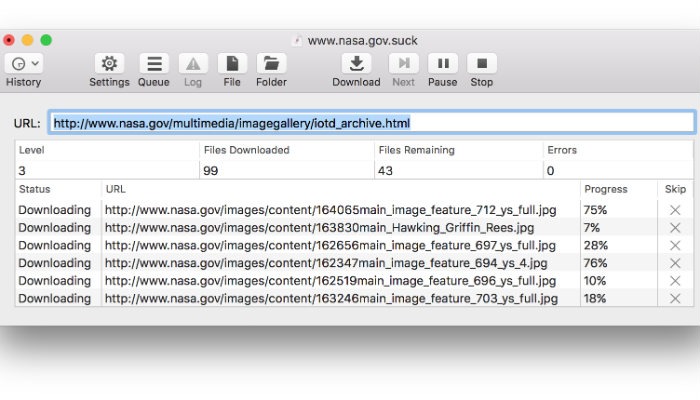
Unfortunately, SiteSucker isn’t without some drawbacks. First off, SiteSucker is a paid app. At the time of this writing SiteSucker is $4.99 on the App Store. Additionally, SiteSucker downloads every file on the website that it can find. This means a larger download with a lot of potentially useless files.
Cyotek WebCopy
Cyotek WebCopy is a tool that allows users to copy full websites or just the parts that they want. Unfortunately, the WebCopy app is only available for Windows, but it is freeware. Using WebCopy is simple enough. Open the program, pop in a target URL and you’re off to the races. As we’ve mentioned, many modern websites are huge, so downloading an entire website can be a real test in patience. Fortunately, WebCopy has a robust number of filters and options, allowing users to grab only the parts of the website they actually need.
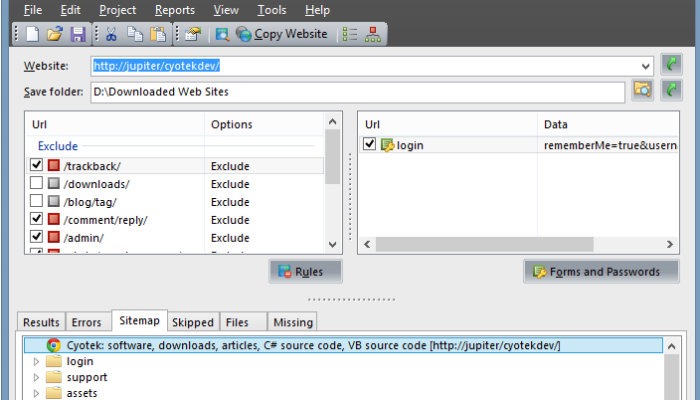
These filters can omit things like images, ads, videos and more, which can significantly impact the size of the overall download. Cyotek WebCopy is easy to pick up and use, but you’ll want to spend some time tweaking it to ensure you get manageable download sizes.
Also read: How to Download Any File to Your iPhone
GetLeft
This open-source website grabber has been around for some time, and for good reason. GetLeft is a small utility that has the ability to download the various components of a website, including HTML and images. GetLeft is also very user-friendly, which explains its longevity. To get started, simply fire up the program and enter the URL address of the website you want to download and where you want it to download to. GetLeft then automatically analyzes the website and provides you with a breakdown of the pages, listing subpages and links. You are then able to manually select which parts of the website you want to download by checking the corresponding box.
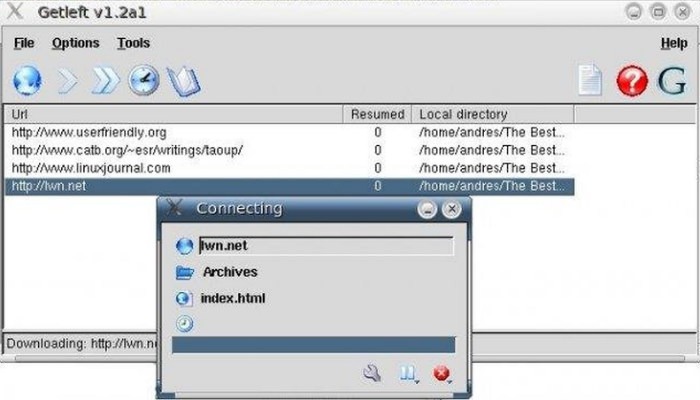
Once you’ve dictated which parts of the website you want to grab, click on the download button. GetLeft will download the website to your chosen folder. Unfortunately, GetLeft hasn’t been updated in some time, but this could be chalked up to a case of “if it ain’t broke, don’t fix it.” GetLeft is a bit light on features, but it gets the job done.
Do you use a website ripper? Did we omit your favorite website copying tool? Let us know in the comments!
Image credit: Download