From the archive. This article was published before Make Tech Easier joined Brown Brothers Media in April 2026, under the publication’s previous ownership and editorial process.
Do a Quick Search In Firefox With A Keystrokoe
In Firefox, you can press the "/" key in your keyboard (when your cursor is not in any input field) to quickly activate the Quick Search bar.

In Firefox, you can press the “/” key in your keyboard (when your cursor is not in any input field) to quickly activate the Quick Search bar.
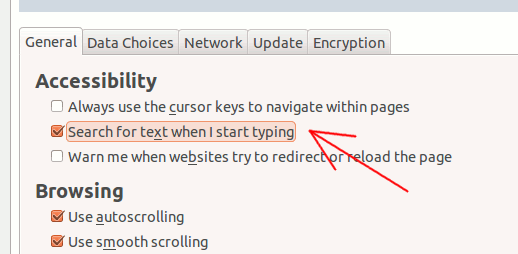
Alternatively, you can go to “Preferences -> Advanced -> General and tick the box “Search for text when I start typing”. This will allow you to search for text in the website when you type.