
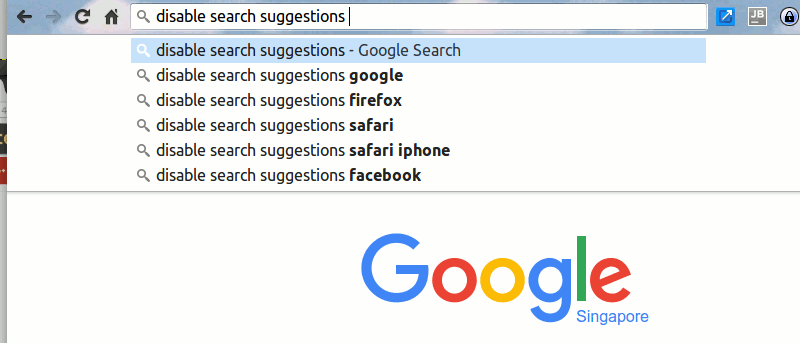

When you are typing in a search query in the address bar of your browser, the browser will try to suggest a list of search queries based on the words you have typed. While that works great for some people, others just do not like it and wish they could complete the entire query by themselves without the interference of the browser. If you happen to fall in the latter group, the following guide should be helpful to you.
If you use Google Chrome or Safari on your device, you now have a way to disable search suggestions that appear when you are typing in a query in your browser’s address bar. You do not need a third-party app to accomplish the task as the entire task can be done right from the browser itself.
Disabling Search Suggestions in Desktop Chrome
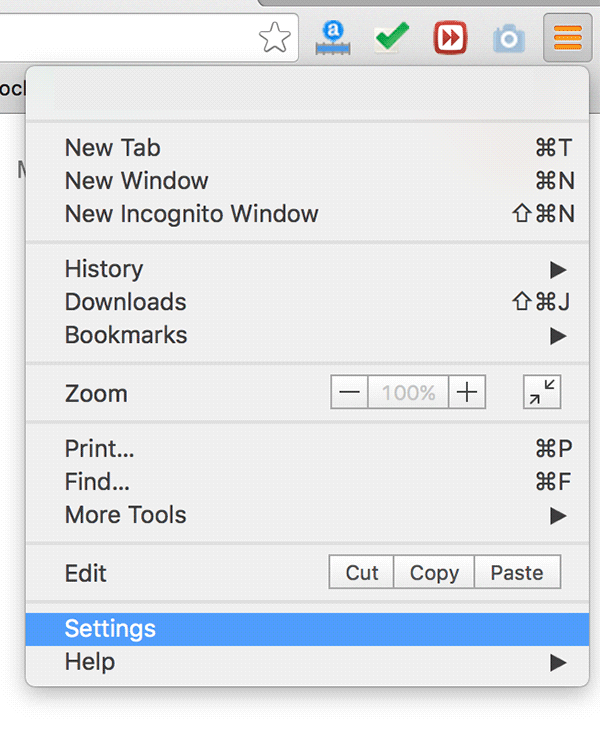
1. Launch Google Chrome on your computer and click on the three horizontal lines appearing in the top-right corner. Then select the option that says “Settings.”
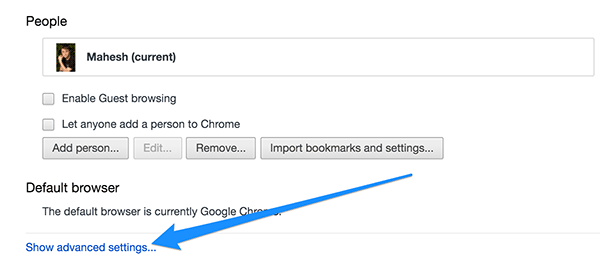
2. Scroll down in the settings panel and click on “Show advanced settings…”
3. Under the “Privacy” section, you should see an option that says “Use a prediction service to help complete searches and URLs typed in the address bar or the app launcher search box.” Just uncheck it as that is what suggests the search queries.
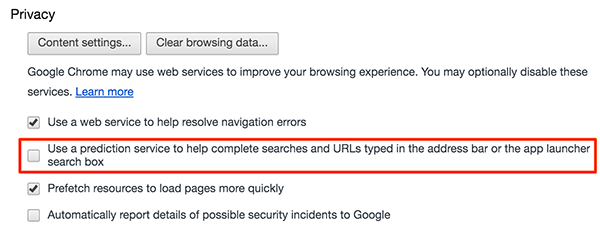
Chrome will no longer suggest queries when you are typing something in the address bar of the browser.
Disabling Search Suggestions in Mobile Chrome
If you happen to use Chrome on your mobile devices, here are the steps to disable search suggestions in the mobile version of Chrome:
1. Launch Google Chrome on your mobile device.
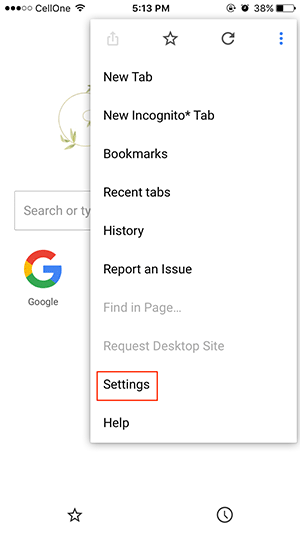
2. When Chrome launches, tap on the three dots at the top-right and then tap on “Settings.”
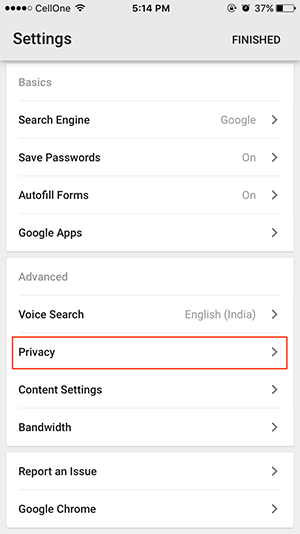
3. In the settings panel, you should see an option saying “Privacy”. Tap on it.
4. On the following screen, disable the option that says “Show Suggestions.”
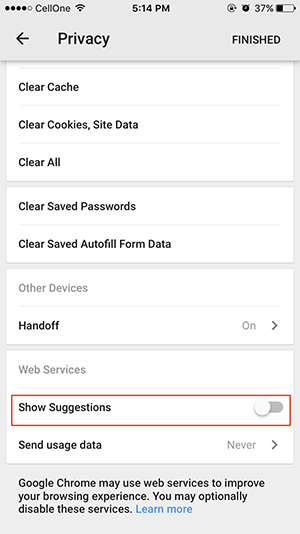
Chrome on your mobile device will no longer show any suggestions while you are typing the queries.
Disabling Search Suggestions in Desktop Safari
1. Launch Safari on your desktop.
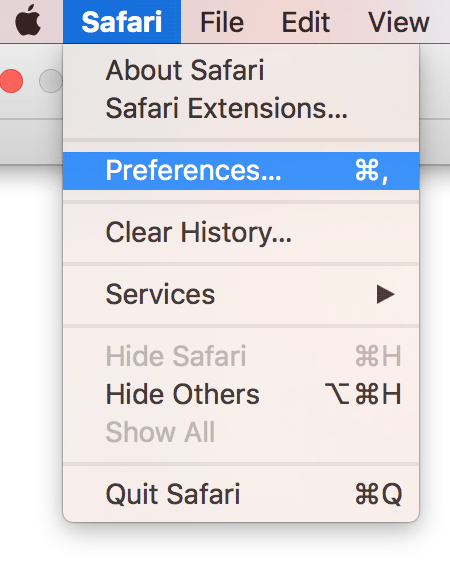
2. When Safari launches, click on the “Safari” menu in the top-left corner and select “Preferences…”
3. Click on the “Search” tab when the preferences panel opens to go to the search settings.

4. Uncheck the option that says “Include search engine suggestions.”
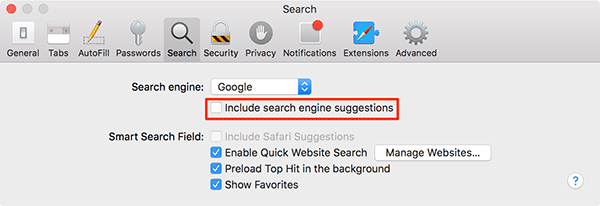
That’s how you can disable search suggestions in desktop Safari.
Disabling Search Suggestions in Mobile Safari
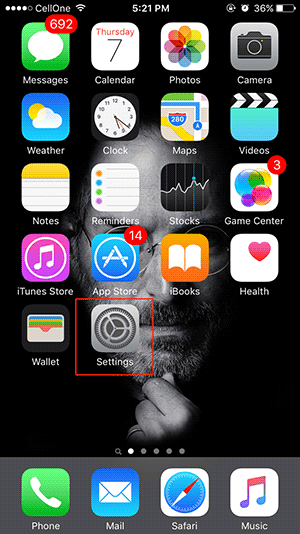
1. Tap on Settings on your home screen to open the Settings menu.
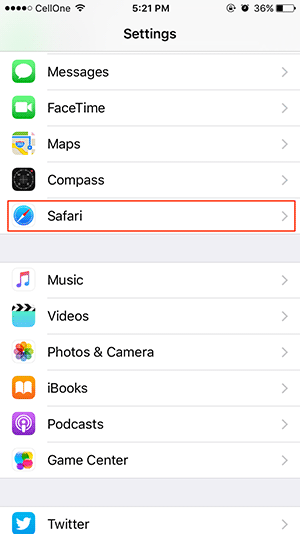
2. Scroll down and tap on “Safari” to open Safari settings.
3. Disable the option that says “Search Engine Suggestions” by sliding its toggle.
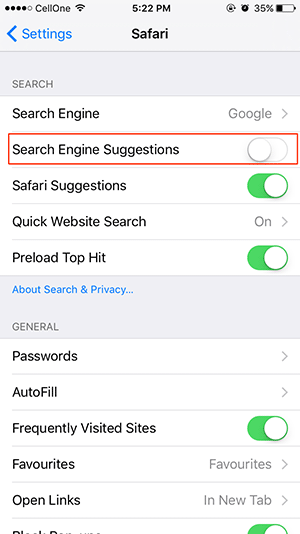
The feature is now disabled on your mobile version of Safari.
Conclusion
If you find search suggestions to be more annoying and less useful, the above guide should help you disable them in various web browsers on your devices.