
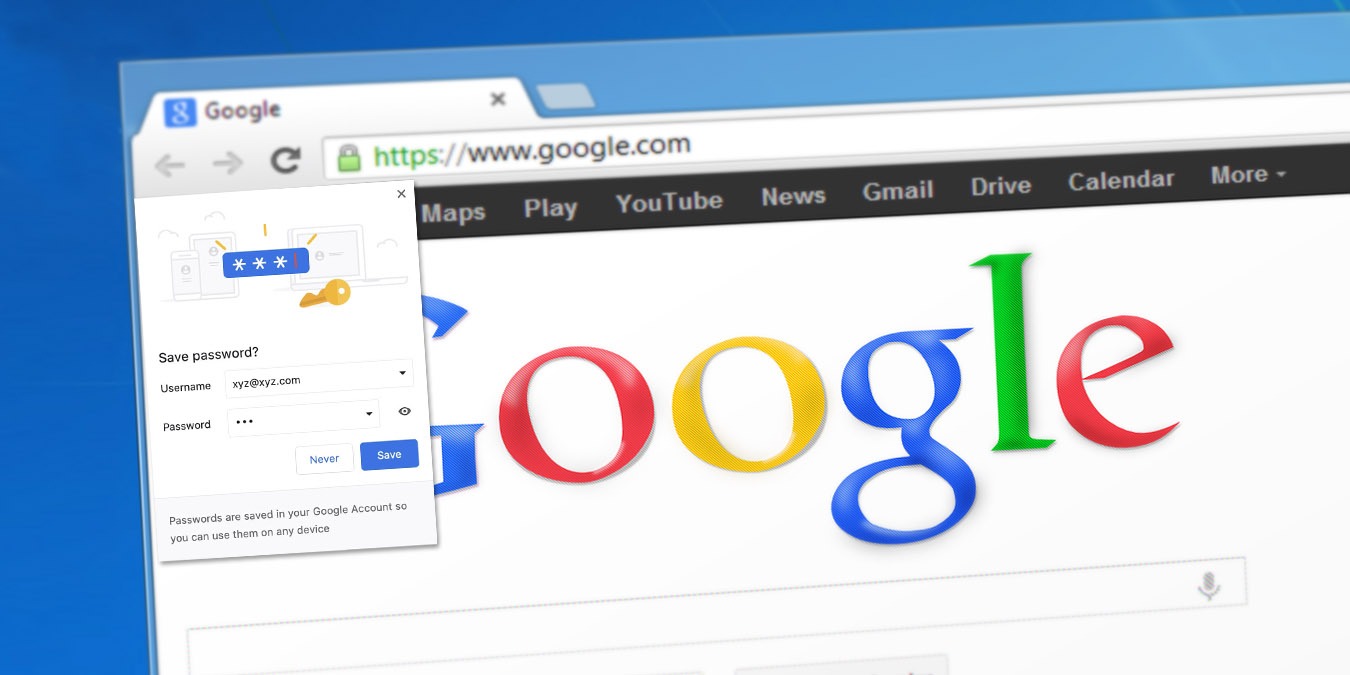

Although you should avoid using integrated password managers, many still do. For those who haven’t yet discovered the multiple benefits of specialized password managers, Google Chrome presents a convenient solution. However, you must have noticed that it prompts you to “Save Password” when it is not needed or appropriate. This can be annoying at times. To make sure these pop-ups stop appearing, follow these steps to disable Google Chrome from asking to save passwords.
Disable “Save Password” for Chrome Desktop
For both Windows and macOS, Chrome’s settings hold the option to permanently disable the “Save Password” pop-up window. If you want to set this for your Google account, which then synchronizes across all devices, click on your profile icon in the upper-right corner.
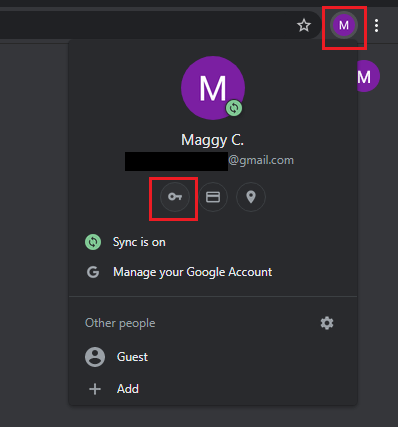
Then, click on the small key icon under your profile name and email address. This will open a “Settings – Passwords” tap, which will have the option to turn off the slider for “Offer to save passwords.” Click on it until it appears gray. An active slider icon will be blue, which means that a feature is active.
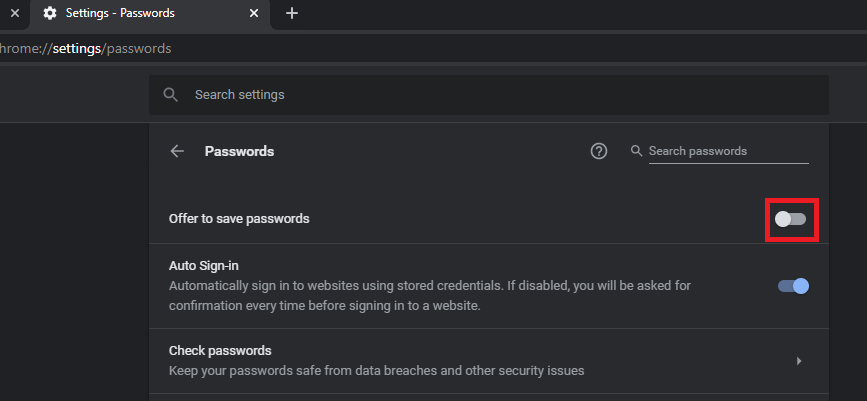
From then onward, you will no longer be bothered with prompts from Google Chrome asking you to save password information. If you have already installed a password manager, turning this off is a must in order to avoid accidentally saving your passwords in multiple places.
On the other hand, if you don’t want to disable this feature across your devices and only on the Chrome browser you are currently using, click on the three-vertical-dots icon in the upper-right corner next to your profile icon. Then select “Settings.”
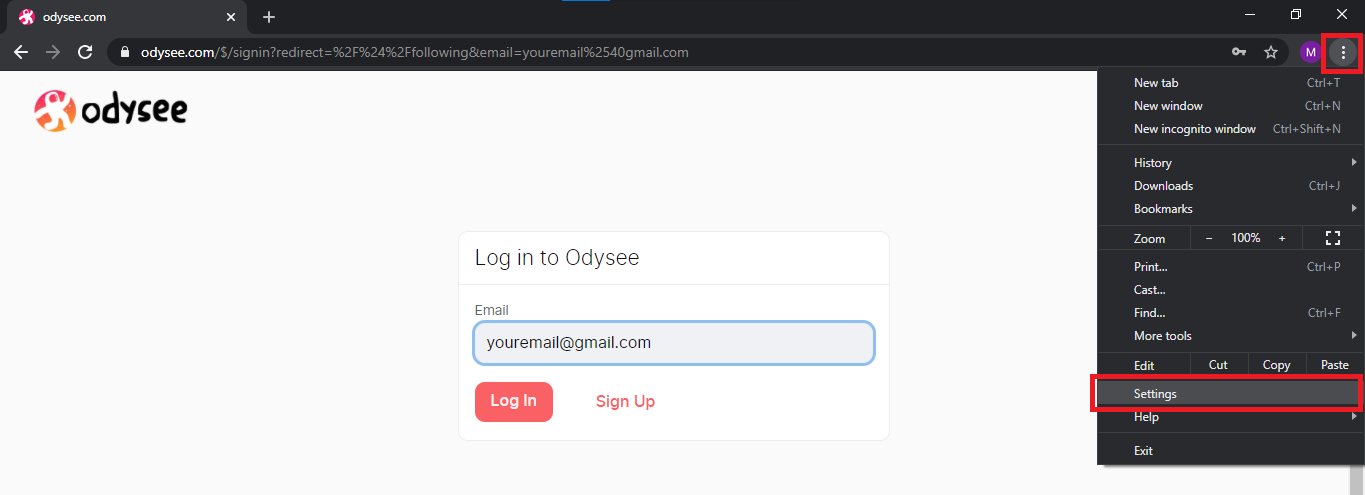
Here you will have to click on “Autofill” and “Passwords” to arrive at the same screen to disable “Offer to save passwords” slider.
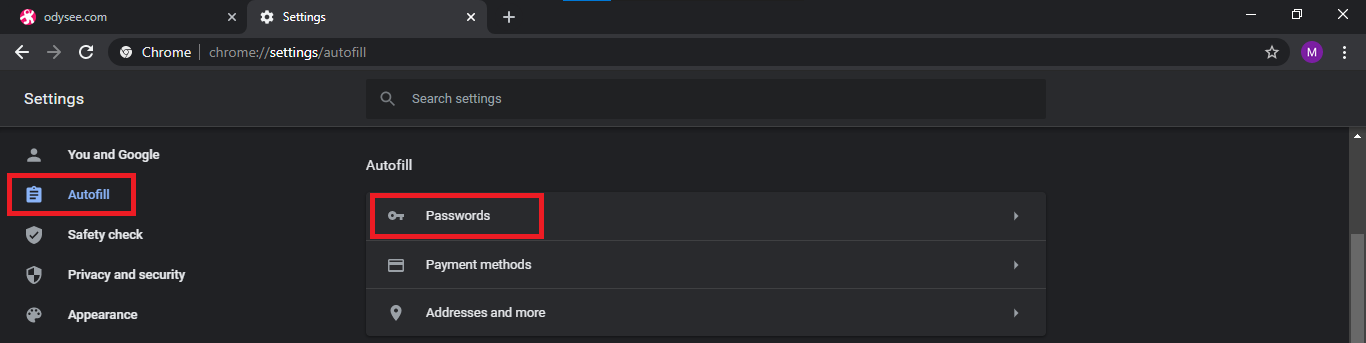
This will take care of the pop-up without saving the setting for your Google account.
Disable “Save Password” for Android
Just as with desktop experience, if you were to visit a site and fill in login data, Chrome will ask if you want to save the password. To disable it, tap on the three-vertical-dots icon in the upper-right corner. This will open the menu where you will see the “Settings” section near the bottom.
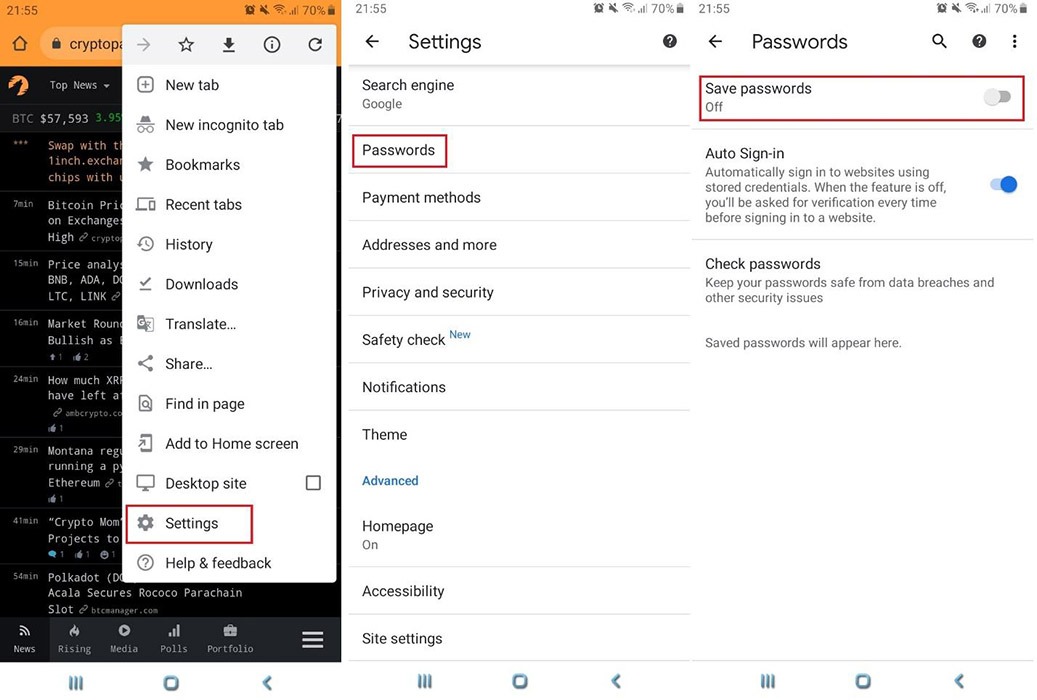
Tap “Settings,” then scroll a bit down until you see “Passwords.” By tapping on it, you will open the final screen where you will see the option to turn off “Save passwords.” Tap on it to disable it until the slider turns gray. If you had previously disabled this feature for the same Google account, it would’ve already been disabled.
The procedure to turn off “Save Password” pop-ups in Chrome for either iPhone smartphones or iPad tablets is the same. For your iOS devices, there is also a big selection of password managers to choose from. If you are still not sure about using an extra app just to manage your passwords, check out whether these reasons are enough to persuade you.