

If whatever that you are doing in your Chrome or Firefox web browser does not require images to be loaded, you can disable the loading of images which will result in faster loading of webpages and save you some bandwidth. Disabling the automatic loading of images on both Chrome and Firefox is as easy as going into the settings panel and toggling an option.
Disabling Auto Loading of Images in Google Chrome
If you happen to use Chrome and wish to turn off the automatic loading of the images, you can do so using the following steps.
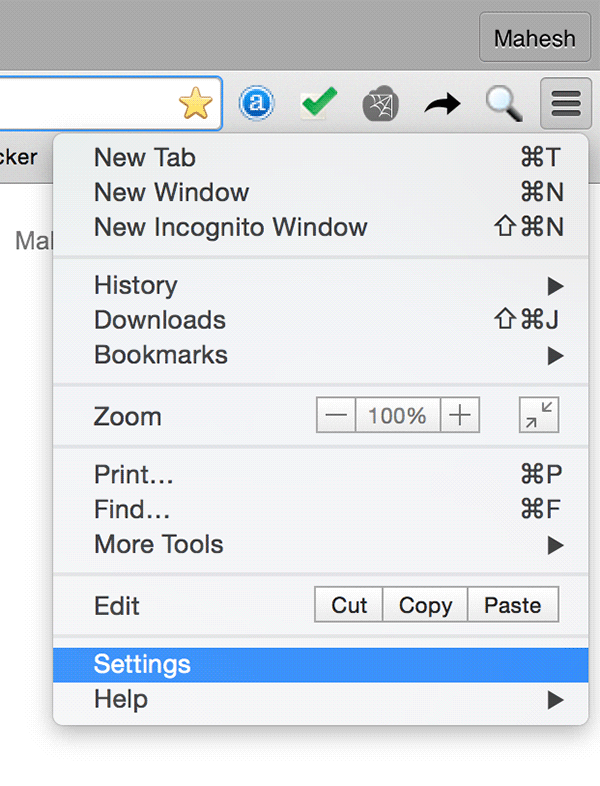
1. Launch Chrome and click on three horizontal lines in the top-right corner. The menu should appear for you to choose the option that says “Settings.”
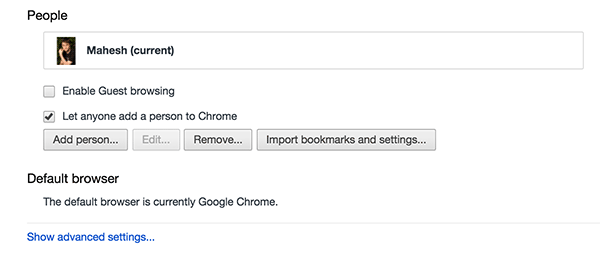
2. When the Settings panel appears, scroll all the way down and click on “Show advanced settings…”
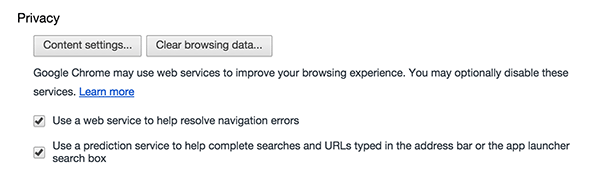
3. As soon as you click the option in the above step, you should see a button saying “Content settings…” located under the “Privacy” section. Click on it.
4. When the content settings menu appears, choose the “Do not show any images” option located in the “Images” section. That should turn off the auto loading of images in your browser.
Click on “Done” in the bottom-right to save the changes.
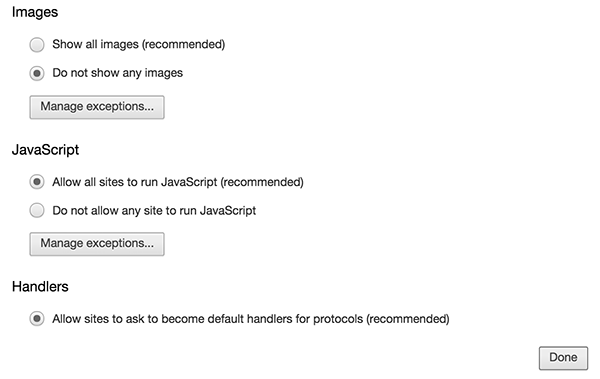
Chrome will now not load any images on whatever websites that you access.
Disabling Auto Loading of Images in Mozilla Firefox
Firefox also allows you to disable auto image loading without requiring you to install any extension. Here’s how.
1. Launch Firefox, type in about:config in the address bar, and hit Enter. That is where you can turn on or off the auto image loading option.
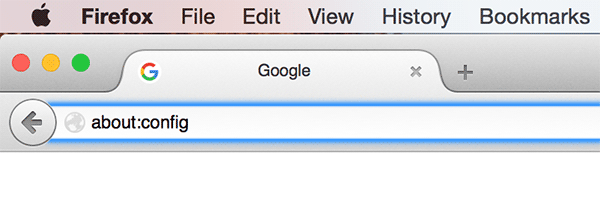
2. You will see a warning message on the following screen saying that you should only go ahead if you know what you are doing. Click on “I’ll be careful, I promise!” to move forward.

3. On the screen that follows, use the search box to find the permissions.default.image option. When it appears, double-click on its “Value” field and change the value from default “0” (zero) to “2,” and click on “OK.”
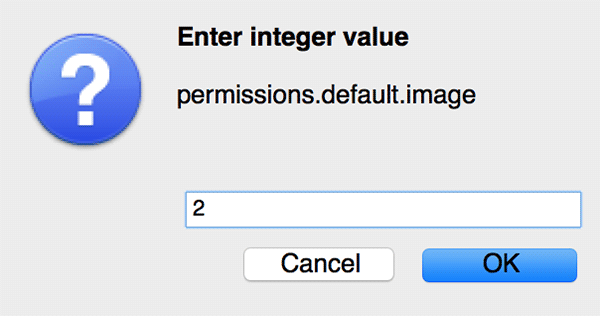
4. You can now close that settings panel and open any website. The images will not load until you set the Settings back to the default.
In case you do not wish to manually modify any settings in Firefox and would prefer using an extension, then you can grab the Image Block extension for Firefox that lets you easily enable and disable the automatic loading of images in your browser. It adds a toggle button in the browser to let you control its features.
Conclusion
If your work does not revolve around images, then you can use the above methods to disable automatic image loading and save yourself some good bandwidth and improve loading speeds of the webpages.