
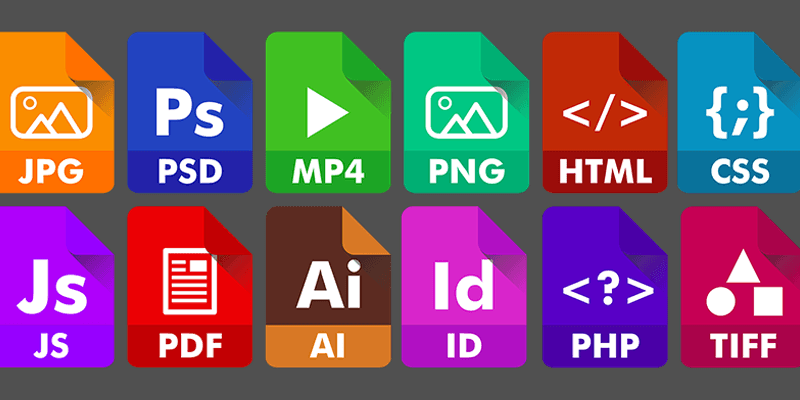

A rose by any other name may smell as sweet, as Shakespeare says in Romeo and Juliet, but if you take a picture of that rose and save it as a JPEG with high compression, you may experience a decline in image quality. It’s no problem, though, since you also have the option to use PNG, TIFF, GIF, SVG, or even a new format like HEIC or WebP. Some of those formats would look great on the Capulet family newsletter, while others would fit in better on Romeo’s blog, so decoding these file types can be pretty useful.
Lossy vs. Lossless
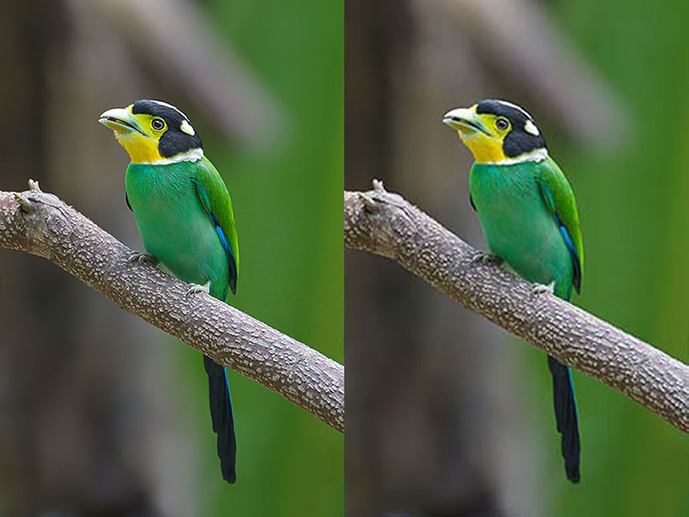
Every image format can be categorized as either “lossy” or “lossless,” and these terms mostly explain themselves. Lossy compression cuts down on file sizes by permanently deleting information about a file, making it smaller but also degrading the quality. Lossless compression just rearranges the data in such a way that it takes up less space but can be packed and unpacked (or unzipped!) without any damage to the file.
Raster vs. Vector
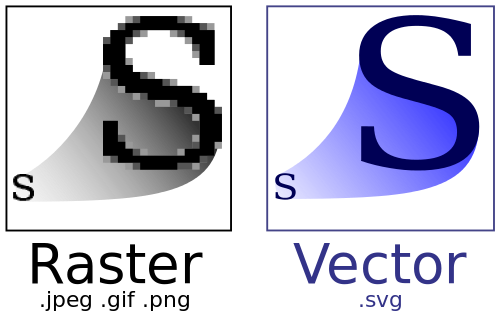
When you think “image format,” you’re probably thinking of a raster. It. has nothing to do with Bob Marley – it just means that the file is essentially a grid of colored pixels that make a picture. JPG, PNG, GIF, TIFF, and most other photo files are rasters. The only information they have is what color the pixels are, so enlarging or stretching them will generally just result in a more pixelated image.
Vectors, though, are designed to be scaled forever. SWF, EPS, and PDF files store images not as pixels, but as math equations that can be rendered as points and lines. The image can get as big or as small as you need without taking a quality hit, but these extensions are not as common around the Web since vectors are not as readily compatible as raster images.
Joint Photographic Experts Group (JPEG) – Lossy Raster
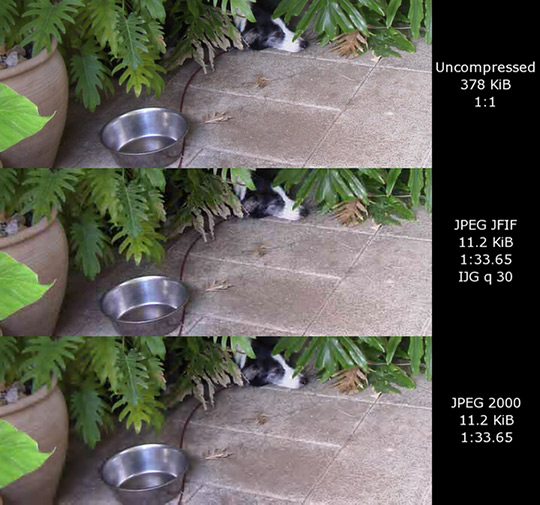
The JPEG file is named after the group that created it and dominates the world of web images due to its near-universal compatibility and small size. Your eye probably couldn’t tell a lightly-compressed JPEG from a higher-quality image without a few seconds of scrutiny, and it loads fast, so it’s good enough for most of the Web.
JPEG-2000 is the updated version that has some improvements over the original, but it’s never really taken off, so you’re unlikely to see this format many places.
Great for: putting photos on the Web, saving and sending small image sizes, general use, printing out pictures.
Portable Network Graphics (PNG) – Lossless Raster

This format has become the go-to for high-quality web graphics, especially if you need a transparent background. PNG was originally designed as a GIF alternative, but it supports way more colors and is more flexible about transparency settings. The file size is generally bigger than either GIF or JPEG, but PNG preserves quality better and is more flexible,
You may also run across PNG-8 and PNG-24 in some programs. These will still export as normal PNGs, but PNG-8 only supports 256 colors and doesn’t allow partial transparency, netting you a smaller file size than the more full-featured PNG-24.
Great for: web graphics, high-quality photos where size isn’t an issue, transparency.
Graphical Interchange Format (GIF) – Lossless Raster

The predecessor to PNG, the GIF format is now most famous for enabling the short video loops that you can’t stop watching on social media. The debate over whether to pronounce it as “gif” or “jif” is fairly heated, but if you want to make both sides angry, try pronouncing it as “jeff.”
GIFs only support 256 colors, which makes them a poor choice for high-quality photos, but their compression is excellent, so it can downsize simple images without a huge quality hit. Pixels can also be made transparent, but must be either on or off, not in-between.
Great for: simple graphics, animations, icons.
Tagged Image File Format (TIFF) – Lossless Raster
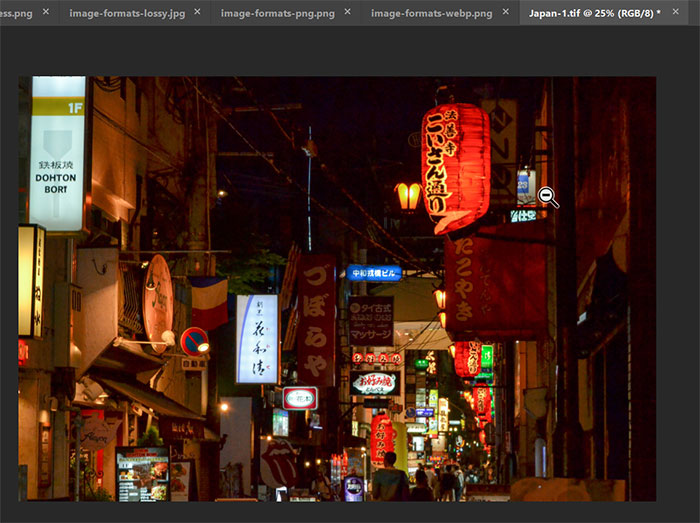
You may not have run into a TIFF personally, but if you’re into photography or work much with print media, you may recognize them as the large, but high-quality, format often favored by publishers. Also, no one argues about the pronunciation.
Great for: printing high-quality photos, scanning high-quality images, anything where size isn’t an issue.
Scalable Vector Graphics (SVG) – Vector

If you’ve ever tried to save an image off the Internet and instead gotten the “save as a webpage” option, you may have seen an SVG. These are possibly the most widely-supported vector graphics out there, and their ability to maintain good quality and scalability at low file sizes makes them popular for logos, site graphics, and anywhere else that a vector would come in handy.
Great for: business graphics, scalable graphics, logos.
New Formats
You may not have seen these formats in the wild yet, but they offer some advantages over today’s standards.
High Efficiency Image Format
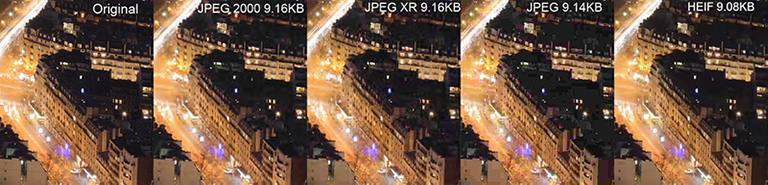
HEIF is essentially JPEG but with higher quality and smaller file sizes. This is now the default picture format on iOS 11 and later.
WebP
WebP is Google’s format, and it does pretty much everything: better compression than JPEG, better animations than GIF, and transparency on par with PNG. It’s supported by several browsers and is currently being used by YouTube, Facebook, and a few other sites if you visit them using a supported browser.

Why So Many Formats?
It’s unlikely that there will ever be one format to rule them all, since different fields have different image needs. General internet browsers don’t really need to think beyond JPEG and PNG (and maybe WebP and HEIC in the future), but for business and publishing applications, having options like TIFF and SVG makes life easier.
And, if you haven’t already, you should think about choosing a side in the GIF debate before the format disappears. Be part of history.
Image credits: Comparison between JPEG, JPEG 2000, JPEG XR and HEIF, Google Developers, W3C.org, It’s Easy Neon Animated Gif, JPEG JFIF and 2000 Comparison, JPEG compression Example