


In this digital age, almost everything we do can be accessed from the computer. Even transactions and receipts are stored in our online shopping accounts and sent via e-mail.
It’s no surprise tracking expenses online is becoming a great way to manage your finances. With the continued decline of paper receipts and the undeniable rise of the digital ones, a tool called Expensify helps you consolidate and manage web receipts in one place. In addition to turning any web page into a receipt, it lets you use them in expense reports or group them into categories.
After downloading the extension for Chrome, you’ll notice the Expensify icon on the menu bar (top-right corner of the browser).
Click on this and select “Connect to Expensify”.
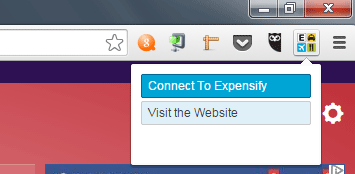
Follow the next prompts to create an account starting with your email address.
Once you have an account, you can browse to a page, preferably an invoice or order detail of your purchase, and click on the Expensify icon again.
This time, click “Create Receipt From Page.” A pop-up message will confirm that the receipt is created. Click on this to see it on the Expensify Dashboard.
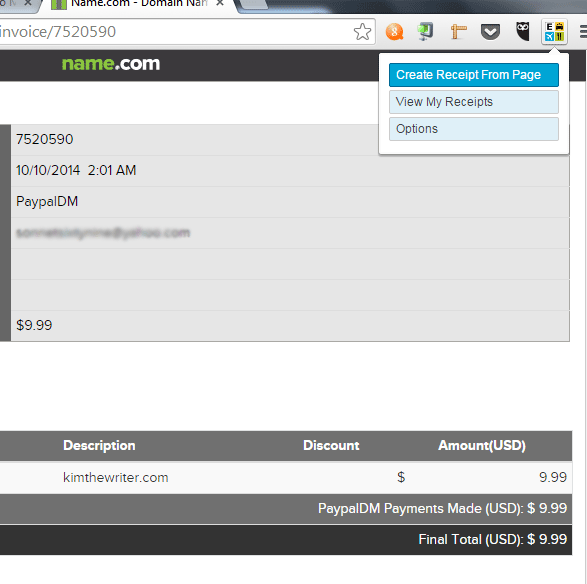
If you missed the pop-up, you can also click on the Expensify icon and select “View My Receipts.”
You should then see all the receipts you created on the dashboard, with the newest on the left-most corner. From here, you can either edit a receipt, add it to an expense report, download, import or merge more than one receipts.
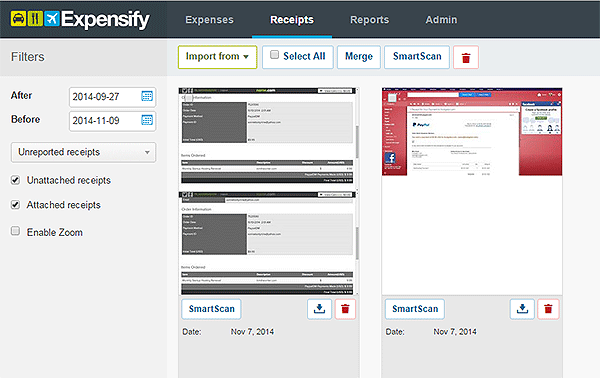
You can configure receipts with specific merchant names to go into an expense category. In the example below, I added a category “Website” to assign to a purchase made from the web hosting site, Name.com.
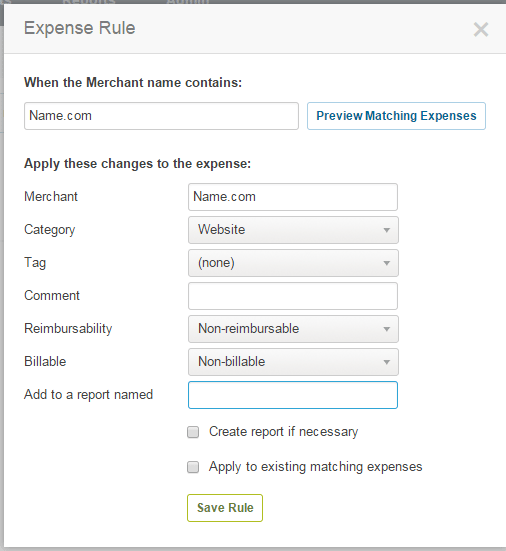
Next, I created an Expense Rule to automatically assign Name.com into the Expense category “Website.”
These options can be accessed from the Settings page. To access Settings, click on your user name (top-right corner of the dashboard) and click on the Settings button.
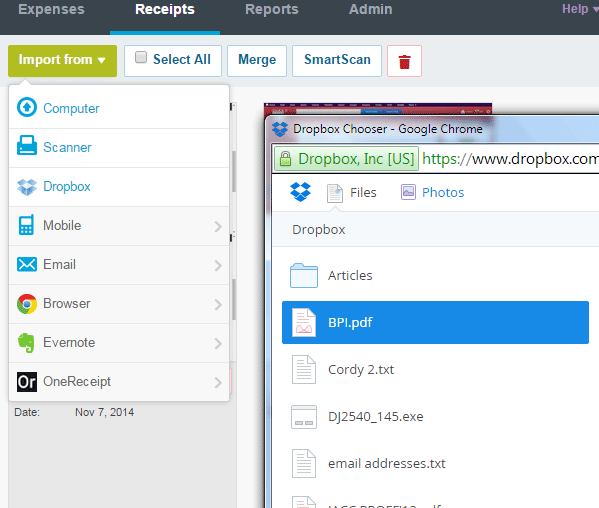
Additionally, you can import receipts from other sources like a file in your computer, your scanner, email, Evernote or Dropbox.
Simply click on the button “Import from” in the main Expensify dashboard. It should give you a drop-down of options.
With external web services like Dropbox and Evernote, a pop-up window will appear and will prompt you to log in to your account. Be sure you don’t have pop-ups blocked in your browser settings.
You can also make Expense reports and attach receipts with it. Click on the tick boxes on the top-right corner of each receipt and click the button “Add to New Report” that appears on the left pane.
Expensify is a great tool not just for keeping all your digital receipts in one place but also for organizing and using them for business reports.
The tool is packed with features and requires a bit of exploration for you to get the full benefits, but it’s well worth it. After all, keeping tabs on your expenses is a good use of your time.