

Browsers like Firefox and Chrome offer the option to create separate profiles for different users, thus making it easier when more people use the same browser on a device. Alternatively, a single user can create independent personas for their “work” and “home” needs, to keep things from getting mixed up. These profiles encompass all the data specific to a particular user, including bookmarks, add-ons, saved passwords, general settings, history, tabs, etc.
Here we demonstrate how you can create and use multiple profiles in two popular browsers – Firefox and Chrome.
How to Create a New User Profile in Mozilla Firefox
In order to create a new user profile in Firefox, you’ll need to access your browser’s User Profile Manager. Note that even if you haven’t created a profile before, there’s an active default which you’ve been using up to this point.
1. Type about:profiles in the browser’s address bar and hit Enter.
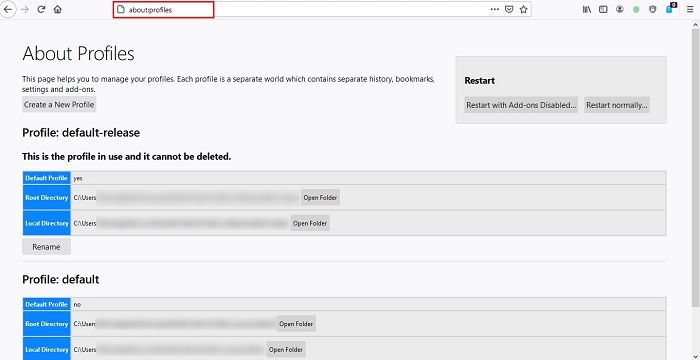
2. On the “About Profiles” page, click on the “Create a New Profile” button.
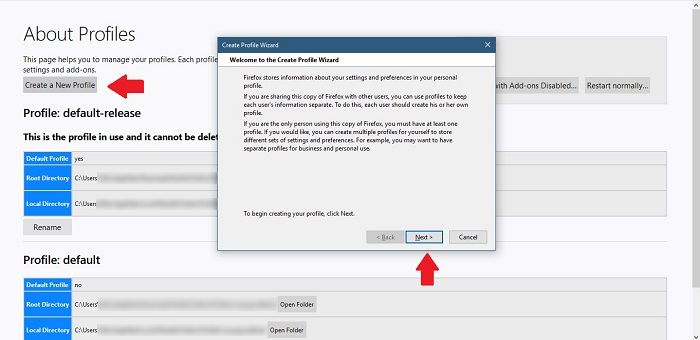
3. A new window will pop up on your screen explaining what user profiles are all about. Click Next to move to the ensuing step.
4. Enter a name for your new profile and select the folder where all the user settings, preferences and user-related data will go (optional). Click Finish.
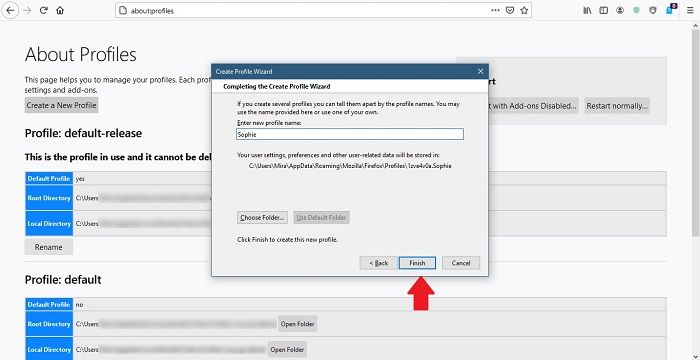
5. A new profile has been created, and you can view it by scrolling down at the bottom of “About Pages.”
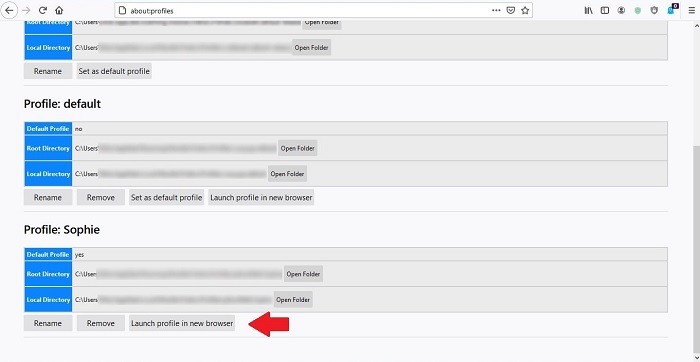
You can go ahead and click “Launch profile in new browser,” and a new Firefox window should open up for you. Now you can start browsing.
How to Remove a Profile from Firefox
From “About Pages” again, you can also choose to Rename or Remove a user profile. When deleting a profile, Firefox will ask you whether you want to delete the folder containing all your data. You can opt to keep it, just in case there’s something useful in there you might need later.
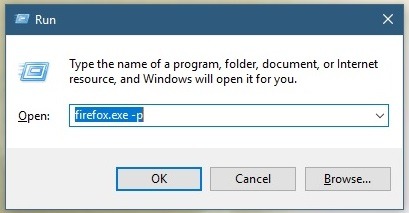
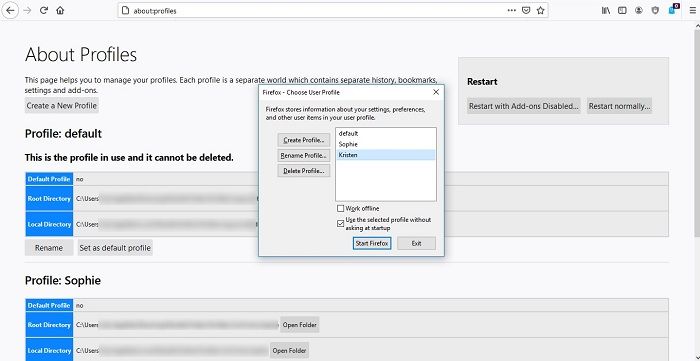
There’s an easier way to launch your profile in Firefox. Just press Win + R on your keyboard, then run the command firefox.exe -p. A pop-up window will show up that will easily allow you to launch the profile you want to use.
How to Create a New User Profile in Google Chrome
Creating a new profile in Chrome is a pretty straightforward affair. If you’ve logged in to your Gmail account while in Chrome, then you already have a profile. You can add a new one anytime, though.
1. Look for and click on the Profile icon in the top-right corner in Chrome that displays your Google account profile picture. If you’re not signed in, the icon will show a generic greyish silhouette instead.
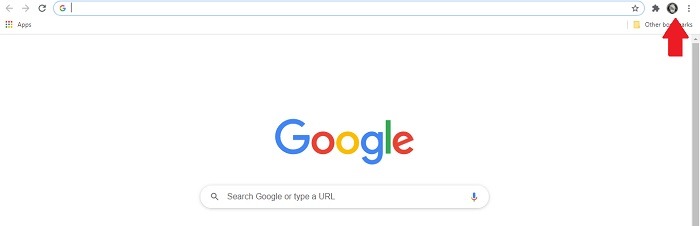
2. You’ll see an “Other People” section in the window that shows up. Click on the “+” button to add a new profile.
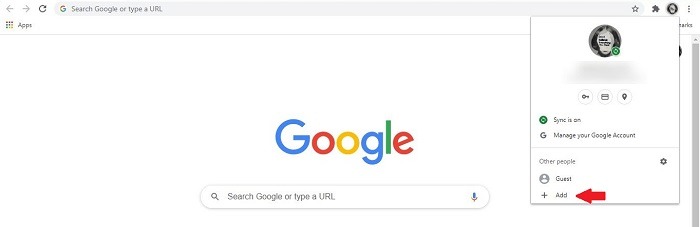
3. Input the person’s name and select a profile image.
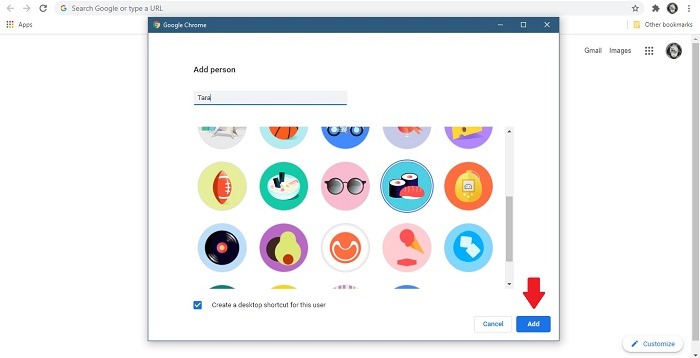
4. Make sure you leave the “Create a desktop shortcut for this user” option enabled, then click on the blue “Add button.”
5. A new Chrome window will open, inviting you to “set up your browser in a few simple ways.” Follow the steps indicated to get started.
You’ll be able to see all the different profiles you’ve created on your desktop, so each time a certain person wants to use Chrome, they can simply double-click on their own profile icon and immediately be able to access their specific Settings and data.
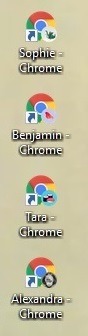
If you don’t want to clutter your desktop, you can pin those icons to your taskbar. Or you can easily switch between your profiles by clicking on the Profile icon in the top-right corner again and selecting the profile you wish to use.
Once you have your profile set up, you can make use of these steps to protect your privacy in Google Chrome.
How to Remove a Profile from Chrome
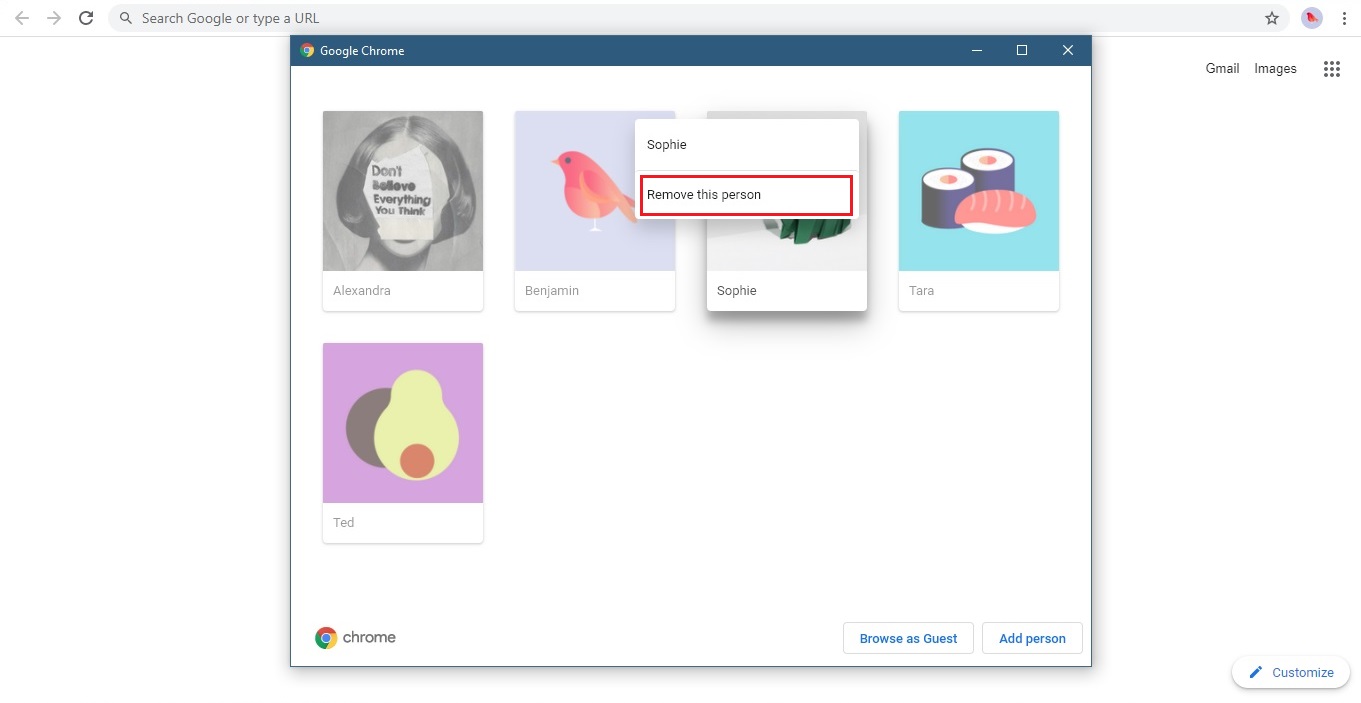
When it’s time to remove a profile from Chrome, click your profile icon once more, then click the Gear icon that appears next to Other people. You’ll get a nice view of all your user profiles.
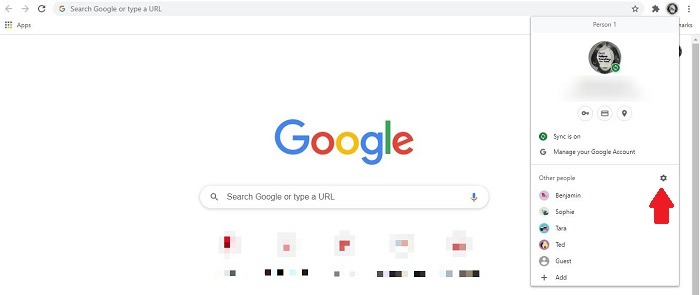
Select the one you want to delete and click on the three-dot menu that appears in the upper-right corner. Select “Remove this person” and you’re done.
This is all you have to do to create new profiles in Mozilla Firefox and Google Chrome. Repeat the steps outlined above to create as many profiles as you want for yourself and others. If you need more tips about working with browsers, read all about how to block websites on Chrome (and other browsers).