

Facebook Page has been insanely popular with web owners that if you didn’t have a Facebook page for your business/website, you are not participating in the social game at all. In order to get a piece of the big pie, it is not surprising that Google has also come out with the Google+ page (for their Google+ social network) that allows anyone to create a page for their website/business. Here’s how you can create a Google+ page for your business.
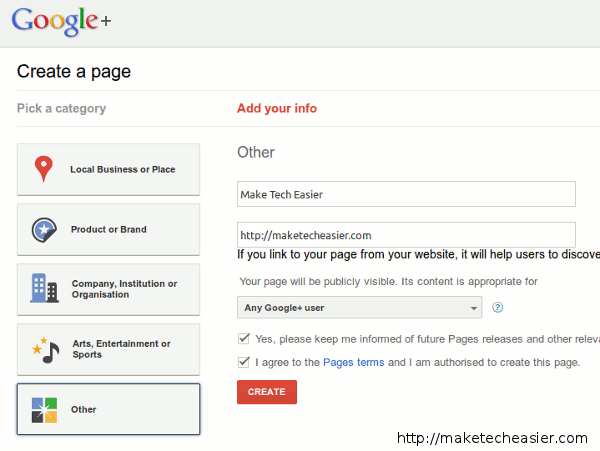
1. Go to https://plus.google.com/pages/create. Depending on your business type, choose the appropriate category from the left sidebar. For MakeTechEasier, since we don’t carry any product, I will be going with “Others”. Enter your business name, website and other miscellaneous information. Once done, click Next.
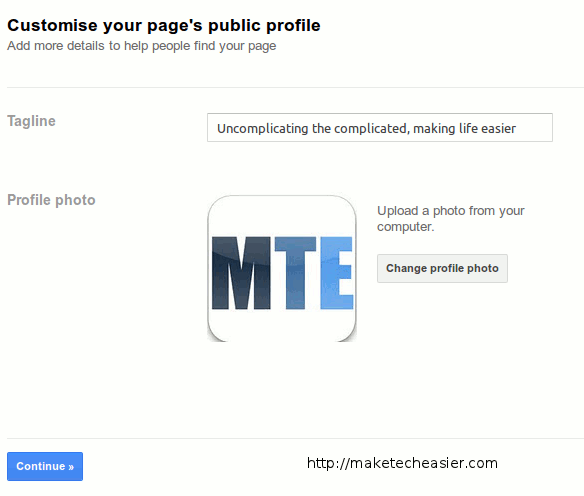
2. On the next page, enter your tagline and upload your business logo.
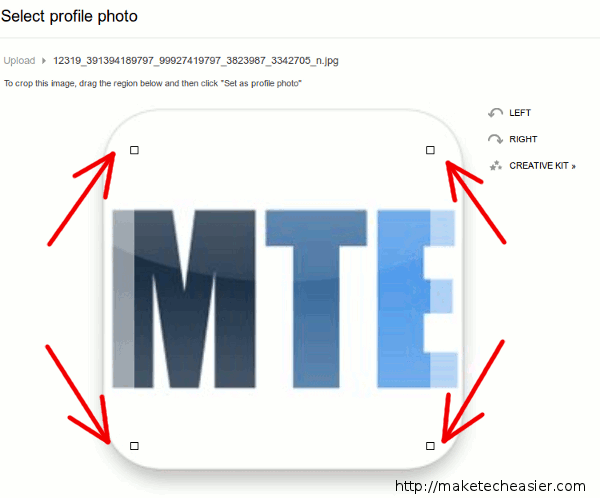
3. While uploading your business logo, make sure you adjust the border markers so that it doesn’t crop the necessary region.
4. Next, on your own Google+ account, you can send an update to your stream to get the word out about your newly created page. Click Finish when done.
Congratulation. You have successfully created a Google+ page for your business. You can now proceed on to setup your page (post content, get the words out, add new friends etc.) If you are already familiar with Google+, using the Google+ page will not be any different from your personal account.
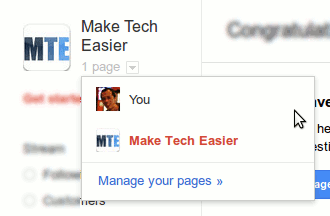
Just below your business logo is a link for you to switch between your own Google+ account or the Google+ page. This allows you to manage your personal account and G+ page easily.
Vanity URL
Google has not introduced a vanity url yet, so your Google+ page URL will be of the form https://plus.google.com/105912493009262034063, which is kind of ugly and hard to remember. One alternative is to use a URL shortener (such as bit.ly) to create a personalised short URL for your Gplus page. For example, the URL shortener http://mte.gs/mte-gplus will lead to Make Tech Easier Google+ page. This is of course a temporary solution till Google introduces the vanity URL.
Promoting your Google+ Page
To promote your newly created Google+ page, you can insert a badge on your site to inform your readers about its existence.
To create a badge:
1. go to https://developers.google.com/+/plugins/badge/config.
2. Enter your Google+ page ID (the string of numbers behind the “https://plus.google.com“). Choose the size of the icon that you want to appear on your site. Lastly, enter your badge name.
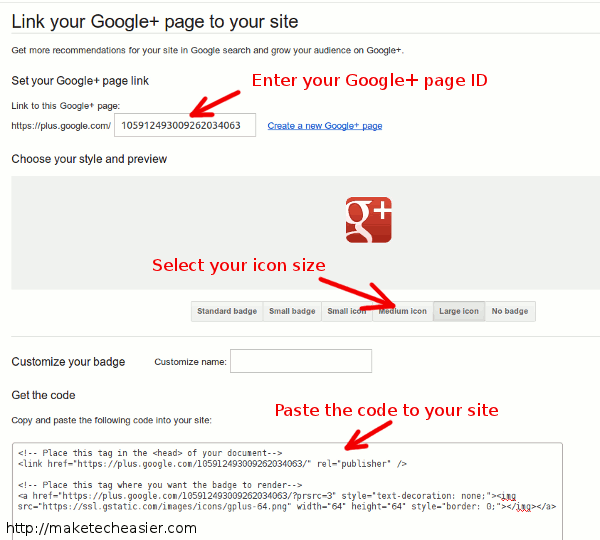
3. Copy the code and paste it to the position where you want the badge to appear on your site.
Done.
Linking your website to your Google+ Page
If you have followed the instructions above to add the badge to your site, your site is already linked to your Google+ page. If not, just paste the following code to your site, between the tag
Replace the “https://your-gplus-page-url” with your Google+ page URL.
The benefit of linking your website to Google+ page is that your linked site is now eligible for Google Direct Connect, which allows people to search for you using the “+” sign.
Last but not least, while you are busy setting up your Google+ page, don’t forget to add Make Tech Easier to your circle.