


Many websites use a coming soon page to create some momentum before launching the site. If you are about to launch a site but are not ready yet, here is how you can create a beautiful “Coming Soon” page in WordPress.
First, you should know there are dozens of “Coming Soon” and “Maintenance Mode” plugins, and quite naturally they offer different options. For the purposes of this tutorial, I chose the Easy Coming Soon plugin because of its straightforwardness and simplicity.
There are other plugins, such as Coming Soon Page & Maintenance Mode by SeedProd with more features (and more installs), but I wanted something simple and easy. Nevertheless, the basic steps of creating a “Coming Soon” page should be more or less similar, no matter which plugin you pick.
Download and Install the Easy Coming Soon Plugin
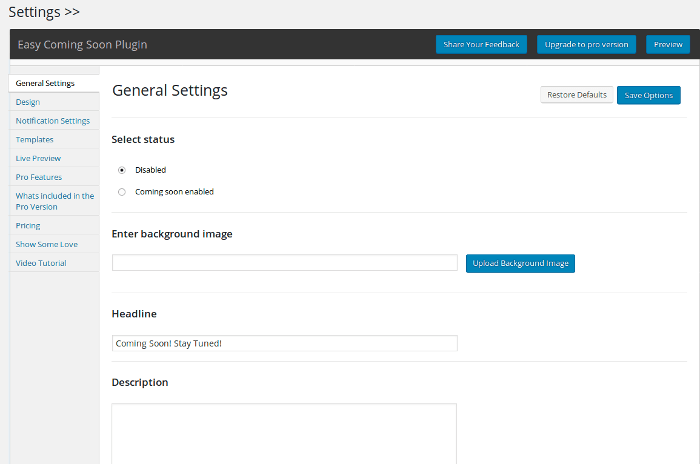
Go to your admin dashboard and navigate to “Plugins -> Add New.” Either upload the plugin files you’ve already downloaded or use the search box to find the “Easy Coming Soon” plugin. Install and activate the plugin. When you open it, you will see its General Settings page.
Enter Your General Data
The first setting is Status. You can enable it last after you are done with anything else or enable it right now so that you can see the changes immediately after you make them (though you can get a preview with the Live Preview option, too).
Proceed to entering the Headline, Description, Google Analytics code, and your Facebook, Twitter, and Google+ URLs, if you have any. None of these fields are mandatory, so you can skip the ones you don’t want to enter. When done, click Save.
Even if you stop with the general settings, you have a fully functioning Coming Soon page, but maybe you will want to make it a bit fancier. You can do this from the Design, Templates, and Pro Features (if you have purchased the Pro version) pages.
Modify the Design of the Page
The Design Settings page allows you to set background color, Headline/Description Font Color, Size, and Style, as well as Background Noise Effect.
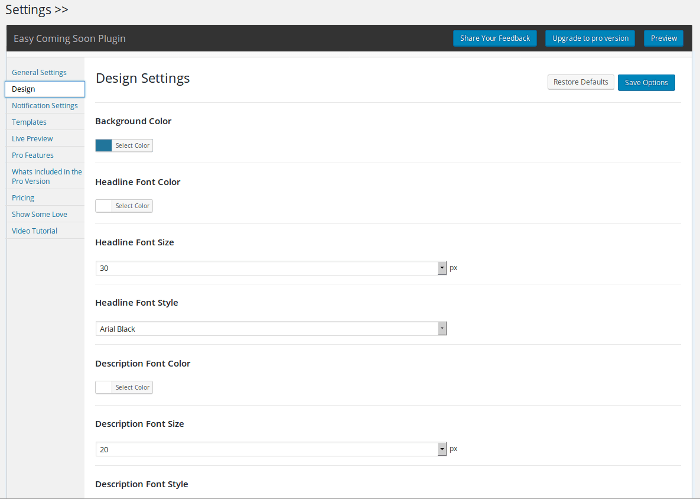
I opted to go with the default settings because they are nice, but you can modify anything you need. When done, click Save. You can go to the Live Preview page or open the homepage of your site in a browser to see what you’ve done so far.
Enable Notifications
While you don’t have to do it, it won’t hurt to enable notifications. Notifications allow visitors to subscribe to your site. This is handy because when you finally launch it, you already have a mailing list of interested users. Enable notifications from the Notification Form Settings Page.
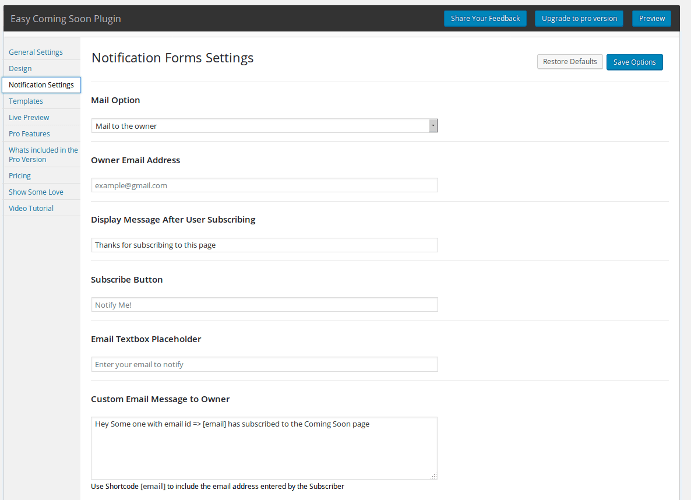
Enter your email address and the other data you deem fit and click Save Options. You are basically done creating your coming soon page.
Test Your Coming Soon Page
You are not officially done until you test your Coming Soon page. You might have to try it in a different browser – i.e. not the one you are logged in as admin because for me this didn’t work (with Firefox on Linux). Here is how the page looks for me:
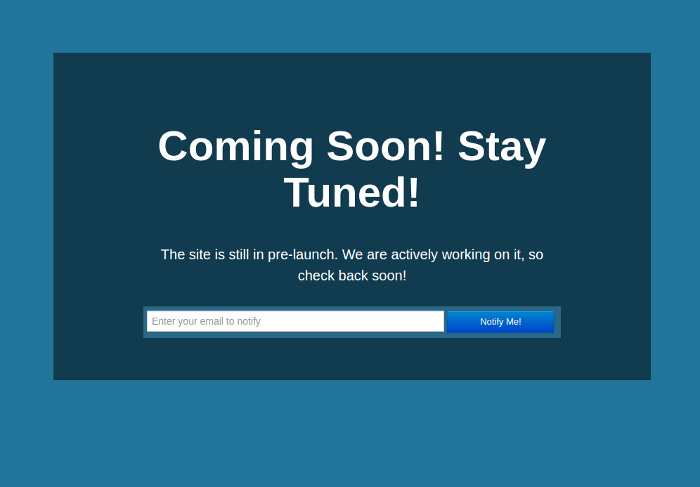
With the right plugin it is easy to create a minimal coming soon page in five minutes or less. I wanted to keep it really minimal – no fancy stuff – just the Coming Soon info and an email field to collect the email addresses of potential subscribers, but if you have more data you want to collect, you can add it. Just don’t add too much because this will clutter the page, and your important info will get lost!