
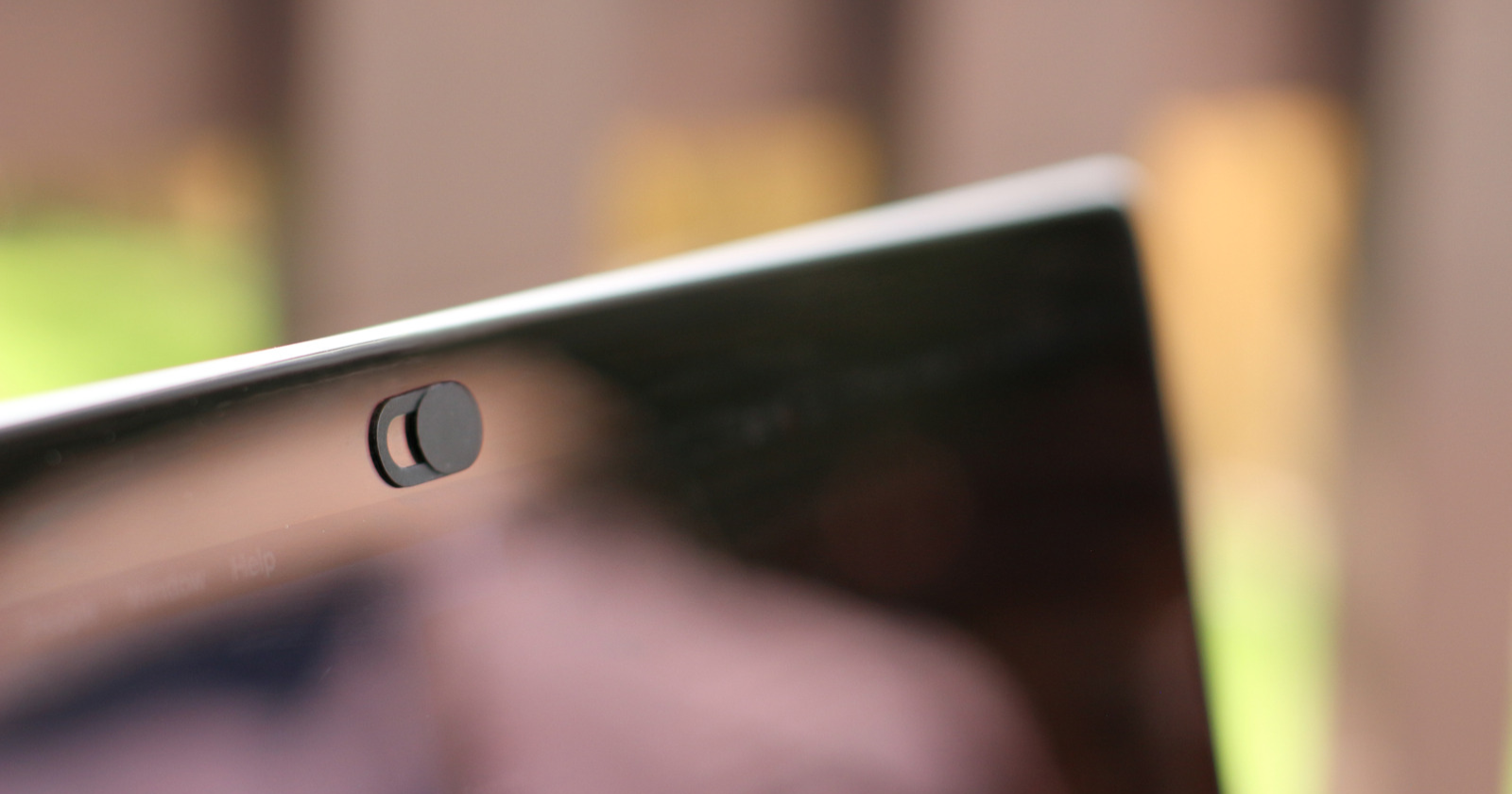

A strip of tape or a small sliding cover over the webcam has become a common sights on a laptop. To some people it looks paranoid. The National Security Agency, however, doesn’t seem think so. Its advice includes covering the camera when you’re not using it.
Apple doesn’t disagree with the goal. But it has a warning of its own for MacBook owners, and ignoring it can lead to a cracked screen.
What the NSA says
In its February 2023 guide Best Practices for Securing Your Home Network, the agency is direct: “For devices with cameras (e.g., laptops, monitoring devices and toys) cover cameras when you are not using them.”
The advice sits in a section about eavesdropping. The NSA points out that many everyday devices, from home monitoring systems to baby monitors, “are capable of accessing the Internet, recording audio, and/or capturing video.” If one of those devices is compromised, “the adversary can eavesdrop on conversations.”
The same section covers microphones. The NSA warns that home assistants and smart devices “have microphones and are listening to conversations, even when you are not actively engaging with the device” and suggests: “Consider muting their microphones when not in use.” It also recommends that you “limit sensitive conversations” near baby monitors, audio recording toys, home assistants and smart devices.
The agency gives the same advice for phones. Its Mobile Device Best Practices sheet includes a short instruction: “Cover the camera when not using.”
The logic is simple. Software can be hacked, settings can be changed, and an app can be granted permissions you’ve forgotten about. A physical cover doesn’t depend on any of that. If the lens is blocked, there’s nothing to see.
The catch Apple warns about
Apple’s concern isn’t whether you should cover the camera. It’s what happens when you close the lid on top of a cover.
In a support document titled “Don’t close your MacBook, MacBook Air, or MacBook Pro with a cover over the camera,” the company says: “Closing your Mac laptop with a camera cover on it might damage your display.” The reason is space. Apple explains that “the clearance between the display and keyboard is designed to very tight tolerances.”
In other words, when a MacBook is shut, the screen sits extremely close to the keyboard. Anything thick stuck to the camera area has nowhere to go when the lid comes down, and the display takes the pressure.
There’s a second, smaller issue. Apple says a cover over the built-in camera “might also interfere with the ambient light sensor,” which can stop automatic brightness and True Tone, the feature that adjusts the screen’s color to the light around you, from working properly.
Apple’s alternative: the green light
Instead of a cover, Apple points to the small green light next to the camera. According to the same document, “the camera is engineered so that it can’t activate without the camera indicator light also turning on.”
Apple’s suggestion is to “use the camera indicator light to determine if your camera is active,” and to control which apps are allowed to use the camera in your Mac’s privacy settings. If the green light is on and you didn’t open a video app, that’s your cue to find out why.
If you still want a cover
Apple recognizes that some workplaces require a camera cover at all times. For those cases, it offers three rules:
First, “make sure the camera cover is not thicker than an average piece of printer paper (0.1mm).”
Second, “avoid using a camera cover that leaves adhesive residue.”
Third, “if you install a camera cover that is thicker than 0.1mm, remove the camera cover before closing your computer.” That means taking it off every time, not just once in a while.
Two pieces of advice that fit together
The NSA and Apple aren’t really at odds. The NSA is telling you that a camera you aren’t using shouldn’t be able to see anything. Apple is telling you that on a MacBook, the way you block it matters.
For most people, the sensible approach combines both. Keep an eye on the green light, check which apps have camera access, and if you want a physical cover, choose one that’s paper-thin or take it off before closing the lid. That way your camera stays private, and your screen stays in one piece.