


Publishers always try to find new ways to interact with their audience and reach a wider range of readers. One of the best ways to achieve that is by connecting the most popular publication platform with the latest rising star of the instant messaging system. That is why WordPress and Telegram are a perfect pair. Integrating your WordPress site with Telegram will give it the ability to make an instant connection with your audience.
The Plugin
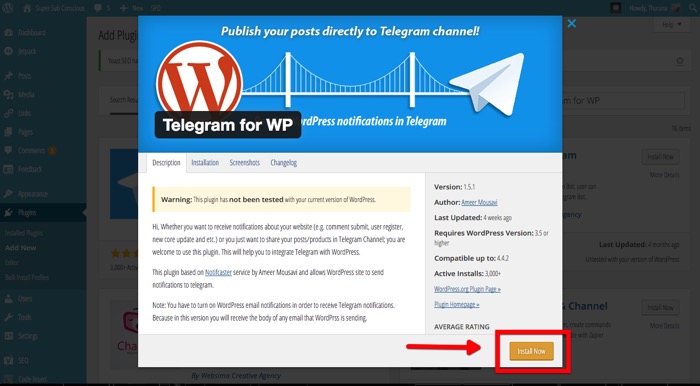
To connect the two, we need a little help from a plugin called Telegram for WP. Install the plugin within your WordPress dashboard and activate it.
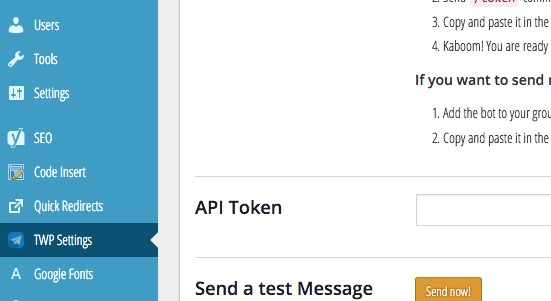
Then you can start customizing the plugin using its Settings menu accessible from the sidebar.
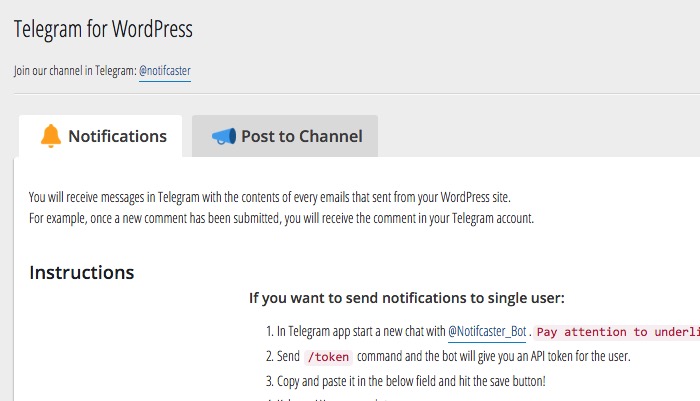
You will notice that there are two options available: Notifications and Post to Channel. The content of Notifications and Post to Channel is any information that is usually sent from WordPress via email. You should make sure that your hosting service and WordPress settings allow you to send emails.
Setting Up Notifications
Notifications can be sent to an individual Telegram user or group. A Telegram group is a small, moderated chat group with limited members (200 for a normal group and 5000 for a supergroup). If you only need alerts from your personal blog, set the notifications for yourself. If you have a small team managing the WordPress blog and want to update everybody on the team, set notifications for the group.
Send notifications to single user
Open the Telegram app (either on your mobile or your computer), and start a new chat with @Notifcaster_Bot.
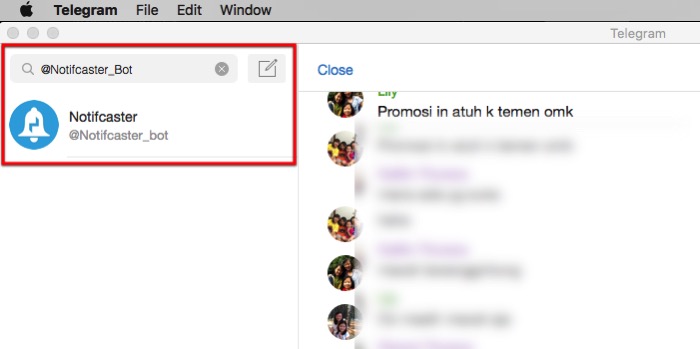
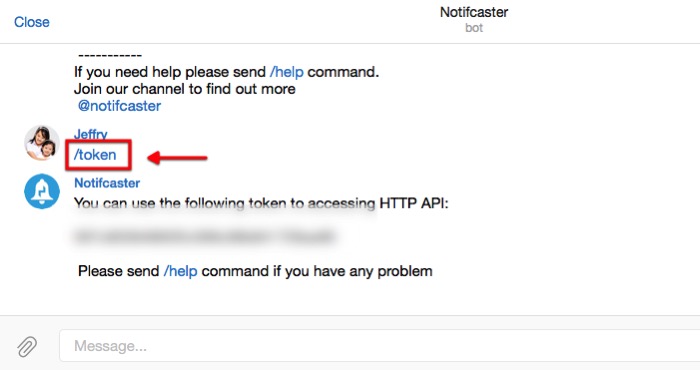
Send the /token command, and the bot will give you an API token for the user. (You might need to register first by using /start command.
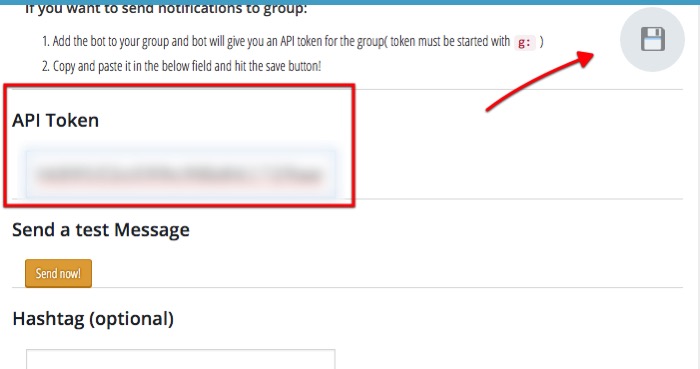
Copy and paste the token in the field below the instructions and save.
Send notifications to group
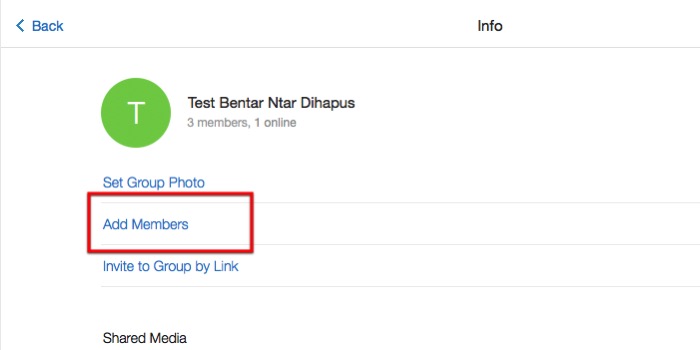
Choose to add a new member to your group.
Find the “Notifcaster_Bot” and add it.
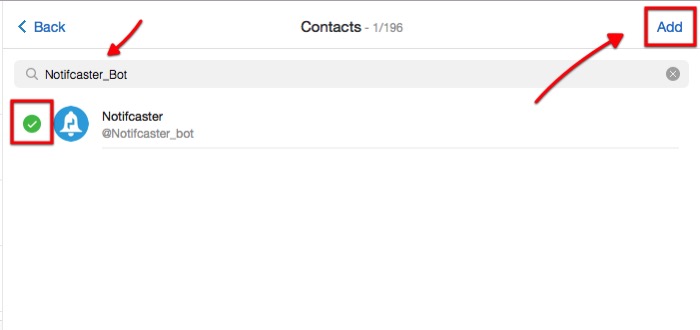
The bot will give you an API token for the group (token must be started with g: ).
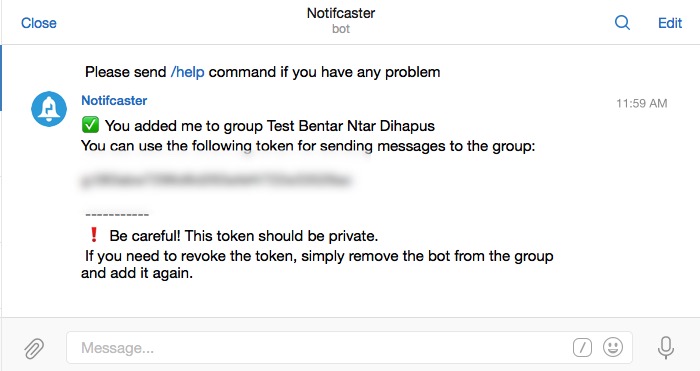
Copy and paste the token into the field.
Since there is only one token field under Notifications, you have to choose between sending the notifications to a single user or a group.
Setting Up a Channel
While a group is intended to communicate within a small circle of family, friends, or colleagues, a Channel is a tool for broadcasting public messages to large audiences. One Channel can have unlimited members, and messages are signed with a channel’s name and not individual identity. Posting to a Channel requires a different setup. First you need to create a Channel from the new chat icon.
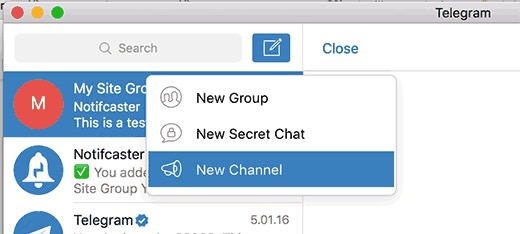
After setting up the channel and adding the first members, you need to create a Telegram bot. Start a new secret chat with BotFather, and request that it create a bot for you by typing /newbot command.
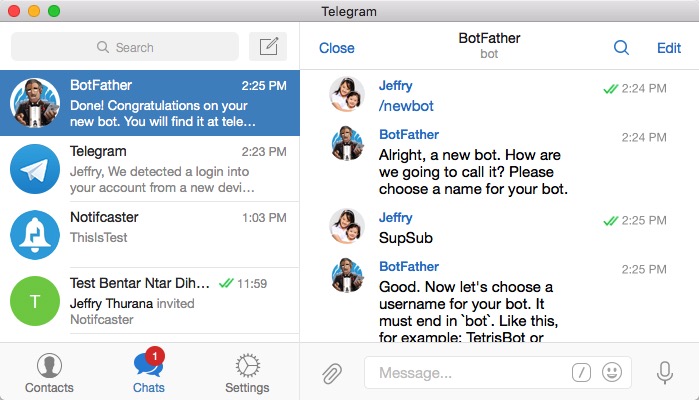
Botfather will create a bot and give you an API key. After setting up your bot, add it as the channel admin by clicking on the channel name and choosing channel admin.
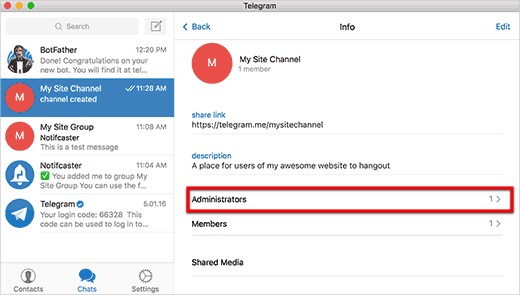
Then go to your WordPress dashboard and open the Telegram for WordPress Settings menu and choose the “Post to Channel” option. Fill in all the necessary information that you got from BotFather and the Telegram channel.
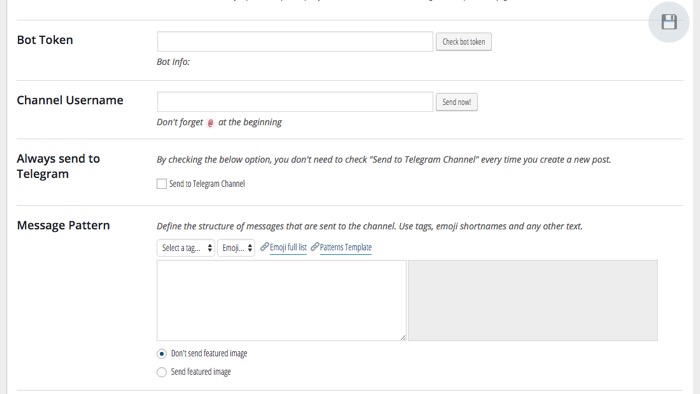
Click “Save” to finish up.
Tips to Troubleshoot
During my experiment I failed to send the notification test from my WordPress blog. After a little digging in the TWP (Telegram for WordPress) support forum, I found this little trick to check where the problem lies.
After inputting all the API correctly in your WordPress dashboard, visit this link using your browser: “https://tg-notifcaster.rhcloud.com/api/v1/selfMessage?api_token=(your_token)&msg=ThisIsTest.”
Don’t forget to replace “(your_token)” with your token code.
If you get a test message in your Telegram, then the problem is in your hosting. Most of the time it’s about the outdated PHP version. You can contact your web hosting support for further help.
If you don’t get a test message, then you might have made some mistakes in the setup process, or you might have missed one or two characters in the token code. Retrace your steps, and make the necessary corrections.
If you still can’t make it work, then maybe it’s time to ask the plugin developer for help.
Conclusion
To wrap things up, Telegram is another great way to connect with your blog audience. It’s fast, secure, and more personal than the email or RSS because your reader will likely receive the messages on their mobile.
Have you tried using Telegram to connect to your readers, or do you plan to use it in the future? Share your thoughts and opinions using the comments below.