
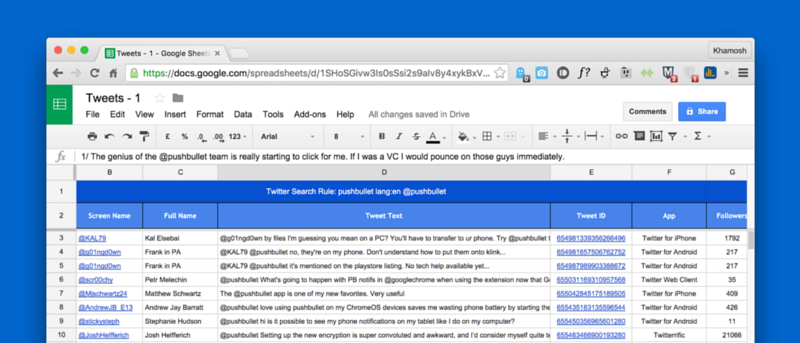

For an online marketer or a blogger, keeping a close eye on particular Twitter trends and hashtags is now just a part of the job. You could be monitoring a hashtag for a brand contest, or you might want to collect tweets that mention a particular keyword for research purposes. Sure, you can just add a new panel in Tweetdeck and call it a day. But you’re a professional, so let’s do this right.
And Twitter Archiver for Google Sheets will help you do that. Twitter Archiver crawls Twitter every hour and adds tweets that match your criteria to the Google sheet automatically. It grabs as many tweets Twitter’s API will allow. So all you have to do is set up a sheet (or multiple sheets) and forget about them.
Below, I’ll walk you through how to use it to automatically archive (save) the tweets directly to a Google sheet. If you learn better visually, check out the video below.

What Twitter Archiver Will Let You Archive
Let’s get to the meat of the matter first.
These are all the options that Twitter Archiver gives you.
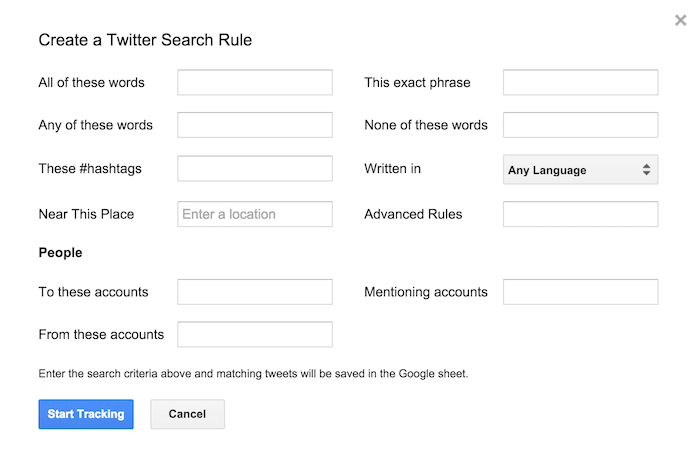
You can track any phrase in a number of languages, or you can just monitor a hashtag, just tweets from a particular account, tweets exchanged between two accounts, or tweets sent out from a particular place.
What’s more, you can mix and match each of these options to come up with some super specific searches.
What It Looks Like
Twitter Archiver gives you a lot of data – much more than just saving the tweet.
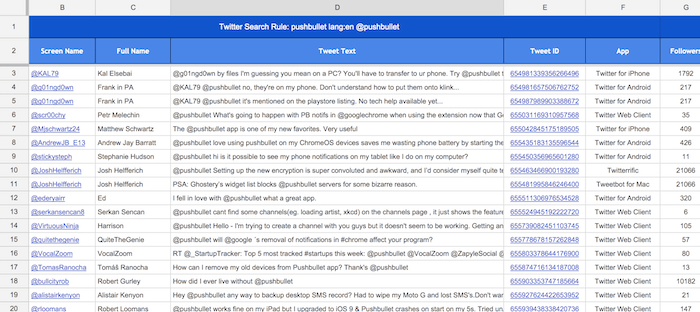
You get information like the tweeter’s handle, their username, which Twitter client they used, from which location the tweet was made (if they’ve made that information public), how many retweets and faves it received, and much more.
How To Use Twitter Archiver
1. Once you’re logged in to your Google account, go to the Twitter Archiver add-on page, and click the “Free” button.
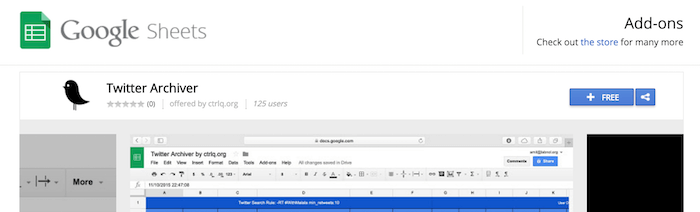
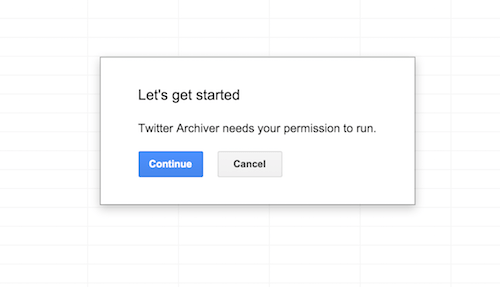
2. Once it’s installed, a new Google sheet will open up, and Twitter Archiver will ask your permission to run. Click “Continue” to get started.
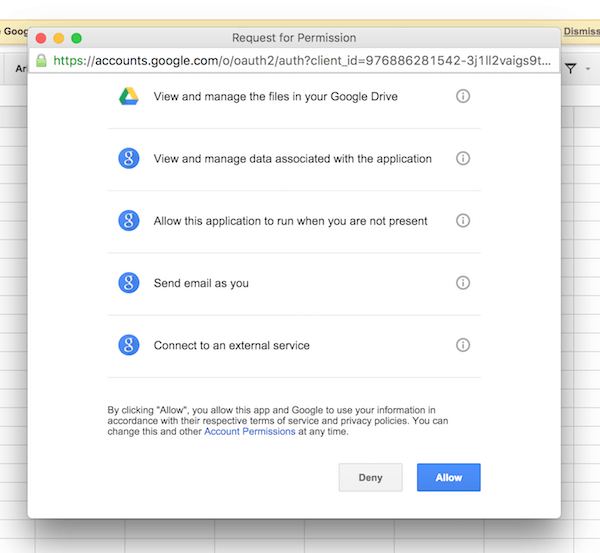
3. From the permissions page, click “Allow.” Once the process is complete, you’ll be back to the sheet.
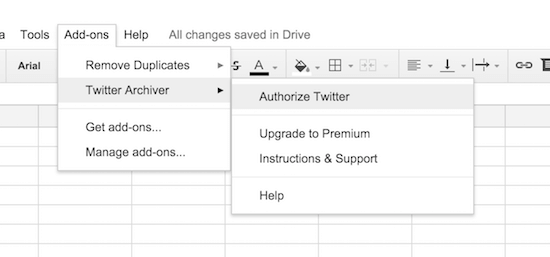
4. Go to “Add-ons -> Twitter Archiver -> Authorize Twitter.”
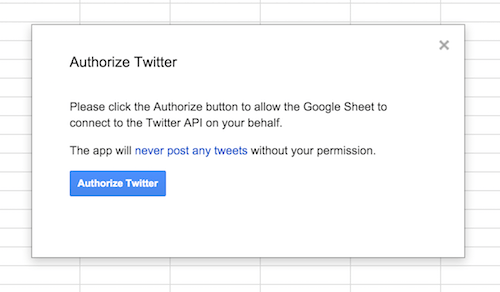
5. From the next screen authorize your Twitter account by clicking the “Authorize Twitter” button. This is needed because the add-on will use the Twitter API via your account to archive tweets. Once you’ve authorized the app from your Twitter account, you’ll need to go back to the Google sheet.
6. It’s time to add a search rule finally. Again go to “Add-ons -> Twitter Archiver” and select “Create Search Rule.”
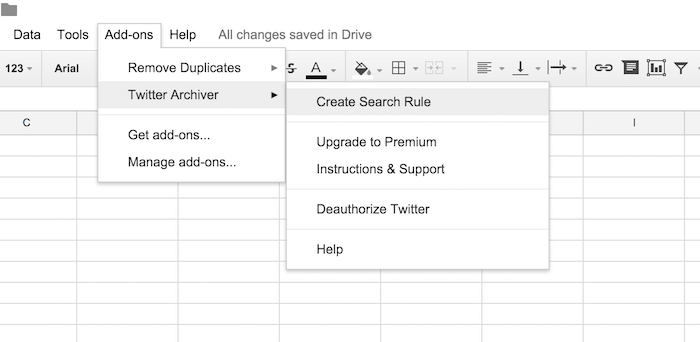
7. The screen you’ll see now will let you create the search rule. Here you can enter the exact search term that you want to archive or a hashtag or all tweets that were made from a specific place.
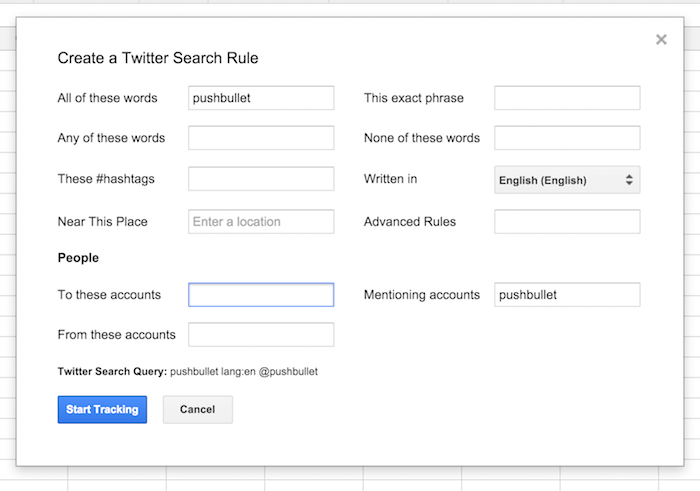
Enter the search term (I’ve talked about everything you can search above), and click “Start tracking.”
That’s it. The add-on will now start churning. In a couple of minutes, you’ll have a long list of all the tweets matching your search term.
What Are You Tracking?
What’s piqued your interest so much that you’re literally saving every time it was mentioned on Twitter to a Google sheet? Share with us in the comments below.