


You hear the words tossed around all the time – Cloud storage, Cloud backup, Cloud sync. What are they? Are they different and do you need one?
Cloud storage means an offsite server owned by a hosting company where you store your data. If you’ve had a personal computer crash, and you lost all your data, you understand how frustrating it is. Cloud storage makes it possible for you to recover your files even if your computer has breathed its last breath.
Cloud Storage
There are three types of cloud storage: public, private, and hybrid.
In public cloud storage, global data centers store your data, and you pay based on how much storage you use. This type of storage is best for unstructured data like text, images, audio, and video files. In other words, the typical file types people use at home.
The largest providers of public cloud storage are Amazon Simple Storage Service (S3), Amazon Glacier for cold storage, Google Cloud Storage, Google Cloud Storage Nearline for cold data and Microsoft Azure.
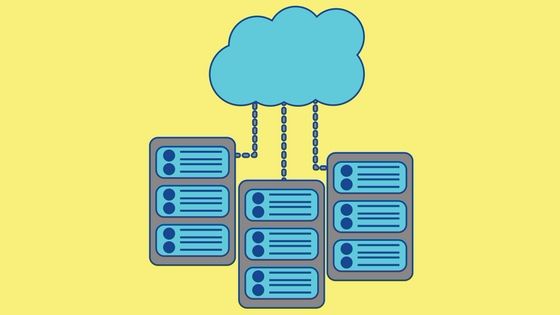
Private cloud storage refers to onsite servers protected by a company’s firewall, not one of a separate storage service provider. This arrangement gives the private company complete control over the data they store. They are also able to customize the configuration of the server as necessary instead of having to rely on the structure defined by a public cloud service.
Some companies that offer private cloud storage products and services are Dell EMC, Hewlett Packard Enterprise, Hitachi Vantara, IBM Cloud, and NetApp.
Many companies are opting now for a third option for cloud storage, the hybrid model. As the name suggests, it is a mix of both private and public. Hybrid cloud storage has more options for deploying your data. For example, you can keep some current and structured data in an onsite server and archives on a public server.
Some advantages of Cloud storage:
- You only pay for the storage you need.
- The maintenance of the server falls on the provider, not you.
Disadvantages of cloud storage
- Another company could buy out your supplier, they could go bankrupt, or their servers could crash, and you could lose all your data.
- Slower performance is possible depending on the bandwidth you purchase.
Cloud Backup
Cloud backup sends a copy of your data to an off-site server while you retain the data on-site. You pay a fee based on how much storage you use, bandwidth, or the number of users you have. Unlike cloud storage, you keep a copy of all the files on your machine.
Cloud backup services run at predetermined times to make copies of all the data. Shorter, incremental backups may be scheduled to save data changes until a thorough full backup runs.
There are also three types of cloud backup. In public cloud backup, your data is written directly on the cloud. You can also choose a service provider for backing up your data in a managed data center. In cloud-to-cloud backup, SaaS applications that live in the cloud send copies of the data to another cloud.

Some well-known companies providing cloud backup services are Carbonite, IDrive, and Backblaze.
Advantages of Cloud Backup
- The vendors often provide a certain amount of free storage to use.
- The files are protected from ransomware because they are saved outside the company’s network.
Disadvantages of Cloud Backup
- Sometimes restoring files is slow due to bandwidth and latency limitations.
- Someone other than you controls your data, increasing the risk of security breaches.
Cloud Sync
Cloud sync continually updates files to enable access on multiple devices. There are public, private, and hybrid versions available. It is different than cloud storage or backup because it uses a type of digital storehouse to keep active data easily accessible. When the file you are updating is saved, it is automatically saved to other devices accessing the same file.
You may have heard of examples of syncing to the cloud such as DropBox, Google Drive, and OneDrive. They are easy to use and offer a starter amount of free storage.
Advantages of Cloud Sync
- It is consumer-friendly and easy to use.
- You don’t need any new infrastructure, extra money, or new IT people.
Disadvantages of Cloud Sync
- Employees using home devices can save company data in an insecure environment.
- Lack of control over synced data.

In summary:
- Cloud Storage is designed to securely store your unstructured data such as text, images, video, and audio.
- Cloud Backup creates a copy of your computer’s files to restore them in case of emergency.
- Cloud Sync keeps frequently accessed files available for making changes and sharing them with other devices.
As you can see, there are many options for storing your data securely. Vendors are also customizing new solutions, so there is something for every situation.