

Google Chrome is one of the easiest browser to use. The problem is, it seems like many useful features were skipped that would make it much more of a powerhouse in comparison to the other web browsers. The good thing is, it allows you to install extensions to enhance the functionality. Chrome Toolbox is an extension made by Google to add some of the features they left out when making Google Chrome.
By adding this one little extension, Google Chrome lets you work with forms better, customize keyboard shortcuts easier, open up multiple sites with ease and also changes the way you deal with pictures and videos. Getting started with Chrome Toolbox is as simple as installing the application from the Chrome web store. Once installed, clicking on the icon to the right of the search bar is where all the action takes place.
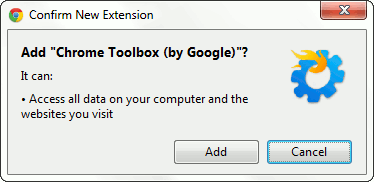
Chrome Toolbox Options
Since you’re just adding features to Google Chrome, many of the features will be activated when an event takes place. By that I mean to be able to view pictures in a different way, there needs to be a picture in the browser window. To start out, you want to take a look at the options menu. You can get to this by clicking on the icon in the top right corner of your browser window. You will see a few options greyed out and some you are able to click.
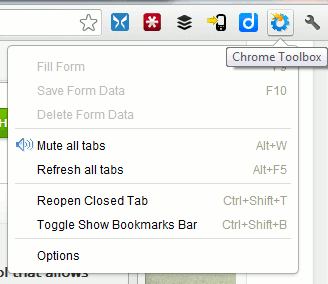
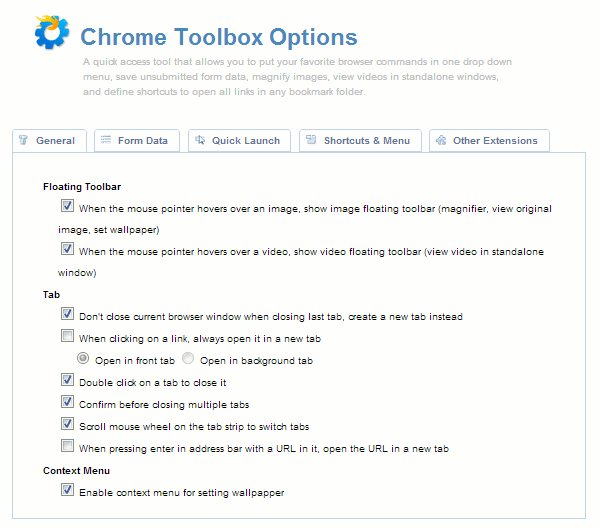
Select “Options” from the drop-down. This is where all the adjustments are made for Chrome Toolbox. The initial page is the general settings. Here you will see checkboxes for features such as:
- Double-click to close a tab
- Scroll mouse wheel on the tab strip to switch tabs
- Enable context menu for setting wallpaper
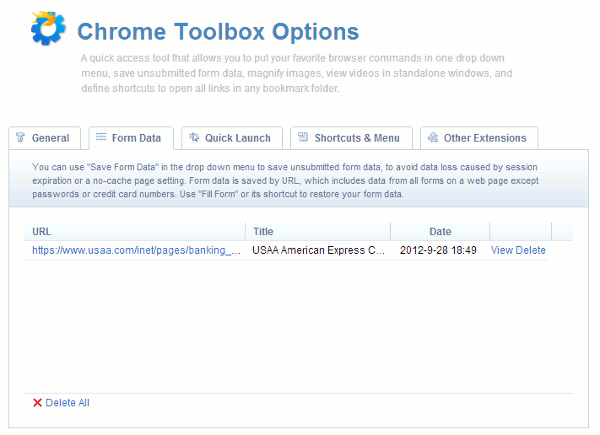
The next tab is the form data tab. I’m sure at some point while you’ve been using the Internet and filling out a form, you got disconnected somehow. What this option does is saves the form information for a specific URL as you type it. This way if you get disconnected, you can go back to the URL and pick up where you left off. To save the data on a form, you need to initiate the process by pressing F10 or clicking on the icon and select “Save Form Data”. The screenshot below shows a sample credit card application form saved.
The “Quick Launch” tab lets you select a folder in your bookmark bar to open. With this feature, you can quickly open all your favorite sites with a simple keyboard shortcut everyday in the morning.
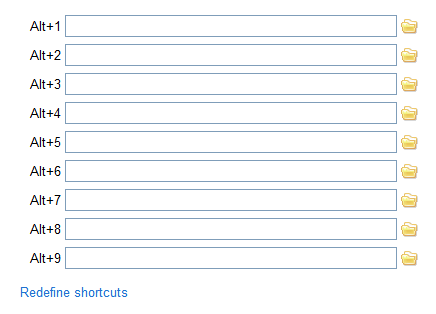
The keyboard shortcut tab is the last of the settings. In this tab, you can look in the drop-down and choose which set of keyboard shortcuts you’d like to change. There are actually different keyboard shortcuts for different areas of the browser. One of the cool options here is the boss button. This will enable a keyboard shortcut to minimize all windows, close the most recently opened window or close the current window.
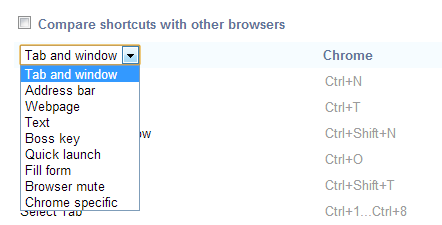
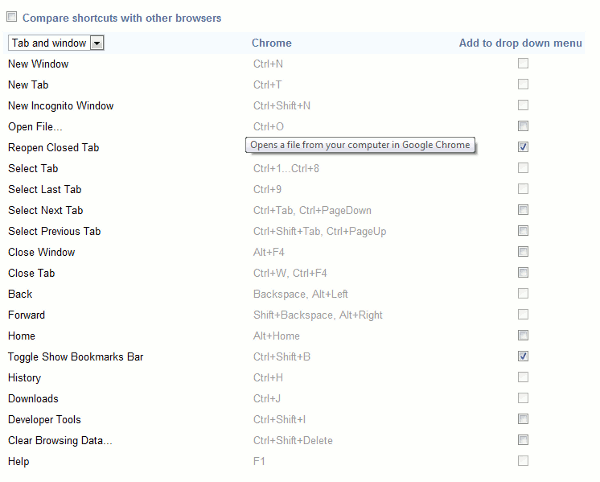
Once you’ve decided the area of the browser you’d like to change the keyboard shortcuts for, you can check or uncheck the box to the right of the keyboard shortcut.
The last tab is filled with other extensions that might add functionality to the Google Chrome browser. You can check those out and download them if they are of use to you.
Final Thoughts
Google Chrome was created with speed in mind, that’s why plenty of features were not baked in by default. Luckily, with the use of extensions, you can easily got features back without affecting the speed of the browser.
What extensions do you use to make Google Chrome more useful?