


Gmail is one of the most preferred email services all around the world. The reason for this is simple: Gmail is reliable, dependable and has many great features like filters and intelligent spam detection. Besides all the basic and advanced features provided by Gmail, here are some extensions that can enhance Gmail and take your email experience one step further.
Also read: 7 of the Best Chrome Extensions You Need to Try
1. Yesware
Whenever you send an email to someone, there is no built-in feature in Gmail to automatically let you know when the person that receives the email opens it. If you want to receive read receipts whenever the target person opens your email, you can use the free chrome extension Yesware. This free chrome extension lets you track email openings and clicked URLs. The good thing about Yesware is that it shows you detailed analytics like when the email is opened, browser information, etc., about the events.
2. ActiveInbox
ActiveInbox packs several different useful features that makes your Gmail account much more tidy and organized. Once ActiveInbox integrates with your Gmail account, it turns all your emails into tasks so that you can perform different activities like setting email priorities, adding to-do tasks, email notes, setting deadlines, etc. Moreover, you can also create project folders to categorize and deal with all your emails accordingly.
3. Cloudy
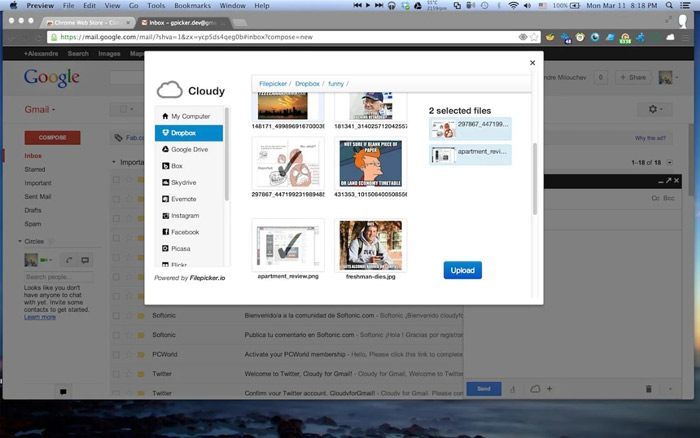
If you try to attach a file while writing an email, Gmail often gives you two options; you can either upload it from your local computer or from Google Drive. Simply put, Gmail doesn’t natively support other cloud storage services, social networks or even direct URLs uploads. Fortunately, you can install Cloudy for Gmail and easily upload files from all the major cloud services like Dropbox, Box, OneDrive, etc. and social networks like Facebook and Instagram with just a few clicks.
4. Checker Plus
Most of us have multiple Gmail accounts to manage all our personal, professional and other needs. As good as it is, manually checking all those email accounts for any new emails is a time-consuming task. Using Checker Plus for Gmail, you will get quick desktop notifications whenever one of your email accounts (yes, you can add multiple email accounts) receives a new email. The best thing about the extension is that you can read, listen and delete email directly from the notification.
5. Rapportive
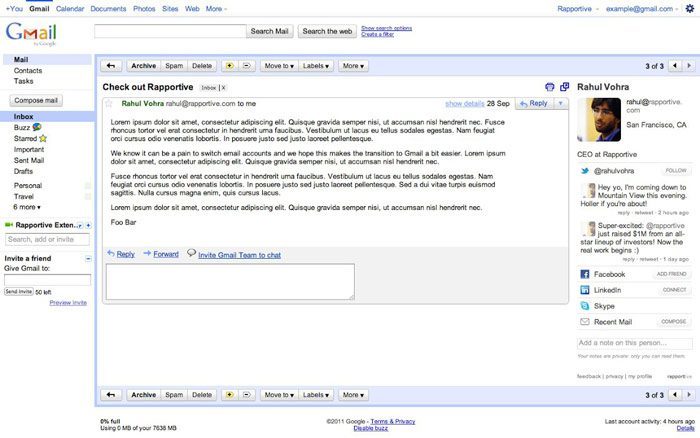
Rapportive is a simple social extension for Gmail that shows all the details about your contact right in your inbox. When I say all the details, I’m talking about things like a contact’s social media profile links, publicly available pictures, interests, latest tweets, and other data. This extension is really helpful in terms of relationship management, as it makes it easy to gather as much publicly available data as possible right in your inbox.
6. Gmail Offline
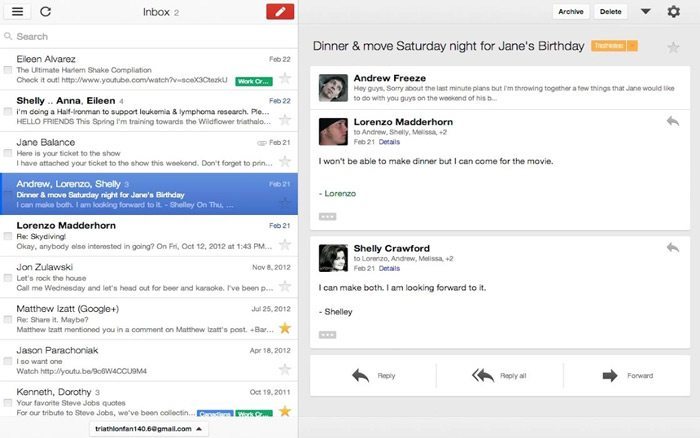
The name says it all. Gmail Offline for Chrome is a simple extension that syncs your gmail account for offline usage. While you are offline you can search, read, respond, archive and delete messages. The extension tracks all your activities and queues them accordingly as soon as you connect to the Internet.
7. Enhancements for Gmail
Enhancements for Gmail is a simple Chrome extension that cleans up a Gmail’s user interface by removing things like ads, chat, invite friends module, etc. Moreover, the extension is also capable of showing quick desktop notifications regarding the activities of your Gmail account.
If you think I missed any of your favorite Chrome extensions for Gmail, then do share them in the comments below.