

YouTube is a great video streaming service with its ocean of user-generated videos ranging from educational, informative, science, tech to sad cat diaries. But other than that, it is lacking many features that can make it into an even better video site. If you are a Youtube enthusiast as well as a Chrome user, here are some of the best Chrome extensions for YouTube that you can use to improve your video watching experience.
1. Ratings Preview for YouTube
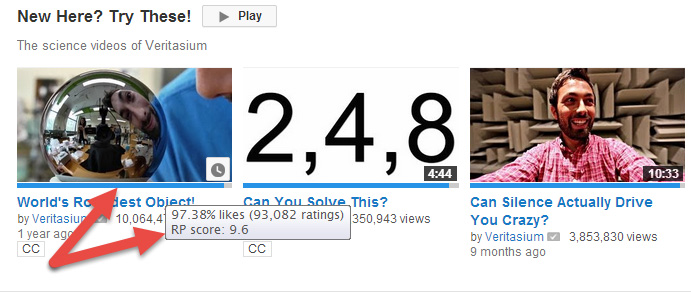
While there are tons of great videos on YouTube, there is an equivalent amount of bad videos as well. YouTube comes with this thumb up/down feature where you can show your like or dislike for the video. The bad thing is, this feature does not get displayed in the main page or recommended section, and you often have to click through the thumbnail to reach the video page before you can see if this is a good or bad video. Ratings Preview displays a smallish bar at the bottom of the video thumbnail visually showing the likes and dislikes on that video. If you hover over the like bar, you can see the percentage of total likes and dislikes and the total number ratings on that specific video. Simply put, this is that one extension I would always install to save my time.
If you are using Firefox, you can also download Ratings Preview add-on for Firefox.
2. ImprovedTube for YouTube
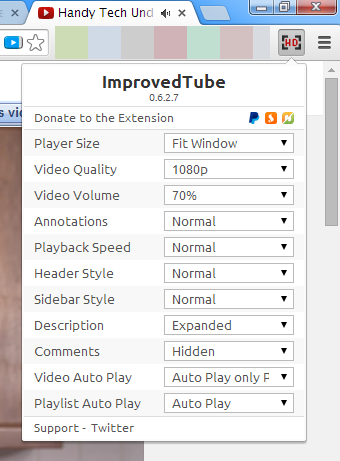
With YouTube you can’t just predefine any personal preferences like the video quality, annotations, subtitles, etc., on the videos you are watching. In fact, you have to manually toggle the switches on each and every video which is quite frustrating if you watch a lot of videos every day. Installing ImprovedTube for Chrome solves the problem as it allows you to preset your preferred options, like default video quality, player size, hide or un-hide comments, playback speed, etc.
3. Magic Actions for YouTube
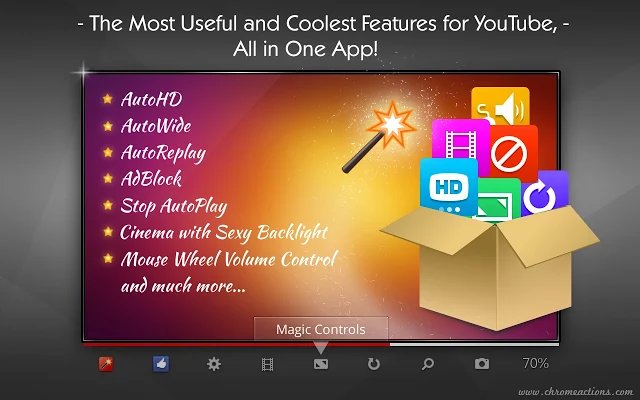
Magic Actions for YouTube brings a ton of options and enhancements to change the way you enjoy watching YouTube videos. Once you install the extension, you can access all the options like mouse wheel volume control, cinema mode, one-click snapshots, 20+ predefined color themes, user info in comments section, etc. The good thing about Magic Actions is that you can access most of the options by interacting with the little icons placed right under the video player itself. Simply put, Magic Actions will supercharge and tinker the way you interact with YouTube.
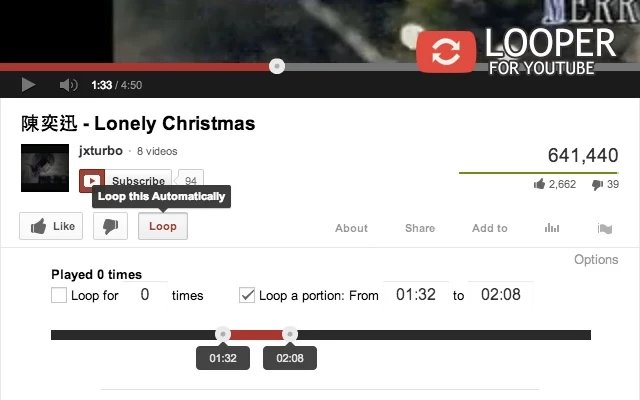
4. Looper for YouTube
As the name suggests, Looper is a simple YouTube extension which loops a YouTube video so that you can watch or listen to it again and again without manually hitting the Replay button. Looper by default adds quite a few options which can be used to set default auto loop, specify portion/range of loop, number of loops, keyboard shortcuts, etc. If you are a YouTube music listener, then Looper would be a great extension with its no-nonsense features.
Hopefully that helps. Don’t forget to share your favorite YouTube extensions for Chrome using the comments form below.