


Have you ever wanted to change the fonts on a WordPress website? Choosing a new font with the customizer is not difficult. The challenge comes when you wish to use a font that doesn’t come with the theme or if the element you want to change has no option for doing so.
Change Customizable Fonts
To get more fonts, first install the Easy Google Fonts plugin to your site.

1. Go to “Plugins -> Add New.”
2. Search for “Easy Google Font.”
3. Click Install and then Activate.
4. Now there are more font options on your site. To change them, go into your customizer (Appearance -> Customize).
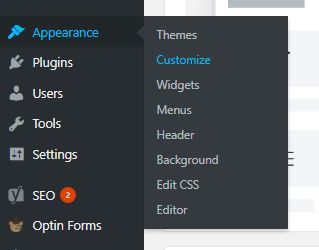
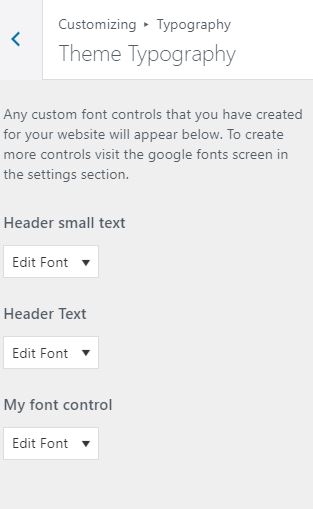
5. Click on “Typography -> Theme typography.”
6. Click on the dropdown arrow and scroll down. You should see many more available fonts.
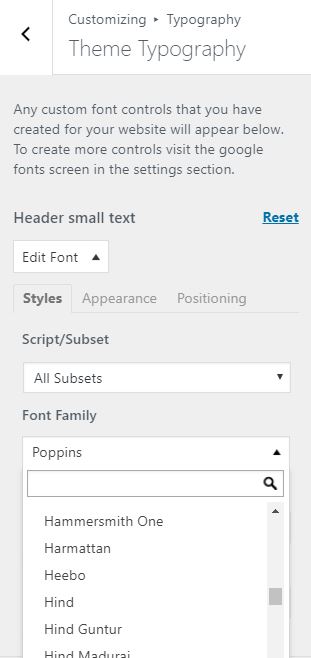
7. Click to select the one you want to use.
It’s pretty simple to use the plugin to change text that is already customizable in your theme. The frustrating part comes when you want a particular piece of text to be a different font, and there’s no place to change it!
To customize those you need to change the CSS code for that part of the website. However, it’s hidden, so you need to track it down.
Also read: Top 10 Common WordPress Errors (and How to Fix Them)
Get the Extensions
In the Google Chrome browser, search for an extension called WhatFont, and then install it and permit it to run.
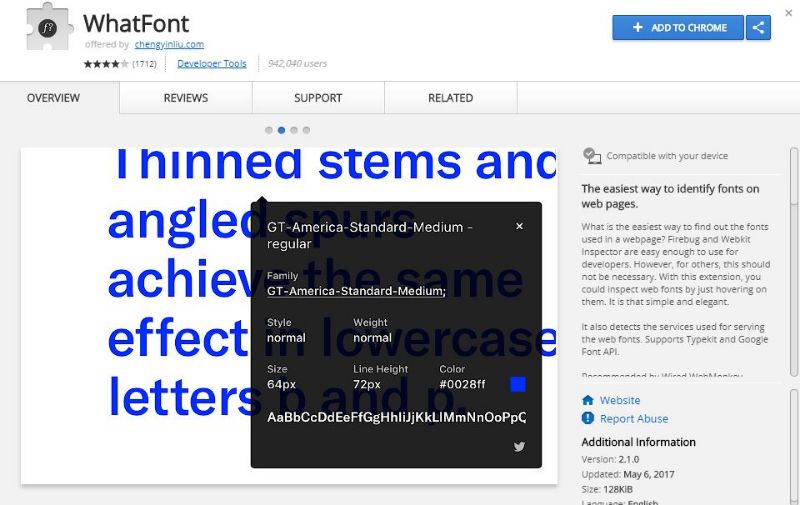
When enabled, WhatFont identifies any font found on any website. So if you like a font and want to use it in your work, hover your mouse over the text while WhatFont is running, and it will show you the name of the font.
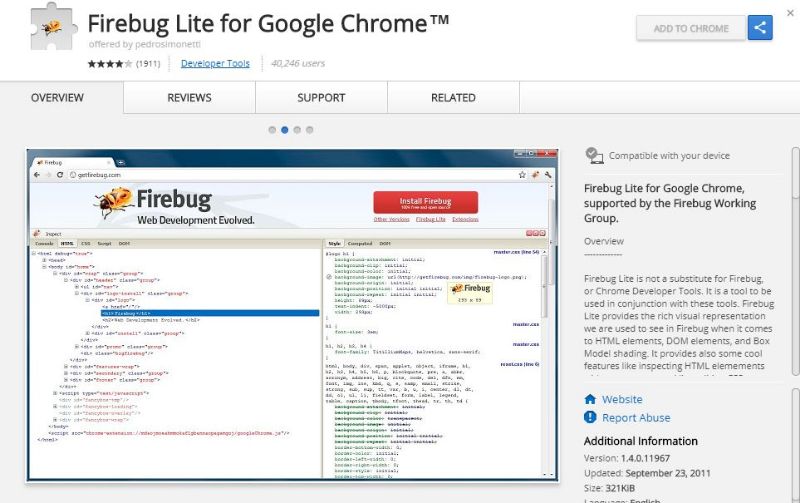
The next extension you need to install and activate is Firebug Lite. It displays your site code and allows you to live edit CSS properties. This extension makes it easy to find and change the fonts by finding the location of the text in the code.
Also read: How to Add Custom Style Options to WordPress Post Editor
Find the Font
To find out the name of the font your theme is currently using:
1. Activate WhatFont by clicking on its icon
2. Hover over the font you want to identify.

3. Note the font name.
4. Turn off WhatFont.
The next step is to locate the CSS with that font in the code.
1. Open the customizer as you did earlier.
2. Open Firebug Lite (the icon of a bug with a screwdriver).
3. When you activate Firebug, the code for the site displays at the bottom of the screen.
You need to be very careful working with this code, especially if you are not an expert in CSS. If you follow directions well, though, you should be able to change the fonts easily enough without destroying your site. It would be a good idea to back up your site before you move on.
Find the current font of the text you want to change.
1. Click on CSS.
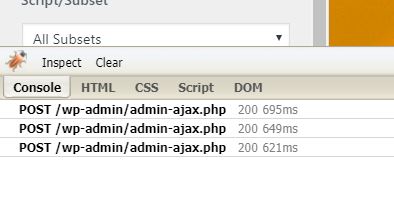
2. Choose the style.css file. (It’s a long file.)
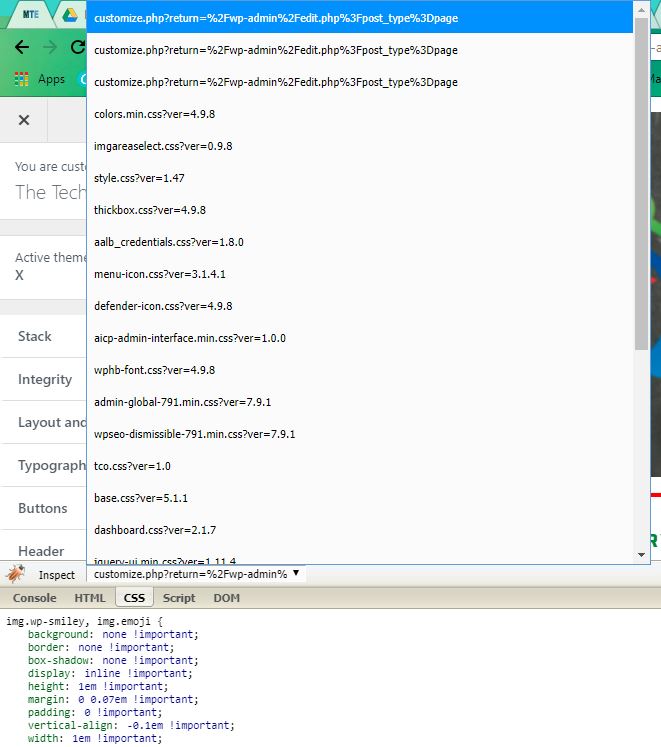
3. Hit Ctrl + f and type the font you wrote down into the search box.
4. In this example I was looking for Helvetica, and you can see in orange the location of that font in the styles CSS.
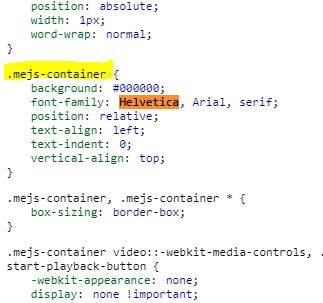
4. Highlight and copy the location of the font. I highlighted it in yellow in the picture above. If there is more than one location listed, copy only one of them.
Create a font control
Font controls tell the plugin where the CSS uses the font we want to change. This step can be a bit of trial and error, especially if the font you are looking for is in several different places on your site.
1. Go back to your admin panel, hover over settings, and click Google Fonts.
2. Click on “Create a new font control.”
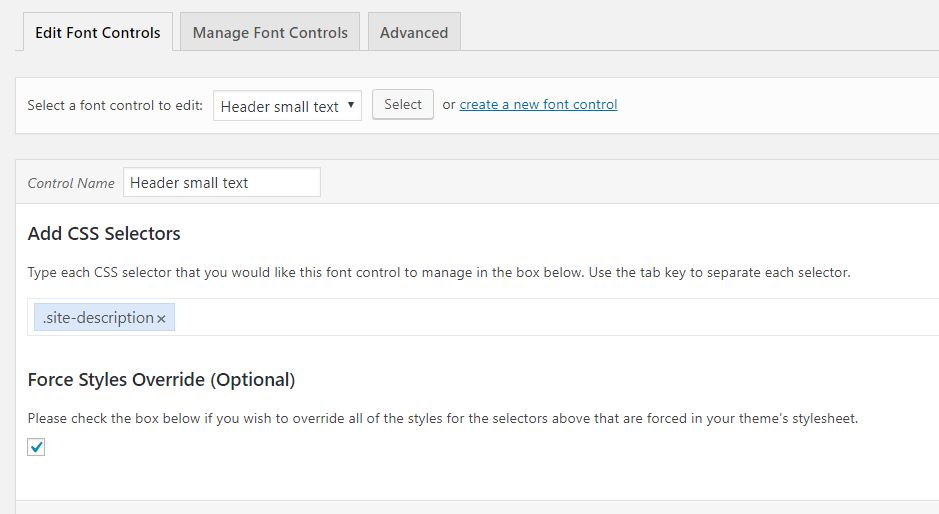
3. Rename it to describe the location of the new font.
4. Paste the location you copied from the CSS list into the CSS selectors box.
5. Click the Force Styles override box.
6. Save.
Check It
Go back into your customizer and locate the place where you want the font to change. Find the dropdown box for the font control you just made. Pull it down and select the font you want to use. If it works successfully, the font changes as soon as you click it.
If it doesn’t work, go back into font controls, delete the location you pasted in, and try again using a different location in your CSS where the original font was listed. Remember, it may take several tries to get it to work.
Even if you use a common theme, the ability to change any font in your WordPress theme will give your site a unique look. Make sure your site is properly updated, and give this a try.