
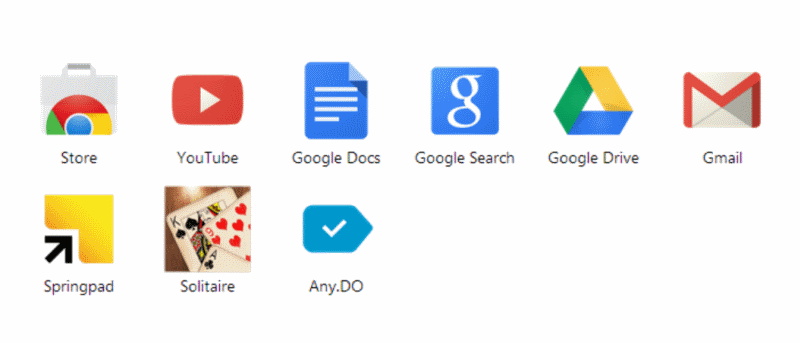

If you’re a Chrome user you’ll no doubt have noticed a few changes have taken place recently. It used to be the case that apps you had installed could be accessed through the new tab interface, but this is no longer true. Apps have been assigned a special button in the bookmarks toolbar and when a new tab is opened, you’ll see a list of your most frequently accessed sites instead.
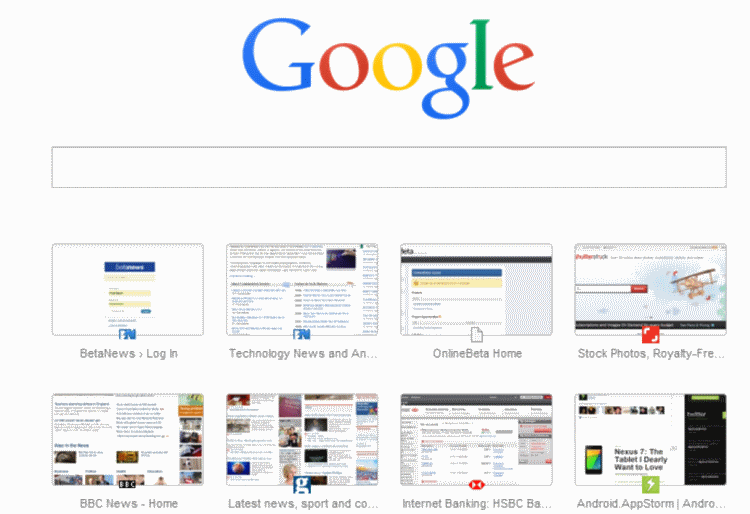
You can still access the apps you have installed by clicking the toolbar button, or you could even use a taskbar button. But you may prefer to have things back the way they used to be and here’s how you can do just that.
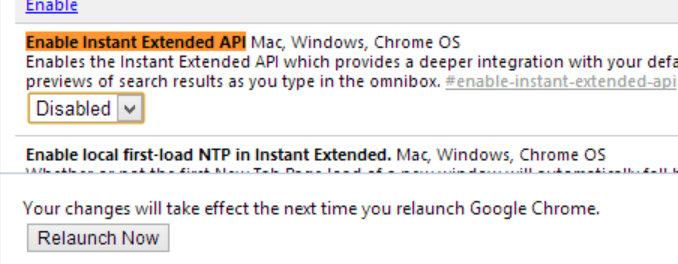
Place your mouse cursor in the address bar, type chrome://flags/ and press Enter.
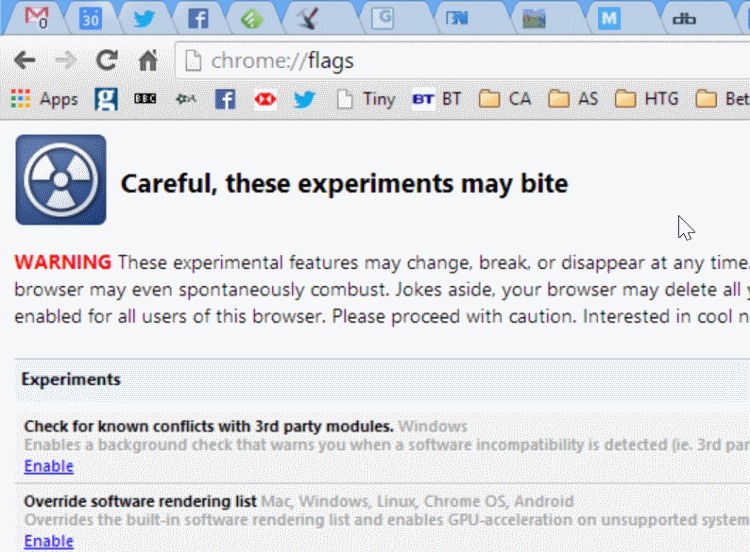
Press Ctrl and F at the same time to bring up the search option. Type Enable Instant Extended API and hit Enter to be transported to the correct section of the settings.
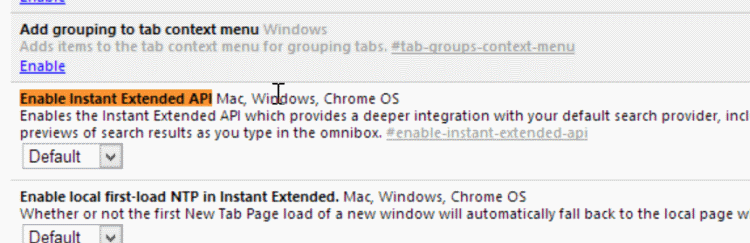
Select the Disabled option from the drop down menu relating to this setting and then click the Relaunch Now button at the bottom of the screen.
When you restart Chrome and open a new tab, you’ll find that things are restored to how they used to be – you’ll see a list of your Chrome apps by default and can switch to viewing your frequently accessed site using the icon at the bottom of the screen.
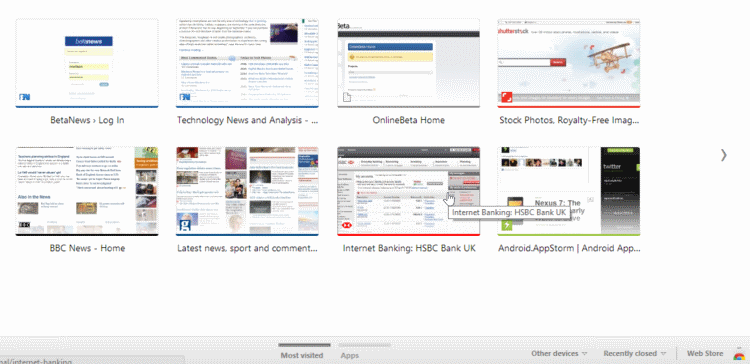
If you ever change your mind and want to get things back to how they were, just repeat the steps but this time select the “Default” option from the Enable Instant Extended API drop down menu.
It may well be the case that you simply don’t see the need to apps within Chrome and do not currently use them. You may be quite happy with the fact that frequently accessed sites appear when you open a new tab, but the Apps button in the toolbar is just a waste of space.
To free this space up so you can have more room for other bookmark, just right click the Apps button and untick the “Show apps shortcut” option.
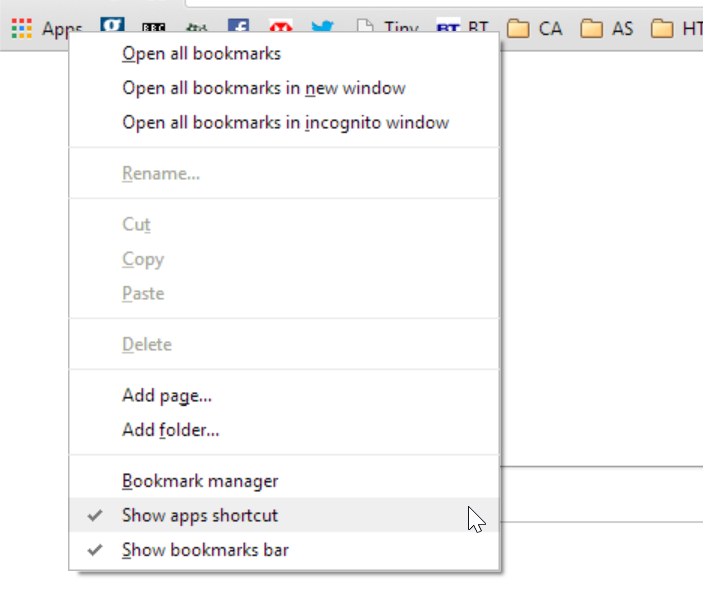
Should you ever decide that you want it back you can right click the bookmarks toolbar again and tick the option to display the shortcut.