

Email is still one of the widely used ways of online communication. With the rise of social networking websites like Twitter, Facebook or LinkedIn – information sharing is fast and instant. But when it comes to a private discussions and negotiating important stuff, Email is still the technology which web workers prefer.
One of the problems with Emails is the ability to share it publicly or to share it with strangers who are not in your contact list. Say you are a web developer and received a project deal, which you want to forward to your team members. You can either add a Cc or forward it to the group of people. But the problem here is the email message is not public and only those people who have received a forwarded copy can read it.
There are some workarounds in these situations. You may copy the entire email message and publish it as a webpage. Then shorten the URL and share it on your website, blog or social profiles. Another alternative would be to use Cc:everybody – a web service which allows you to share email messages publicly.
How Cc:Everybody Works
When you create a new account with Cc:Everybody, you will get a public email address e.g “yourusername@Cc:Everybody.com“. When other people send messages to this public email address, a copy of the message will be forwarded to your real email address – the one which you used to sign up for Cc:Everybody.
When you want to share an email publicly with anyone, just send a reply to the email message at yourusername@Cc:Everybody.com. That’s it – your message will be published as a publicly accessible webpage which anyone can view. You can further share the webpage on your social profiles e.g Facebook, Twitter and so on.
When readers read your public email, they can respond to it and the message will be sent to your original email account. You post a reply and your reply is again made public at your Cc:Everybody.com profile page. All published emails will be available on http://cceverybody.com/username– this is your public inbox.
Setting Up Your Cc:Everybody Public Email Inbox
1. First, head over to the Cc:everybody and sign up for a new account. Be sure to associate your primary email address where you receive important emails.
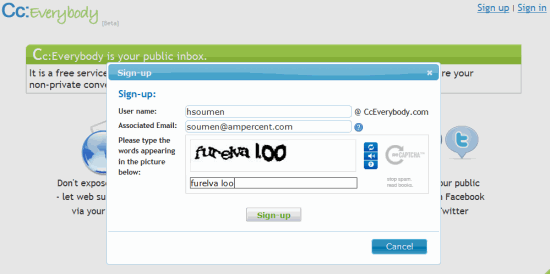
2. You will receive a confirmation link to your email address. Click that to activate your account.
3. Once your account is activated, you will get a public email inbox. Here is how it looks:
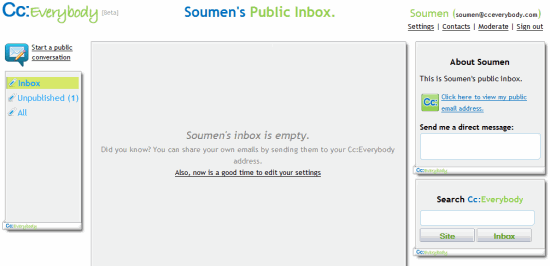
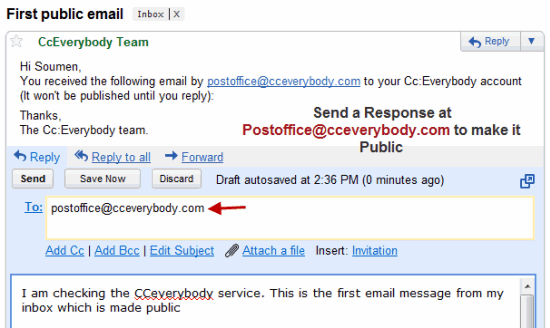
4. Right after this, you will receive a demo email from the Cc:everybody team. Simply send a reply and your message will be published on your Cc:everybody mailbox page.
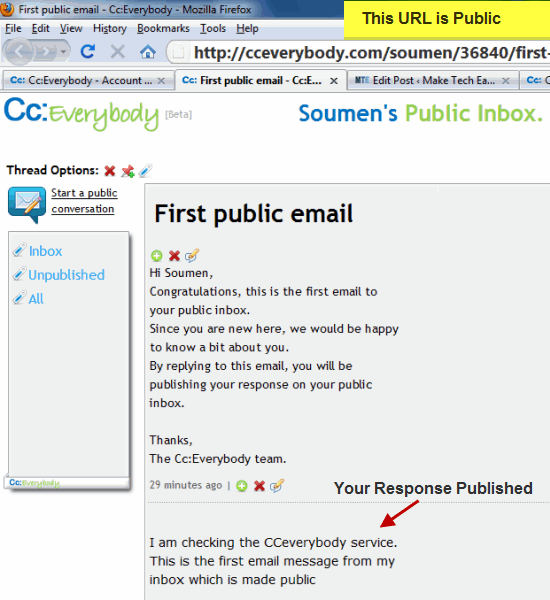
5. Head over to your Cc:everybody profile and you will see the email conversation as a public webpage. Here is how it looks:
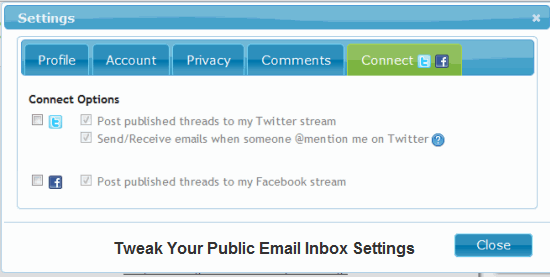
6. Now that you have familiarized yourself with the working of Cc:everybody, go to the settings page and customize your settings. You can change your account password, toggle approving comments and replies, connect your Twitter and Facebook accounts to auto publish replies and more.
Working With Cc:Everybody and Sharing Email Conversations
Starting a new conversation:
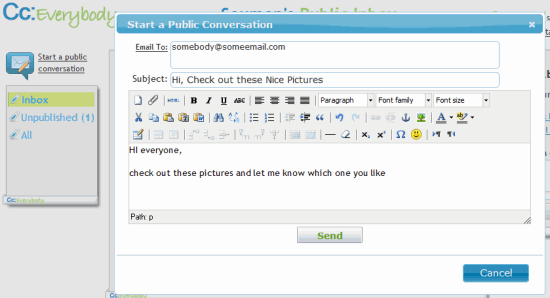
If you want to start a new public conversation with anyone, click the “New Conversation” link at the sidebar. This will open a small WYSIWYG editor, where you can compose your message, add images, links and publish it. The message can also be forwarded to individual email address(s) and the discussion will be sent in your Cc:Everybody profile page. Here is an example:
Alternatively, you can send a new email to “postoffice@cceverybody.com” and the message will be published at your Cc:everybody profile.
Now this is very useful because your friends who have not joined Facebook or Twitter yet, can take part in the conversation. They don’t have to sign up or register for a new account. All they have to do is head over to the conversation page and submit a new comment using the Discus comment box.
Request User’s to Send you a Direct Message
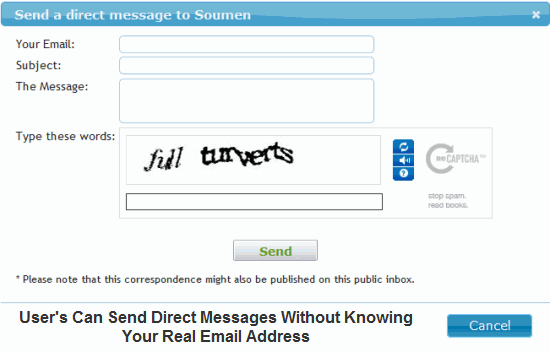
If you want other users to email you without knowing your email address, Cc:Everybody is just as capable of acting as an email alias. When user’s go to your Cc:Everybody profile page, they can send a direct message to your original email address. This is useful, because the email address is not shared with unknown people and you can still receive a reply from them.
Adding Contacts, Managing Labels, RSS Feeds and Deleting previous Threads
You can create a contact list in your Cc:everybody inbox. This contact list is accessible only to you and not made public, unlike the email conversations.
Individual messages can be labelled for quick search and you can delete previous messages to keep your public inbox in healthy shape. Other user’s can subscribe to the RSS feed of your public emails and get updates directly from their feed reader.
Overall, I am really impressed with the concept and implementation of a public inbox. Do let us know your thoughts in the comments.