
Have an upcoming presentation? Captivate your audience by learning how to make Google Slides look good with the tips in this article.
By Princess Angolluan – Jul 27, 2023
Wondering if you can use Notion to manage your next project? Take a look at how to tackle that project in Notion and keep it in track.
By Sandy Writtenhouse – Jul 25, 2023

Other than being a media player, VLC can also be used to edit videos. Here are some of the features that turn VLC into a capable video editor.
By Sayak Boral – Jul 24, 2023
Create a custom style for text in Word or a cell in Excel. Then, apply that style throughout your document with a click.
By Sandy Writtenhouse – Jul 22, 2023

If you use Trello to manage projects and teams, why not set up a few automations to eliminate tedious tasks?
By Sandy Writtenhouse – Jul 20, 2023

Automatically format data in your spreadsheet to make it easy to spot. Set up conditional formatting in Excel in just minutes.
By Sandy Writtenhouse – Jul 17, 2023

There are several photo editors that make use of AI to enhance your images. Check out these apps where AI creates works of art from photos.
By Alexandra Arici – Jul 16, 2023

Save time by creating a Gmail email template to use again and again, such as a basic or marketing email template.
By Sandy Writtenhouse – Jul 13, 2023

Trying to choose between two or more financial or numerical situations? Use What-If Analysis tools in Excel to help you compare and decide.
By Sandy Writtenhouse – Jul 11, 2023

When you need to count cells with numbers that meet certain criteria, or those that are blank, use the COUNT functions in Microsoft Excel.
By Sandy Writtenhouse – Jul 8, 2023

Are you making full use of spreadsheets? Take a look at these functions that can help with your daily Google Sheets tasks.
By Sandy Writtenhouse – Jul 3, 2023

You can share information, files, forms, and more by setting up a template-based wiki for your team or group in Notion.
By Sandy Writtenhouse – Jun 30, 2023

Which tedious tasks do you perform each day? Check out this list of tasks you can automate to save time and move onto more important things.
By Sandy Writtenhouse – Jun 27, 2023
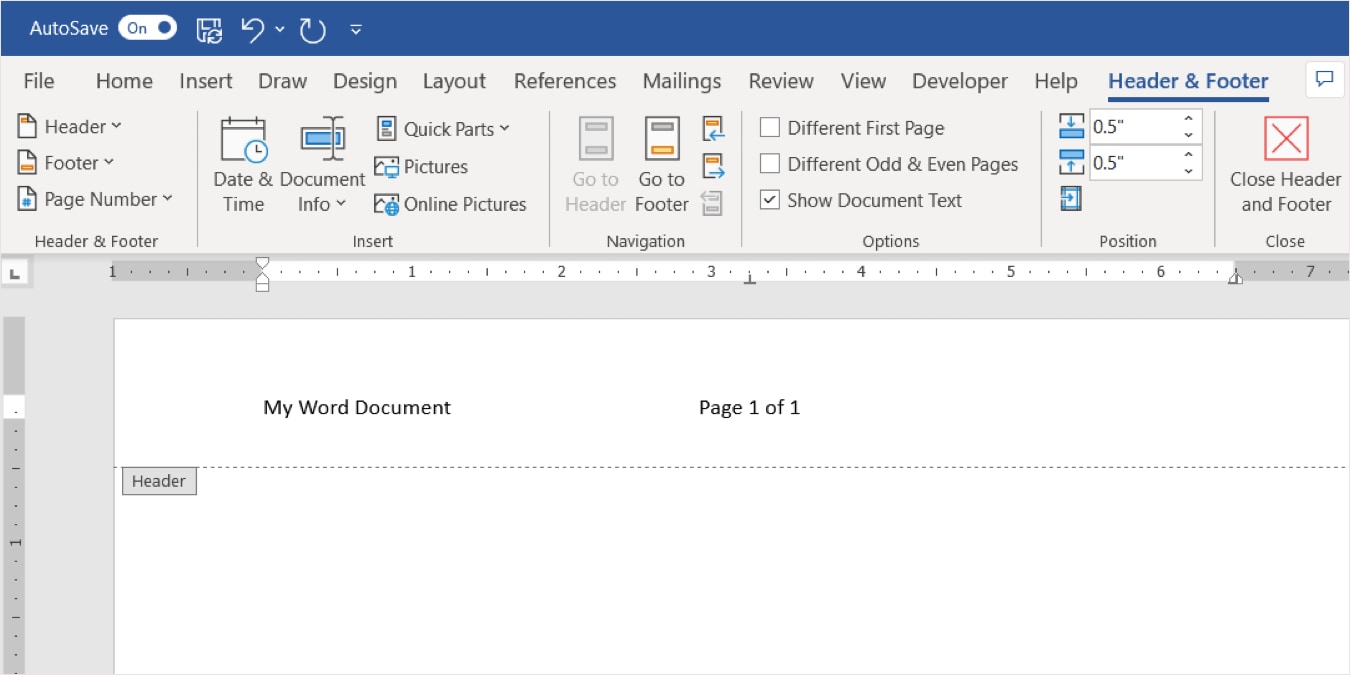
Headers and footers are handy spots for extra details in Word documents. Learn how to use these areas in Word, Excel, and PowerPoint.
By Sandy Writtenhouse – Jun 23, 2023

Dirty data? Clean it up! Here are several ways to clean up your Microsoft Excel data, including removing spaces, blank rows, and duplicates.
By Sandy Writtenhouse – Jun 18, 2023

Trello doesn’t have to be overwhelming. This list shows you public Trello boards that you can copy to your account like templates.
By Charlie Fripp – Jun 17, 2023

Managing a project means a lot of moving parts. Save time and use these project management templates for Microsoft and Google apps.
By Sandy Writtenhouse – Jun 15, 2023

Create a picture-perfect slideshow in PowerPoint by enhancing your images. You can rotate, flip, or mirror an image for a unique effect.
By Sandy Writtenhouse – Jun 13, 2023
Ready to make the move to Notion after using Evernote? Learn how to move from Evernote to Notion the right way.
By Crystal Crowder – Jun 5, 2023

Text-to-speech software helps narrate stories, dictate content, and more. This tutorial shows how to convert audio files to text.
By Farhad Pashaei – Jun 4, 2023
Affiliate Disclosure: Make Tech Easier may earn commission on products purchased through our links, which supports the work we do for our readers.





