


When something happens in the world, the one place where it definitely gets talked about is Facebook’s news feed. Whether it is politics or a game like Pokemon Go, you will see people posting their opinions about it on their Facebook page, and you are likely to see those posts in your news feed.
There is no need to do anything if you like those posts, but if you are one of those who get annoyed by them (Pokemon Go, anyone?), you can block those posts from appearing in your Facebook’s news feed.
Related: how to get rid of Pokemon GO mentions from the Internet
What you need is an extension called Social Fixer that does the job of keeping the things you do not like out of your main news feed.
Blocking Posts with Particular Words on Facebook
The extension allows you to block posts that contain particular words. For example, if you do not wish to see any posts that contain the word “pokemon,” you can block them.
The Social Fixer extension is available for Chrome, Firefox, Safari, Opera, and Greasemonkey.
Note: this only works for the desktop web version of Facebook. It won’t work with the Facebook app on your mobile phone.
1. Open one of the supported web browsers on your computer, and head to the Social Fixer website.
Once there, click on the “Download Now” button for your specific browser to add the extension to your browser.
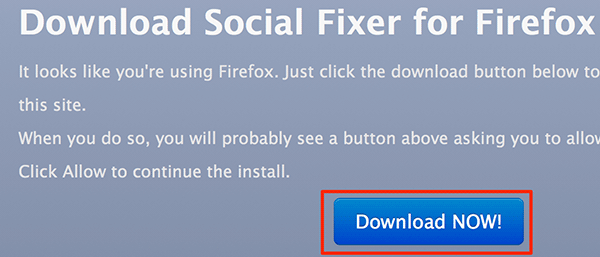
2. Follow the on-screen instructions for installing the extension in your browser. It should not take long to finish.
3. After the extension is added to your browser, head over to Facebook, and log in to your account, if not already logged in.
You should see the Social Fixer configuration wizard that lets you apply the kind of settings you want to your Facebook experience.
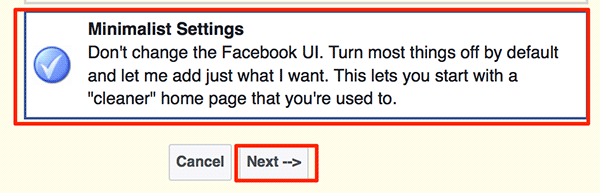
Since what you wish to do is block posts containing specific words, you can choose the “Minimalist Settings” option, and then keep clicking “Next” until you are done with the wizard.
4. The icon of the extension is supposed to appear in the blue bar on top of the site, but that did not happen in my case (and in some other cases as well). If you cannot see the extension’s icon on the site, just head to your profile page, and a prompt should come up asking if you would like to modify your Facebook timeline. Click on “Options.”
5. Click on “Filtering” on the following screen to modify filtering settings. Then, find the section labeled as “Other” where you can define your filtering criteria.
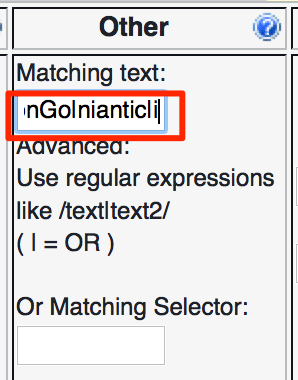
In the “Matching text” textbox, add in all the words that you want to block from your Facebook news feed. It will block all of the posts that contain those specific words from appearing in your news feed. Use the “|” (pipe-sign) to separate the words. Make sure to add “i” at the end of the words list so that your filter does not become case sensitive. Here’s what I have added.
/Pokemon|PokemonGo|niantic|i
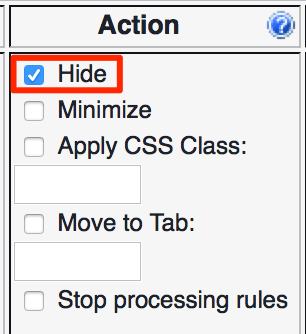
6. Select “Hide” in the “Action” section, and that will tell the extension to hide the posts that contain the words you specified earlier.
7. Click on “Save” on the top of the page to save your settings. Once that is done, reload Facebook in your browser, and you will notice that all of the posts that had the words you specified above are gone from your news feed.
Conclusion
If you ever find your Facebook news feed cluttered with all the things you do not like, you can have them blocked using the Social Fixer extension as shown above.