

Chrome extensions now offer solutions for almost everything, including seamless remote access to other PCs and devices, via the desktop. The following Chrome remote desktop extensions provide an effortless way to connect, without the need for additional complicated software.
Good to know: learn how to quickly disable a Chrome extension with just one click.
1. Chrome Remote Desktop
Price: Free
Users looking for the easiest and quickest way to access a remote computer from Chrome should consider using Google’s official remote desktop client. All major operating systems are supported.
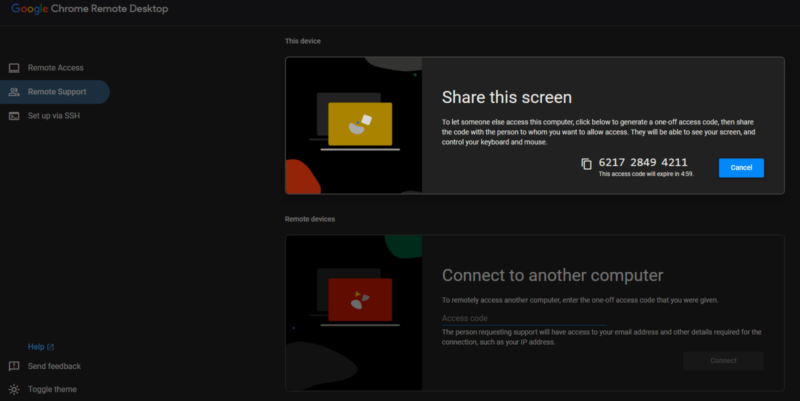
Connecting to another PC or sharing your screen is simple with this solution, which uses a code to establish the link. Note that while some users have reported issues with the extension, it has always worked smoothly for me. I’ve never experienced connection breakdowns or substantial lag while in a session. The tool supports clipboard syncing, multiple monitors, and file upload/download between computers.
The Chrome Remote Desktop extension also lets you configure your computer for remote access from another device, like a phone or tablet – something I use quite frequently. The setup is quick and easy, requiring only a small download, to access your PC from a browser on any device.
Tip: learn how to speed up your Chrome browser with these easy tricks.
2. Getscreen.me
Price: Free with premium options
Getscreen.me was primarily designed for client support agents, but you can also use it to assist a friend or family member in need. While this Chrome extensions is free to try, some options, such as creating multiple remote desktop sessions, are only accessible with a premium subscription.
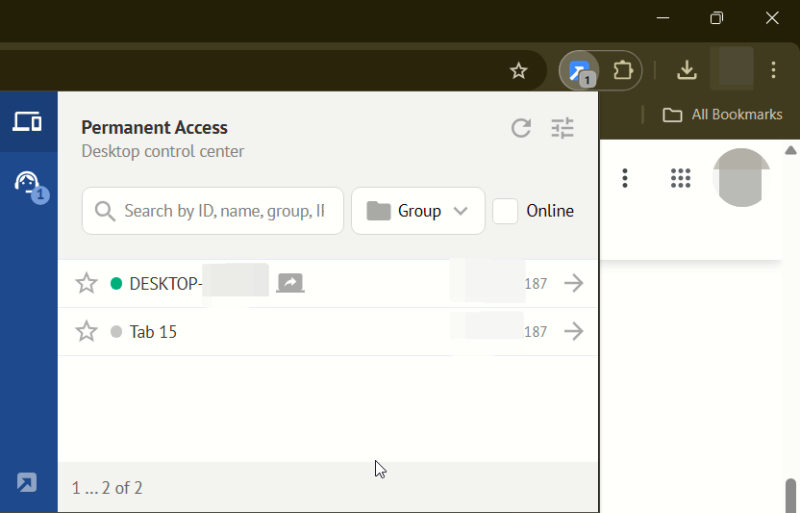
Once you have the extension on your PC, you’ll need to create an account with Getscreen.me. (You can use your Google account, but keep in mind that it’s not always a good idea.) Initiate a Quick Session, but permanent access can also be set up. The extension will generate a link you can share with the other party. They’ll have to access it to download, then execute a small program on their device.
This is all it takes for the client to establish a connection to the host. When the two are linked, Getscreen.me displays a menu bar on the host computer to make interaction easier with the client. For instance, you can access the Run command or File Explorer by virtue of a click. Of course, you can also rely on the old-fashioned keyboard and mouse combo. In my testing, the connection was mostly smooth, but I had a hard time opening select folders/apps or launching documents.
3. Zoho Assist Free Remote
Price: Free with premium options
Zoho Assist Free Remote is another free remote assistance tool for Chrome that works quite similarly to Getscreen.me. You’ll need to sign up for an account, which will unlock a 14-day trial.
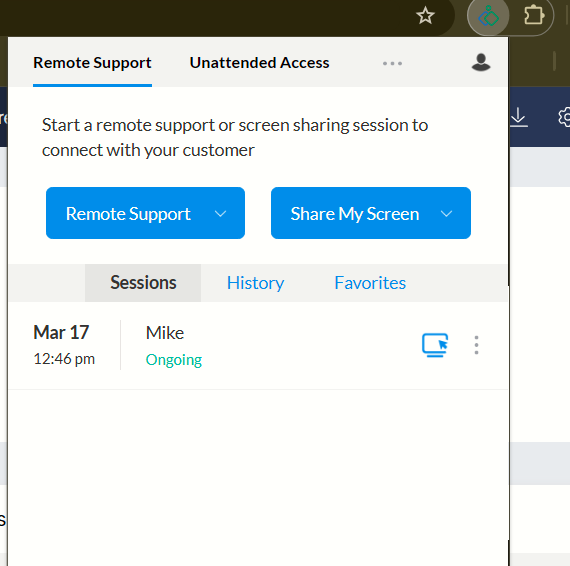
With the extension set up, you can either Start a Remote Session or Share My Screen under Remote Support. If you choose the first, a link will be generated for the host to open on their PC, where they’ll also need to install a small executable file. Setting up Unattended Access is also possible.
This establishes the connection between the two devices. In my testing, I noticed some lag when performing tasks on the remote device, but if you need to quickly show something to a friend, Zoho can help without a problem. For more advanced tasks, I would suggest Google’s Chrome Remote Desktop. Zoho supports file transfers of up to 2 GB, multi-monitor navigation, instant chat, and remotely rebooting the remote PC.
FYI: check out how to easily translate pages in Google Chrome.
4. RemSupp
RemSupp offers an alternative method of initiating remote sessions on computers. Once you install the Chrome extension, you have to sign up with an account, then instruct the host to install the RemSupp app (available for Windows, macOS, and Linux) on their device to initiate the remote desktop.
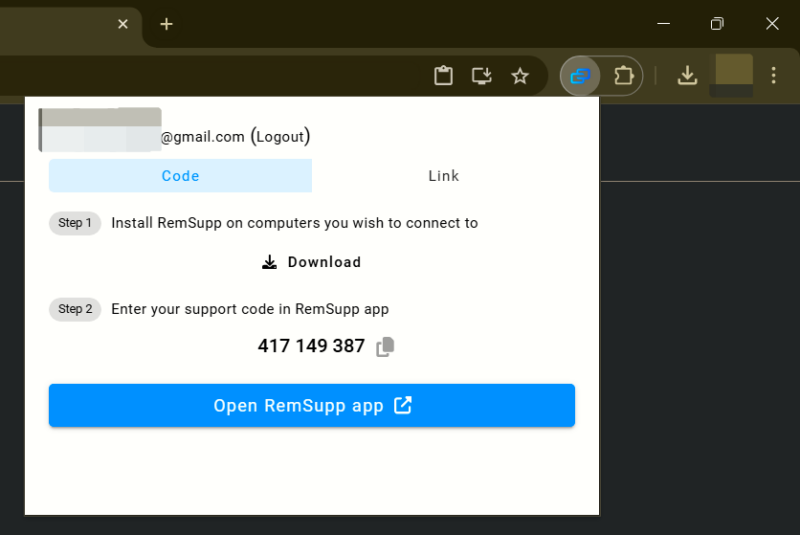
Use the extension to generate a code or a link to the remote session, but note that it takes a few seconds for this to happen. Then, send the info to the host to set up a remote session.
RemSupp lag is minimal, so I found it possible to perform essential tasks, such as navigating to different locations on the PC, without problem. Accessing apps proved a bit trickier, as not all opened smoothly during my testing (for instance, the Calculator app). You can also share files between devices, which works smoothly as well. Note that you can only take advantage of remote sessions of up to two per day at 30 minutes each in the free version.
Other than with a emote desktop, Chrome extensions can also easily improve your workflow in various ways. For instance, check out the best Chrome extensions for downloading images from the Web. You may also want to learn how to enable Chrome extensions, even if you’re working in Incognito mode.
Image credit: Unsplash. All screenshots by Alexandra Arici.