

There are plenty of options out there for storing files in the cloud. Dropbox, OneDrive, and Google Drive are just a few of them. That said, you may want more control of your data. You can install Nextcloud on your own server and even enable end-to-end encryption if you like.
While Nextcloud on its own is great, it can be even better with the addition of apps. Nextcloud apps can add all sorts of functionality to your Nextcloud server. Some of these are installed and enabled by default, while you’ll have to install others yourself. We’ve put together a list of some of the best apps for your Nextcloud server.
1. News
If you’re a news junkie, you’ve probably been searching for the perfect RSS/Atom feed reader ever since the demise of Google Reader. While it may not end your search, the News app lets you embed a very functional feed reader within your Nextcloud server.
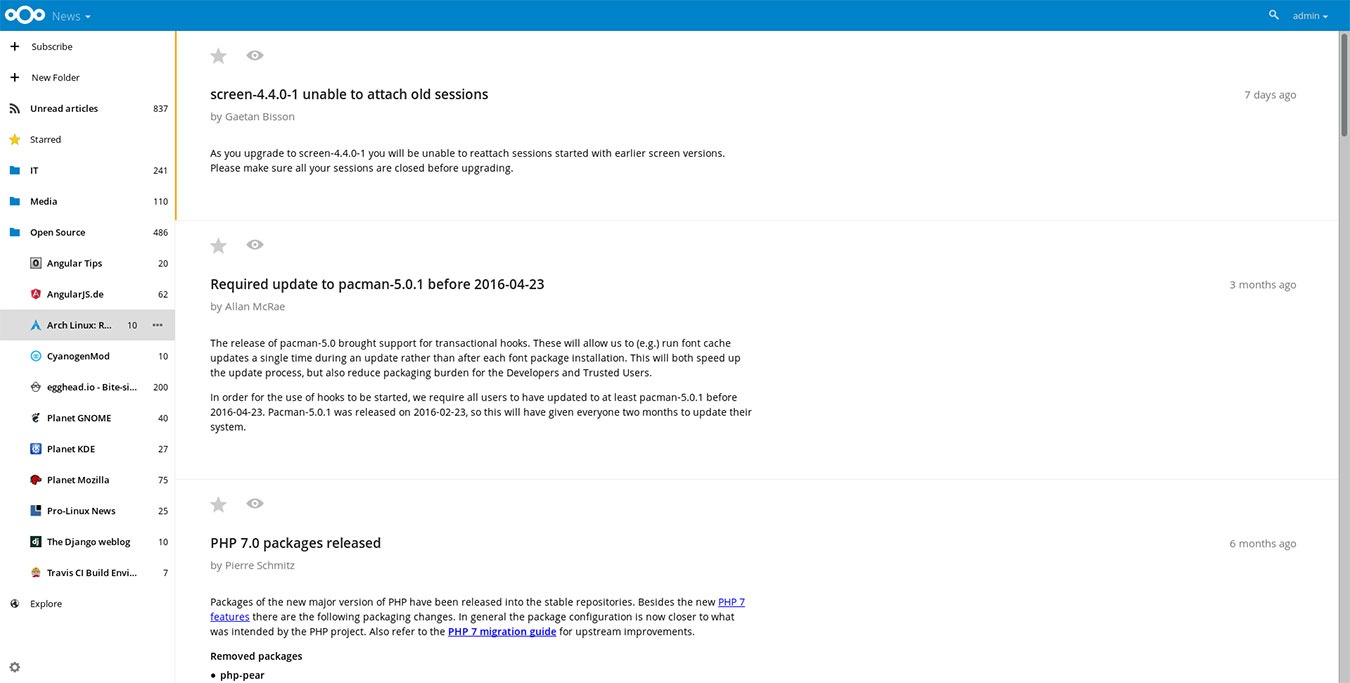
The web interface works in Chrome and Firefox on your desktop web browser, plus it works on mobile devices as well. You’ll also find a decently-sized list of RSS readers and clients which work with the News app on its GitHub page.
2. Passwords
Keeping your passwords safe is important, and a good password manager can make this much easier. That said, not everyone trusts using a service like LastPass. If you want to use a password manager but prefer the self-hosted route, the Passwords app for Nextcloud might be your best option.
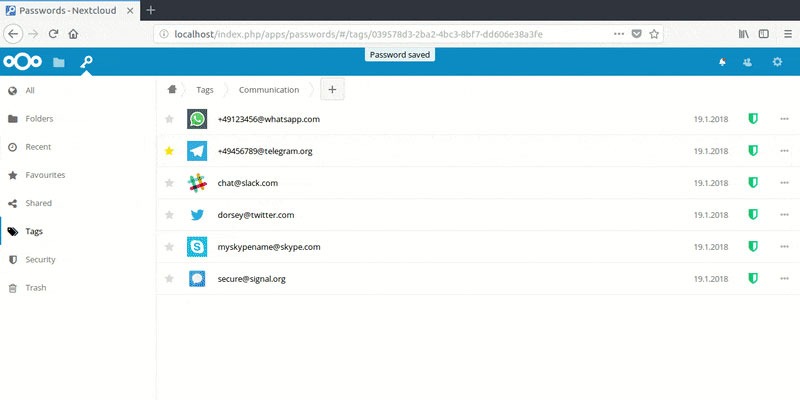
This password manager includes a password security monitor, secure encryption, and folders and tags to keep your passwords organized. You can even share passwords with other Nextcloud users, which is great if you want to share the password to a business-related account across your organization.
3. Deck
If you want to get organized but the standard to-do list isn’t for you, the kanban approach might work for you. If you’re not familiar, this is the “sticky notes on a corkboard” style used by Trello and other apps. If you’d rather use your own server, though, the Deck app for Nextcloud lets you get started with kanban on your own server.
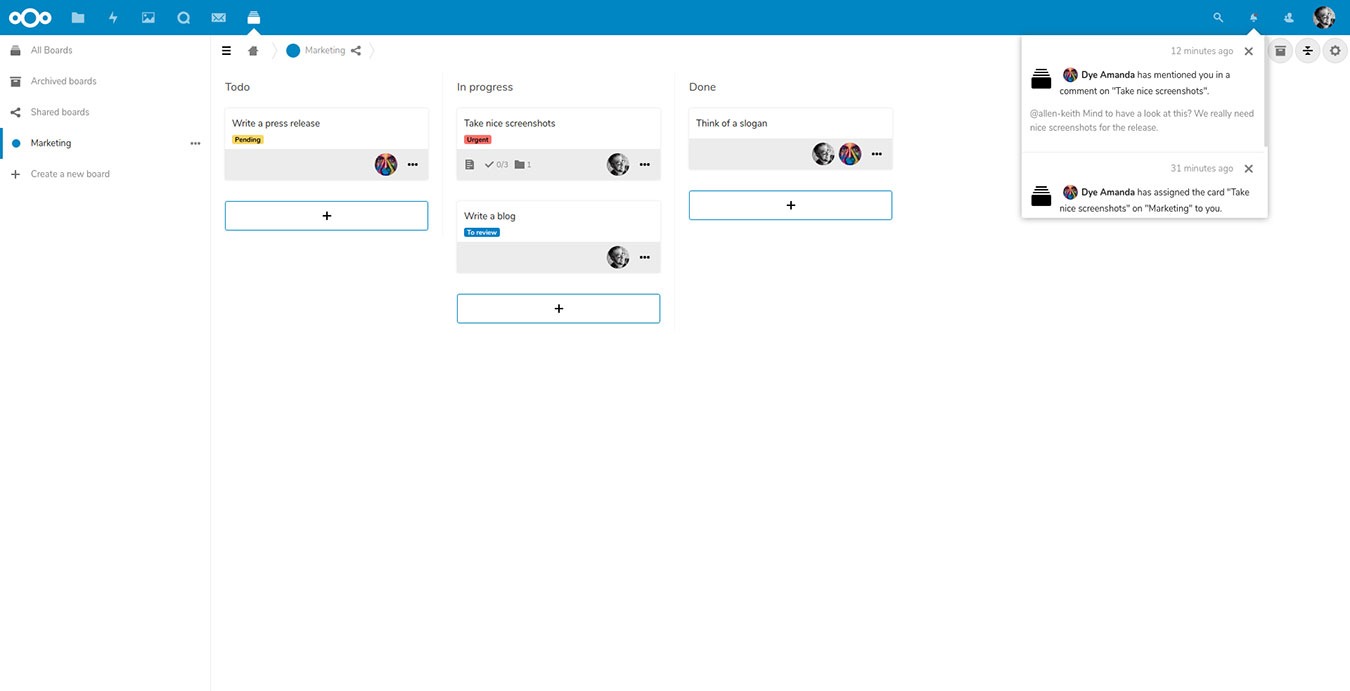
The app lets you create cards for your tasks and order them across various categories. Even better, you can take Markdown-formatted notes to help you remember certain details associated with your tasks. If you’re using the Deck app in an organization, you can use the built-in comments to discuss tasks with your team.
4. OnlyOffice
There are multiple ways to enable an online office suite for your Nextcloud installation. While some people prefer Collabora, OnlyOffice is another great option, and it’s available as a Nextcloud app. You get a word processor, spreadsheet, and presentations app, all in your own personal cloud.
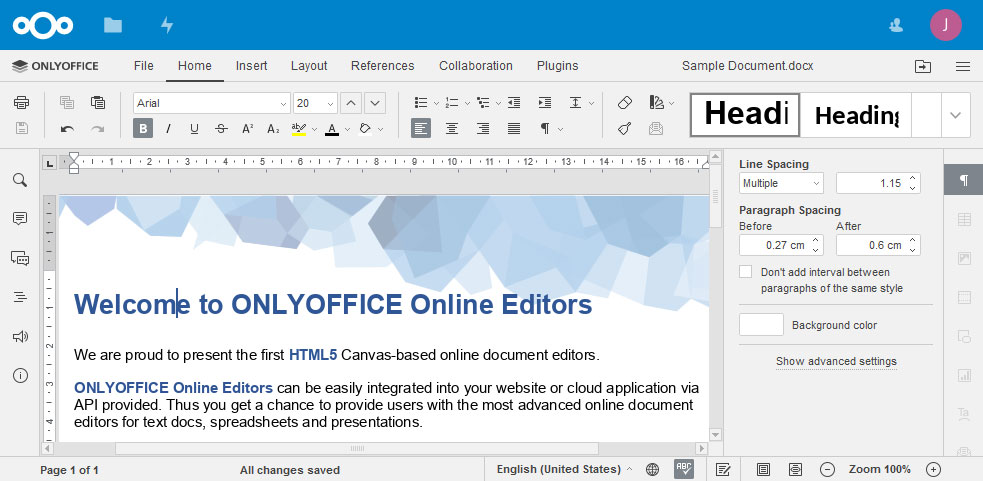
If you’re interested in getting OnlyOffice and Nextcloud running but don’t yet use either, we can help. We already have a guide to installing Nextcloud with OnlyOffice integration.
5. AppOrder
Once you have a few Nextcloud apps installed, you’ll probably find that you use some more often than others. Getting to the icons for your various apps can be annoying if you’re most-used apps are at the bottom of the list.
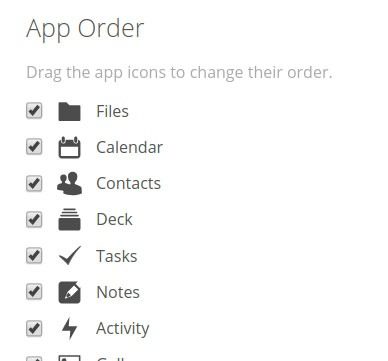
AppOrder solves this problem for you by allowing you to arrange the app icons in any way you like. Each user of your Nextcloud server can have their own order, but administrators can also define a default layout for the icons.
Conclusion
Of course, the apps above are just a few of the great apps available for Nextcloud. There are a bunch more that can add even more functionality to your server. To see everything that’s available, take a look at the Nextcloud app directory.
You may not be sure that Nextcloud is for you. After all, while it’s a great option, it’s not the only one, and there are some fantastic alternatives. If you’re on the lookout for a self-hosted cloud storage option, take a look at our comparison of Nextcloud, OwnCloud, and Seafile.