


If you need a website but don’t have web design skills (like me), you will probably go for a drag-and-drop website builder that requires minimal effort.
The following list are our recommendations for the best drag-and-drop website builders for 2019. You will not see a single line of code in any of these examples, yet the elegant designs and professional finish leave nothing to be desired. Whether you want to transfer your domain or add a blog, the steps are very easy, which means your website will be ready in no time.
Also read: 7 Online Platforms to Build Apps without Coding
1. Bootstrap Studio
This revolutionary tool is gaining a lot of favorable attention and for good reason. Through an online browser demo you can get down to business and explore the best features right now.
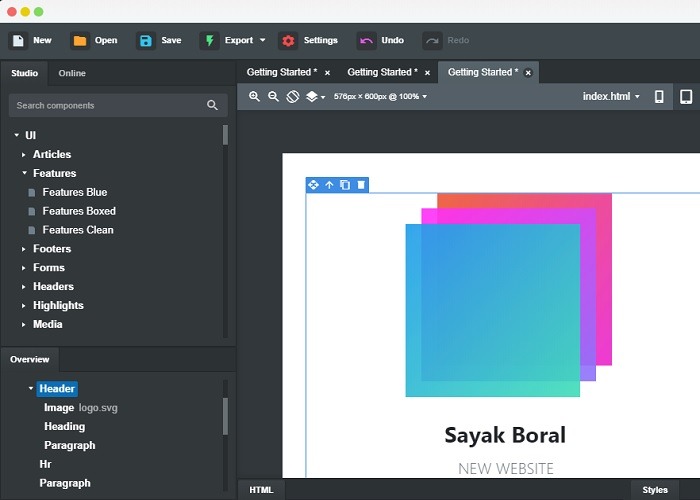
Like any other drag-and-drop website tool, Bootstrap Studio has responsive templates that you can manipulate with text, images and videos. From its “online library” feature, you can access components that are contributed by a vibrant community.
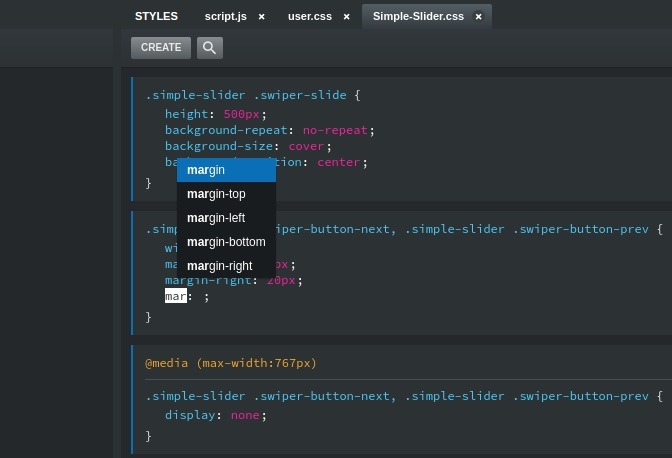
Of course, sometimes you may need more than drag and drop. For the finishing touch, Bootstrap Studio has a prominent text editor supporting CSS, SASS, JavaScript and HTML.
2. Wix
If you like high quality graphics on your website and a parallax theme, nothing comes close to Wix. Featuring some of the most stunning templates, it will leave you (and your site visitors) spellbound with its amazing variety of ideas.

Wix also uses an artificial intelligence feature called Wix ADI (Artificial Design Intelligence). It uses algorithms from your responses to various questions helping you create the exact website you have in mind.
3. DragDropr
Many real websites are often slow due to CMS performance issues. What you need is a CMS-agnostic solution that can support WordPress, Drupal, Magento or any other extensions.
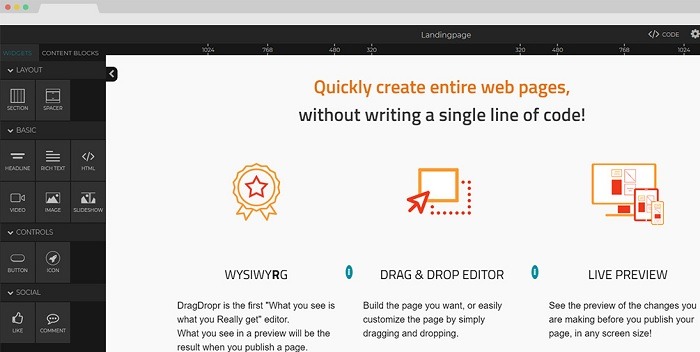
DragDropr is a responsive web design tool and a great improvement on WYSIWYG (What You See Is What You Get) editors. It has over 200 content blocks to choose from and responsive sliders that can scale to any screen size. This is truly one of the best tools on the market.
4. Weebly
Weebly started out as a completely free website builder tool supporting a domain with Weebly branding. It has now become a major website builder popular with e-commerce stores.

At $5/month, the prices are extremely reasonable, and you can work with Facebook ads and other traffic tools. Weebly remains an extremely easy-to-use drag-and-drop website builder.
5. SnapPages
When beautiful templates match super simplicity, your website design effort is greatly reduced. SnapPages is a highly rated drag-and-drop website builder that puts beautiful designs at the heart of each page.
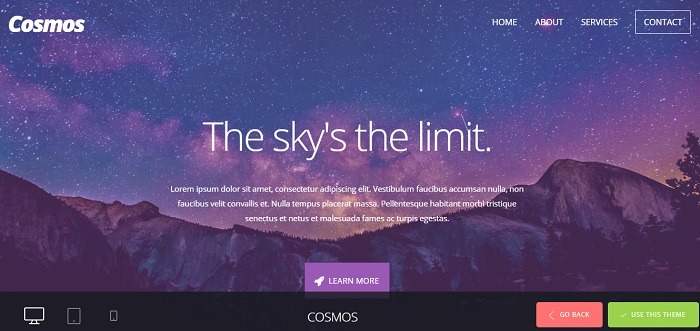
SnapPages uses parallax themes to sub-divide pages into sections. It also supports code snippets to integrate with MailChimp, YouTube, PayPal and other external utilities. The software is easy on the pocket as well with two tiers of pricing at $12 and $18.
6. Mozello
Mozello is a Latvia-based small business which has one of the easiest tools to build personal websites. I have been one of their customers, and the experience was very pleasant. There is an actual person in the support team who helps you with your website integration problems.

Mozello has elegant themes and drag-and-drop functionalities but does not cover a lot of features, such as WordPress blogs. However, if you want a high quality website with cheap pricing, this is more than enough for your needs.
7. Mobirise

If you want a mobile-responsive site with drag-and-drop features, Mobirise fits the bill. While all the previous examples have mobile-responsive website settings, Mobirise is exclusively designed for this purpose.
Conclusion
Simplicity is the most important feature of a drag-and-drop website builder. If you want to get straight to business, you may not have too much time or patience in learning how to code.
Do you use drag-and-drop website builders or do you hire professionals to do it for you? Please let us know in the comments.