


Bookmarks are one of the most-used features of any browser, and all browsers come with this functionality built in. You can easily bookmark a webpage to access it later when you need it. Although the standard bookmarks feature of most browsers is good enough, it can’t fulfill the needs of power users.
Luckily, there are many third-party bookmark managers available which will organize your bookmarks and get rid of the clutter. These bookmark managers come with many other handy features as well, like auto-sync, offline access, advanced search and many more. Let’s check out three of the best bookmark managers that can make your digital life easier.
1. Pocket
Pocket is one of the best bookmark managers with a simple interface and reliable features. You can take full advantage of the service for free without any major downfalls, but a paid subscription can give you a little more control over your content. You just need to create an account or log in with Google+ to start bookmarking content. The browser extension (covers major browsers) is the best way to bookmark content, but you can also drag and drop content in the web interface or send email to “add@getpocket.com” with the URL in the email body.
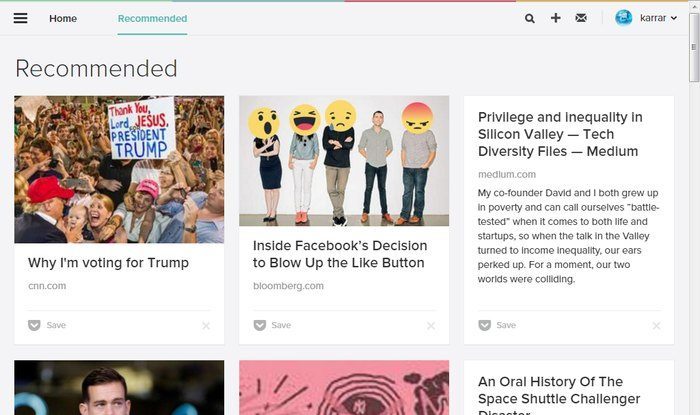
Apart from web pages, you can also bookmark images, videos and customized content from over 800 apps like Pulse, Zite, Twitter, Feedly and more. You can give tags to each bookmark to easily search them later, and different types of content are also automatically categorized. You can opt for a paid monthly subscription to get a personal backup of content, tag suggestions, do an advanced search and view recent searches. All the bookmarks are automatically synced over all devices, both PC and Smartphones.
2. Delicious
Delicious is actually a combination of social media and a bookmark manager. The point of Delicious is to bookmark content and share it with other Delicious users. This is the same way you can check out what others are bookmarking and what is trending. Of course, you can always public or private a bookmark to ensure you only share content you want shared. By adding title, tags and description to bookmarks, you can easily find them later using the built-in search feature.
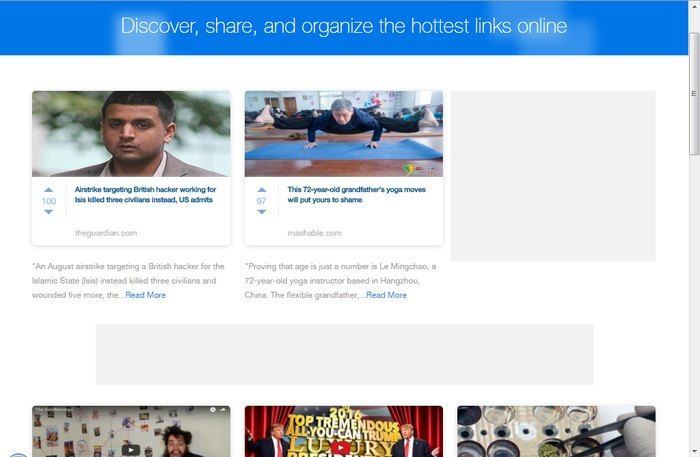
Furthermore, you can follow your friends or other like-minded people on Delicious to always stay updated with what they are sharing. Delicious also offers trending content to see and upvote, and you can use web interface, the browser extension or the Smartphone app to bookmark content.
3. Google Bookmarks
If you are looking for a rather simple bookmark manager, then Google Bookmarks will do wonders for you. It works on Chrome only and you can use its Chrome extension to add bookmarks. It basically adds more features to the native Chrome’s bookmarks feature, so you need to be a Chrome user to take advantage of it.
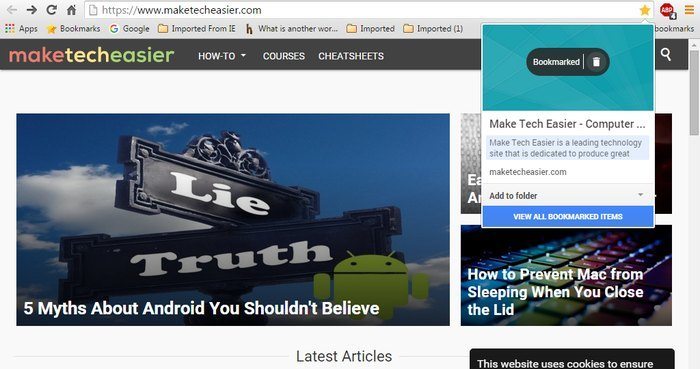
Once the Google Bookmarks extension is added to Chrome, you can start bookmarking content using the “Star” button in the URL bar. It will automatically add a note to the bookmark – like introduction of an article – or you can edit the note as you please. You can select any image from the web page and put the bookmark in a custom folder. If there is already a folder created by you that matches the web page you bookmarked, Google Bookmarks will automatically recommend that folder.
It will also automatically organize bookmarks according to how they’re related, or you can arrange them yourself. Simply put, Google Bookmarks is a great way to organize and automate the bookmarking process.
Conclusion
If the long list of bookmarks in your browser seems a bit cumbersome, then a bookmark manager can solve all your problems. You can use the above-mentioned bookmark managers to organize all your bookmarks and sync them with your other devices. Pocket is a great option to manage all your bookmarking needs, but if you are a Chrome user, then Google Bookmarks may be all you may ever need.