


If you own a business, run a non-profit, or have something similar that you want to spread a message about, Facebook is a great place to do it. With nearly 2.5 billion users, you can get great results from the social media platform. There are two ways to do this: you can start a Page or a Group.
Facebook pages are visible to everyone online, not just on Facebook, and are discoverable through search engines. These are useful if you want people to get information about your topic. Facebook users can become fans and interact with your posts.
Facebook groups allow users to get more personally involved with the topic. Membership in a group will enable them to post directly on the group feed and message other members. You can discuss issues and share related content with the group.
Also read: 8 Secret Facebook Features You Didn’t Know About
Creating Your Group
1. Go to your Facebook home page.
2. Click on Groups on the left side of the page.
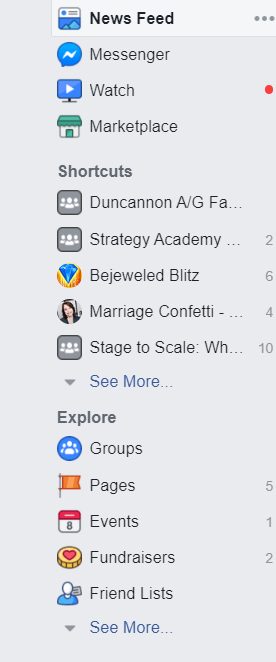
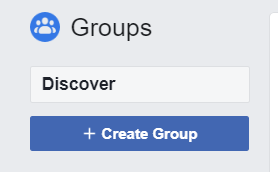
3. Click the box that says “Create group.”
4. Give your group a name.
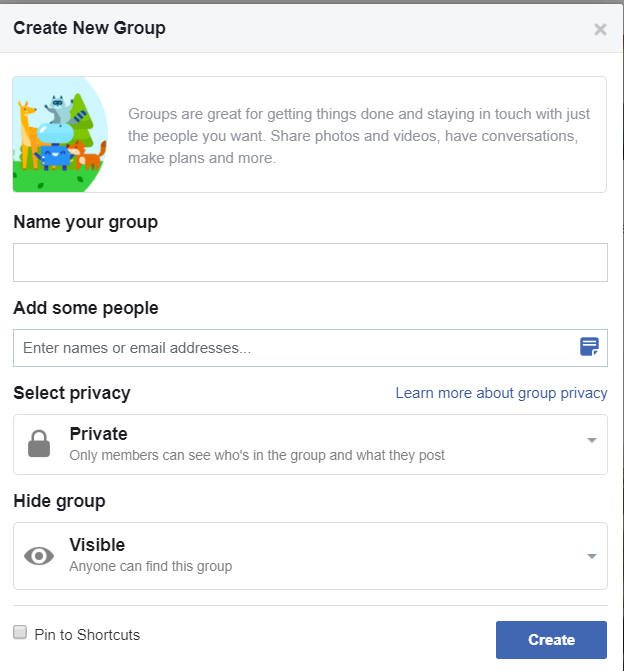
5. Add at least one friend to your group.
6. Select the privacy of your group. Private groups allow only the member to see the content. Anyone can see the content in a public group.
7. Choose whether to hide your group or make it visible.
8. Click Create.
9. Add a cover photo and a profile picture for your group. A cover photo should be 820 pixels wide by 312 pixels tall on the desktop. However, mobile users will only see an area 640 pixels wide by 360 pixels tall, chosen from the middle of the image.
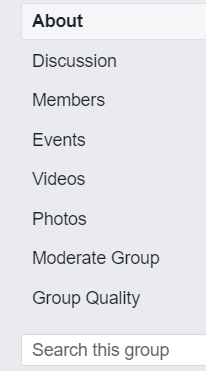
10. Create a description of the group by clicking on Moderate group on the menu on the left.
Include information like:
- Who you are.
- The purpose of the group.
- Who the group is for (and not for).
- Rules and expectations for the group. Be specific. Make sure the rules are unambiguous because you will have members who will push the boundaries.
- What the members can expect from the group.
11. Create an announcement post, one that will stay at the top of the feed inviting new members to tell a little about themselves. To do this, write the post as you usually would and then click the small arrow in the top-right corner of the post. Select Mark as announcement.
Managing Group Members
Allow only legitimate members into your group. The best way to do this is to have your members answer specific questions to get into the group. This is also an excellent place to list your rules. Make one of the questions an agreement to follow them. Before approving the member, make sure their profile appears genuine, and see how long they’ve been a member of Facebook. Spammers will often have very new profiles.
Creating Engagement
Create engagement in your group. The Facebook algorithm will only show your posts in your members’ feeds if they are getting activity such as likes and comments. Getting participation can be challenging at the beginning, so reach out to a few of your members, get their input on what they want from the group, and then ask them to be conversation starters. They can ask questions, comment on and reply to other posts and comments, and post material on the page.
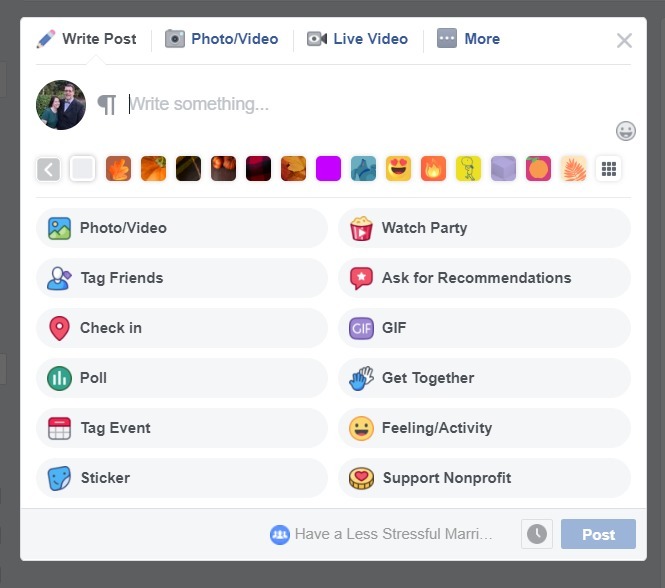
Another way to increase engagement is to post regular updates. These can be anything from videos to pictures, polls, or questions. The biggest tip is to make these posts interactive. You want your members to respond to them in some way. Give each post a call to action such as “Respond with an emoji” or “Comment with your answer below.”
Offering regular events such as Facebook Lives, Watch Parties, or free challenges will create activity in your group, too.
Delegating Responsibility
It is your responsibility to moderate the activity in your group. There are group admin tools that can help with moderation, but there is no better way to do it than to keep a set of human eyes (or more) on the content. Consider making some of your more active members into moderators if your group is getting large.
Moderators can approve or deny new members, approve new posts, remove inappropriate posts or comments, turn off commenting, and remove and block people from the group.
To make someone else a moderator for your page, click on your list of members at the top of the column on the right.
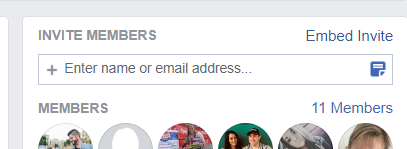
Locate the person you would like to be a moderator, and click on the three dots after their name. Select “Make moderator.”
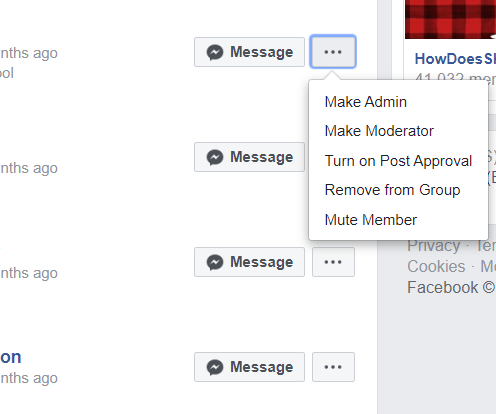
You can also give your most reliable members admin privileges if you want them to have even more access to the page. Admins can do everything a moderator can do as well as remove or add new moderators and manage group settings such as the group name, cover images, and privacy settings.
There are many advantages to having a Facebook group, but they can be a lot of work, depending on your objectives and the size of the group. If you have an interest you want to share with the world and want to be able to interact on a personal level with others who have the same interests, a Facebook group could be the way to get started.